
Google Business Profile optimization vs DIY local SEO
A practical comparison for local business owners deciding whether to hire help or manage Google Business Profile, free Google tools, and rank tracking themselves.
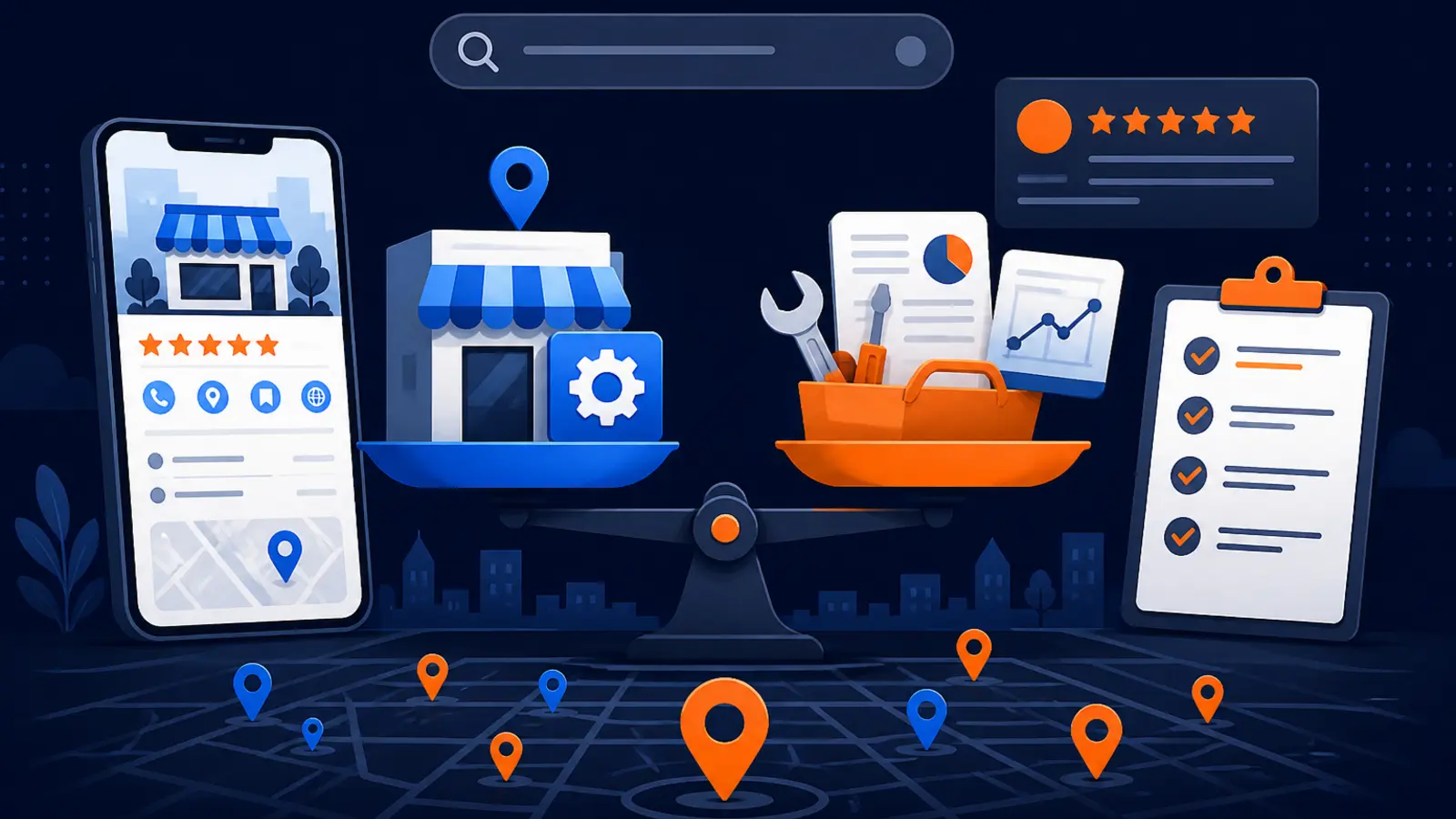
Short answer: hiring helps when execution is the bottleneck
Hiring Google Business Profile optimization is more likely to get your local business more calls when you are not consistently maintaining your profile, services, photos, reviews, tracking, and local ranking checks yourself. The reason is simple: Google gives you many of the tools for free, but the tools do not do the weekly work for you.
The DIY path can absolutely work for the right owner. Google Business Profile says creating a Business Profile and listing a business on Google is free, and the profile can be managed from Google Search and Maps. If you have time each week, understand the data, and can act on what you see, you may not need to hire anyone yet.
The practical difference is not access to Google. Both paths use your Business Profile. The difference is whether your profile is being improved, monitored, protected, and measured often enough to turn local visibility into phone calls.
What Google gives you for free
Google gives local businesses a strong starting point. Google Business Profile Help says a verified Business Profile can show business hours, website, phone number, location, photos, videos, and customer review responses. That covers many of the items a customer checks before calling.
Google also says businesses with complete and accurate information are more likely to show up in local search results, and it lists address, hours, category, and attributes as profile information to provide. For some categories, Google says businesses can showcase services directly on the profile and add service descriptions and prices.
Here is what a committed DIY owner can manage without hiring an agency:
- ▸Claim and verify the Business Profile.
- ▸Keep hours, phone number, website, address, and attributes accurate.
- ▸Choose the most accurate primary and secondary categories.
- ▸Add services, descriptions, and pricing where available.
- ▸Upload current photos and videos.
- ▸Reply to customer reviews.
- ▸Check Business Profile performance data for calls, website clicks, directions, messages, and bookings.
Where DIY local SEO gets harder
DIY becomes harder when the owner has to move from setup to ongoing judgment. Google Business Profile Help says local results are mainly based on relevance, distance, and prominence, and there is no way to request or pay for a better local ranking on Google. That means better performance usually comes from doing the basics well, making smart category and service choices, earning trust, and staying active over time.
A local rank tracker can help, but it also adds another layer of interpretation. BrightLocal says Google local rankings change based on where someone is searching, and that Search Console does not focus on location-specific searches or reflect local rankings across multiple areas. In plain English, one ranking number does not tell you how visible you are across your whole service area.
These are the common DIY pain points:
- ▸You see calls drop, but you do not know which change caused it.
- ▸You rank near your shop, but not in neighborhoods you want to serve.
- ▸You add services, but cannot tell whether they affected visibility.
- ▸You get reviews, but do not have a steady review process.
- ▸You check reports, but do not turn them into weekly actions.
- ▸You miss profile edits, verification issues, or category problems until calls slow down.
What a local rank tracker can and cannot do
A local rank tracker is useful because it shows the search results from different locations instead of pretending the whole city has one ranking. BrightLocal says local rank trackers simulate searches from specific locations using geo-coordinates, IPs, and other methods, and can show map results, organic results, competitors, and ranking changes across cities or neighborhoods.
BrightLocal also says Local Search Grid shows where a business ranks in local search at points on a map instead of giving one ranking number for a whole city. That is much closer to how customers actually search, because a homeowner on the north side of town may see a different Map Pack than a customer downtown.
But tracking is still measurement, not execution. A rank tracker can show that your business is weak in a pocket of the city. It will not decide which category to adjust, which services to rewrite, which photos to add, how to handle reviews, or how to connect ranking changes to call volume.
What GBP optimization should include
Good Google Business Profile optimization is not just filling out a listing once. It should be an ongoing process that keeps the profile accurate, improves relevance, watches visibility across the service area, and connects that visibility to real actions like calls, directions, and website visits.
At Digital Domination, the Maps Domination Program is built around market-specific tracking and execution. Pricing is set per market on a qualification call and tied to the ranking outcome. The free GeoGrid scan checks 169 real Google results across the service area, and clients receive weekly GeoGrid tracking reports with visual proof of rankings and call volume.
If you are comparing vendors, look for these pieces in the work:
- ▸A review of categories, services, photos, hours, attributes, and service areas.
- ▸A clear plan for review generation and review responses.
- ▸Location-based tracking, not just one citywide ranking number.
- ▸Reporting that shows calls and visibility together.
- ▸Help with verification problems and profile edits.
- ▸Plain-English recommendations, not just charts.
- ▸Client ownership or co-ownership of the profile.
Who should choose the DIY path
The DIY path is a good fit for an owner who can treat local SEO like a recurring operations task. If you already check your numbers weekly, respond to every review, update services quickly, and understand the difference between Business Profile performance, Google Analytics, Search Console, and a local grid report, hiring may not be the first move.
DIY also makes sense when the business is early, the budget is tight, and the owner is willing to learn. Google Business Profile performance data is available for verified profiles, and Google says it can include calls from the call button, website clicks, directions, messages, and bookings. Google also says linking Business Profile with Google Analytics shares Business Profile performance data such as interactions, website clicks, calls, directions, messages, bookings, and menu clicks with the Analytics property.
DIY is most realistic when these statements are true:
- ▸You have time every week to work on the profile.
- ▸You are comfortable reading GBP, GA4, Search Console, and rank-tracker data.
- ▸You can keep photos, services, hours, and attributes current.
- ▸You have a review request process that happens consistently.
- ▸You can spot ranking changes by neighborhood, not just by city.
- ▸You can handle verification or edit delays without losing momentum.
Who should hire GBP optimization
Hiring becomes the better option when missed execution is costing you opportunities. Many local owners know their profile matters, but they are busy answering calls, doing the work, scheduling crews, or managing staff. In that situation, free tools are not enough because nobody is turning the data into action.
GBP optimization is also a better fit when your service area is competitive or spread out. If you care about more than the neighborhood around your office, you need to know where you rank across the market. A grid view can show whether visibility is concentrated in one area or whether you are appearing where profitable customers actually search.
You should consider hiring if any of these are true:
- ▸Calls from Google are inconsistent and you do not know why.
- ▸Competitors keep showing above you in the Map Pack.
- ▸You have reviews, but your competitors look more trusted.
- ▸Your services are not clearly represented on your profile.
- ▸You rank in one part of town but disappear in others.
- ▸You do not have time to monitor profile changes and verification issues.
- ▸You want an outside team accountable for weekly work and reporting.
What to expect and what to verify
Before you hire anyone, set expectations around ownership, reporting, and proof. Google Business Profile Help says third parties managing Business Profiles must keep end customers informed of profile changes, let clients retain ownership or co-ownership, disclose management fees, and avoid guarantees of top placement on Google. That gives you a practical checklist for evaluating any provider.
You should also expect some waiting periods inside Google’s process. Google says verification reviews take up to 5 business days, most postcard verification codes arrive within 14 days, and verification codes expire after 30 days. Google also says edits to a verified Business Profile usually take up to 10 minutes to review, but sometimes can take up to 30 days.
Here are concrete checkpoints an owner can verify:
- ▸You still own or co-own the Business Profile.
- ▸You know what changes are being made to the profile.
- ▸You can see the categories, services, photos, and hours being managed.
- ▸You receive local ranking reports by area, not just a single keyword report.
- ▸You can compare visibility with calls, directions, and website actions.
- ▸You understand what is waiting on Google review or verification.
- ▸You know what you are paying for and when you can cancel or change scope.
Seven questions to ask before you sign
A good provider should be able to answer plain questions without hiding behind jargon. If the answers are vague, slow, or focused only on vanity rankings, keep looking.
Ask these questions before you choose a GBP optimization company:
- ▸Who owns or co-owns my Google Business Profile during the work?
- ▸Which profile changes will you make first, and why?
- ▸How will you track rankings across my service area?
- ▸How will you connect ranking changes to calls or other customer actions?
- ▸What review process do you recommend for my staff?
- ▸How often will I receive reporting, and what will it show?
- ▸What happens if Google delays a verification or profile edit?
- ▸Who is responsible for photos, service updates, and review responses?
The call growth question: which path is more likely to win
The path that gets more calls is usually the path that gets consistent execution. Google has made the starting point free, and that is good for business owners. But free access does not mean free results, because the work still has to be done and measured.
DIY can win when the owner has the discipline, time, and comfort with data. Hiring can win when the owner needs a team to maintain the profile, interpret local rankings, handle issues, and keep improving the signals that help customers choose the business. Neither path can buy a better local ranking from Google, because Google says local results are mainly based on relevance, distance, and prominence, and there is no way to request or pay for a better local ranking.
Reviews also matter to customer choice. BrightLocal’s Local Consumer Review Survey was conducted with a representative panel of 1,002 US adult consumers and found that consumers used an average of six review sites in 2026. That means your Google profile is critical, but your broader reputation still affects whether a searcher feels confident enough to call.
How Digital Domination approaches GBP SEO
Digital Domination works with local businesses that want Google Maps visibility tied to real proof. The team uses a 169-point GeoGrid scan to check real Google results across the service area, then tracks progress with weekly GeoGrid reports that show rankings and call volume. The company accepts one client per trade per service area, which gives territory exclusivity.
Digital Domination has spent 20 years learning how businesses earn attention, authority, trust, and rankings online. The founders are Nick Thompson and Dan Dirksen, and the company shows Google Partner and Meta Business Partner badges on its roster page. It also has a 4.9 Google rating from 35 reviews in Las Vegas, Nevada.
If review generation is the main gap, Digital Domination also offers the 5-Star Review System for $297 per month, with no setup fee, cancel anytime, billed monthly through Stripe. For full Google Business Profile SEO, pricing is not published because it is set per market after a scan and qualification call.
Next step if you are comparing options
If you want to keep doing it yourself, use Google Business Profile, Business Profile performance, Google Analytics, Search Console, and a local rank tracker on a weekly schedule. Track where you rank, what changed, how many calls came from the profile, and whether customers are responding to your reviews, services, and photos.
If you want help, visit Digital Domination’s Google Business Profile SEO page. It explains the service, what is included, how the Maps-focused approach works, and how qualification is handled. You can also request the free GeoGrid scan on the scan page to see how your business appears across 169 real Google results in your service area before you decide.
Keep reading
Related guides
Put it into action
Frequently Asked Questions
Can I do Google Business Profile SEO myself?
Yes. Google says creating a Business Profile and listing a business on Google is free, and you can manage it from Search and Maps. DIY works best if you have time every week to update the profile, respond to reviews, check reports, and act on ranking changes.
Is hiring Google Business Profile optimization worth it?
It can be worth it when you are not consistently doing the work yourself. The value is not just setup, but ongoing profile management, local tracking, issue monitoring, review process support, and reporting that connects visibility to calls.
Do I need a local rank tracker if I already use Search Console?
For local SEO, a rank tracker can show things Search Console does not show well. BrightLocal says Search Console does not focus on location-specific searches or reflect local rankings across multiple areas, while local rank trackers can simulate searches from specific locations.
What should a GBP optimization company show me each month?
You should see what changed on the profile, how rankings look across your service area, and how customer actions such as calls, website clicks, directions, messages, or bookings are trending. You should also know if any profile edits or verification items are waiting on Google.
Can anyone guarantee a top Google Maps ranking?
Be careful with ranking promises. Google says third parties managing Business Profiles should avoid guarantees of top placement on Google, and Google also says there is no way to request or pay for a better local ranking.
How long do Google Business Profile changes take?
Google says edits to a verified Business Profile usually take up to 10 minutes to review, but sometimes can take up to 30 days. Verification can also take time, including reviews up to 5 business days and postcard codes that usually arrive within 14 days.
What is the biggest DIY mistake with Google Business Profile?
The biggest mistake is treating the profile like a one-time listing. Your categories, services, photos, hours, reviews, and tracking need regular attention, especially if competitors are active and rankings differ by neighborhood.
Which option gets more calls, DIY or hiring help?
The option that gets consistent execution usually gets the better chance at more calls. If you can manage the work and data every week, DIY may be enough. If you cannot, hiring GBP optimization is usually the more practical path.
Ready to dominate your map?
Top 3 in the Google Map Pack in 12 weeks, or you don't pay.