
Google Maps SEO in Phoenix
Practical Google Maps SEO for Phoenix businesses that need clearer visibility, better tracking, and more qualified local calls from Google.
What a Phoenix Google Maps SEO service should do
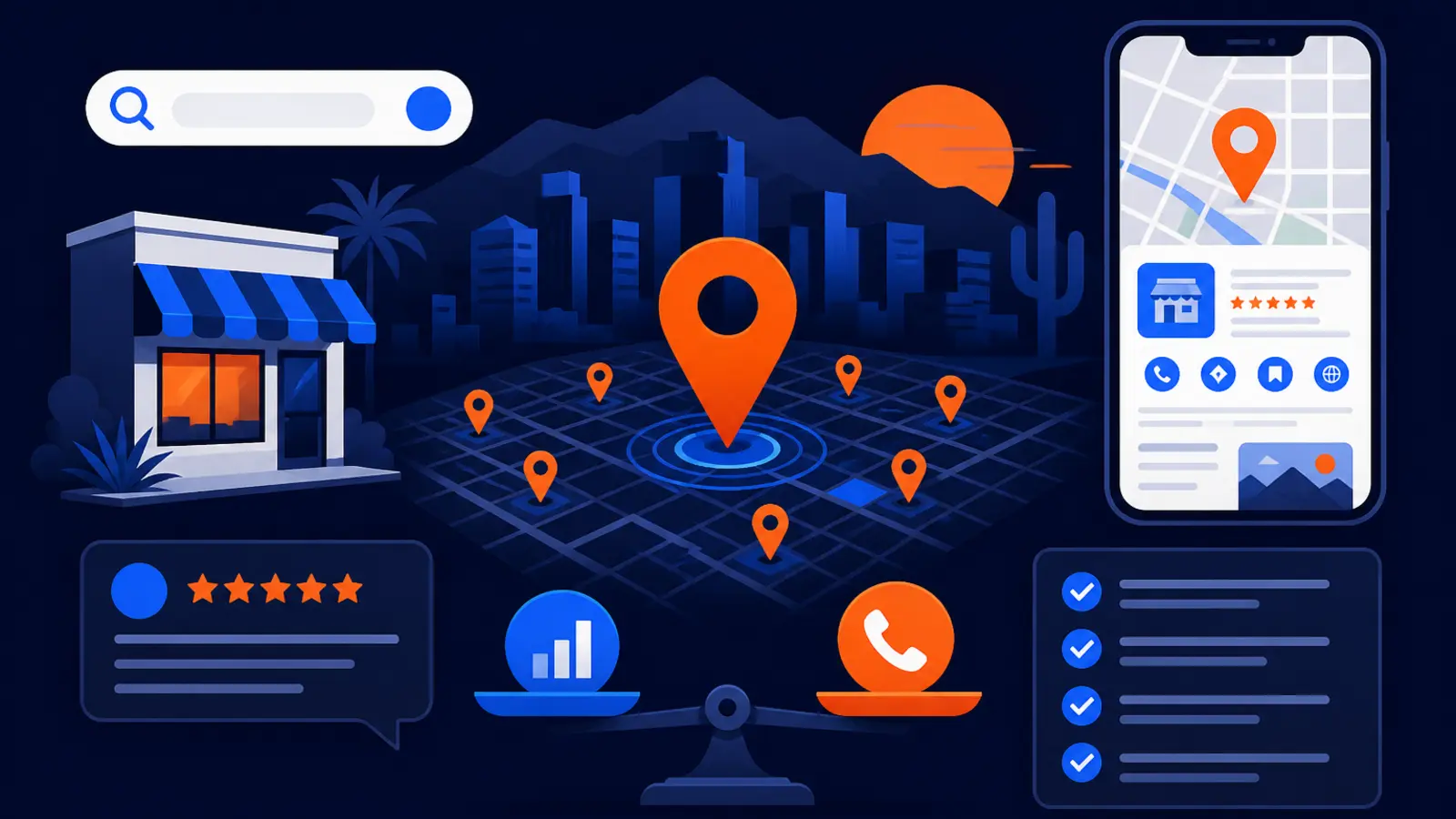
A Phoenix Google Maps SEO service should improve the parts of your Google presence that affect whether nearby customers find you, trust you, and contact you. That means your Google Business Profile, reviews, photos, website pages, local signals, and tracking should all be worked on together. It should also show you whether the work is producing more calls, website clicks, direction requests, and wider map visibility across the city.
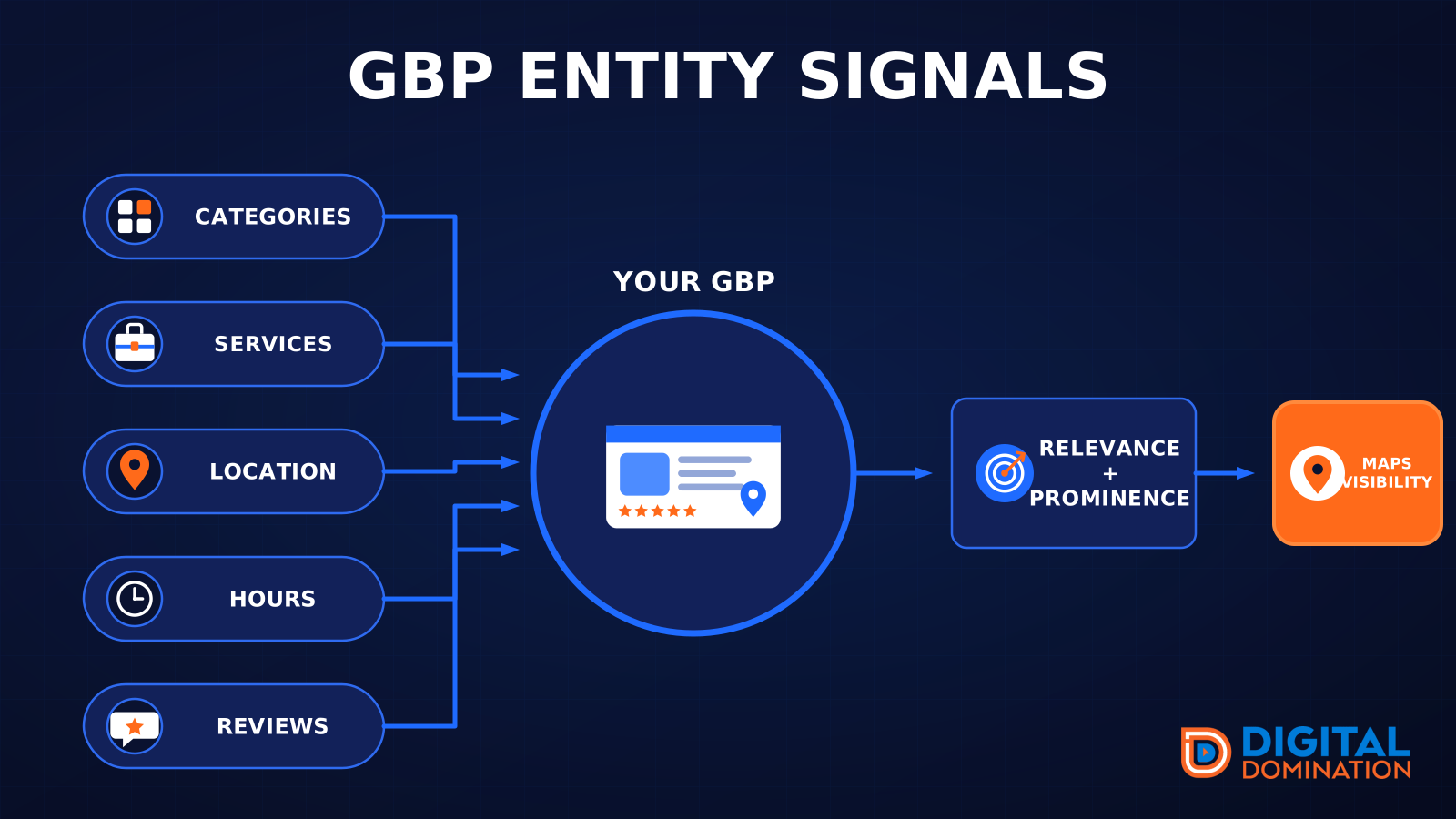
Google Business Profile Help says local ranking is based on relevance, distance, and prominence. In plain English, Google is trying to decide whether your business matches the search, whether you are close enough to the searcher or service area, and whether your business looks trusted and established online. A good Phoenix provider should explain what it is doing in those three buckets.
Phoenix is not a small market. The U.S. Census Bureau QuickFacts estimated Phoenix city, Arizona at 1,665,481 people on July 1, 2025. That size matters because ranking from one point on the map does not prove you are visible across the places where your customers actually search.
- ▸Improve the Google Business Profile setup and accuracy
- ▸Match categories and services to real customer searches
- ▸Build stronger review, photo, and prominence signals
- ▸Connect the website to the services and neighborhoods you want
- ▸Track visibility from many map points, not one office search
- ▸Report calls, clicks, directions, and ranking movement in plain language
Why Google Maps SEO matters in Phoenix
For many local businesses, the Map Pack is where buyers make fast decisions. They compare star ratings, review volume, photos, location, hours, and the first few visible options before they ever visit a website. If you are buried outside the top map results in the areas you serve, you may be invisible to ready buyers even if your business is a good fit.
BrightLocal reported that its 2026 Local Pack and Maps ranking factor groups placed Google Business Profile at 32%, reviews at 20%, and on-page at 15%. BrightLocal also reported that Google Maps users said star rating, number of reviews, and photos influenced local business choice. Those findings line up with what owners can see for themselves when they search for emergency plumbers, dentists, roofers, mechanics, med spas, attorneys, or restaurants in Phoenix.
Google also says there is no way to request or pay for a better local ranking. That means real Maps SEO is not a shortcut or a paid placement. It is the steady improvement of the public signals Google uses and customers notice.
The profile basics must be correct first
Google Business Profile Help says a business can add or claim a profile at no charge, and an added and verified profile can appear on Google Search and Maps. Google also says verification tells Google that the profile manager is authorized to represent the business, making the profile more likely to show in search results.
Before paying for advanced work, make sure the basics are not holding you back. Many Phoenix businesses lose ground because the profile has the wrong primary category, thin services, old hours, missing attributes, or unclear service areas. Complete and accurate information is not busywork. Google says it makes a business more likely to show in local search results.
A proper setup review should confirm these items before larger work begins:
- ▸Your profile is claimed and verified
- ▸The business name follows Google guidelines
- ▸The primary category matches what you mainly do
- ▸Additional categories support real services
- ▸Hours, phone, website, and address are accurate
- ▸Attributes and services are filled out where relevant
- ▸Photos show the business, team, work, location, or products
Service areas and storefront rules for Phoenix businesses
Phoenix has storefront businesses, mobile businesses, and hybrids that serve customers at their location and on-site. The Google setup should match the real business model. Google Business Profile Help says a business that serves customers within a local area can set its service area by cities, zip codes, or other places served.
Google also says a service-area business without a storefront but traveling to customers is allowed one service-area Business Profile. That matters for contractors, mobile mechanics, home service providers, and other businesses that should not create extra listings just to cover more ground. A Maps SEO provider should protect your profile from risky shortcuts, not push tactics that could create problems later.
For Phoenix service-area businesses, the work should focus on real coverage and real proof, including these items:
- ▸A service area that matches where you actually work
- ▸Website pages that explain your main services clearly
- ▸Consistent contact information across important listings
- ▸Photos from real jobs, vehicles, staff, or finished work
- ▸Review requests sent to actual customers
- ▸No fake offices or duplicate profiles
How long changes usually take
Some edits can appear quickly, while ranking movement takes longer. Google Business Profile Help says uploaded photos and videos can take up to 24 to 48 hours to show on a profile. Google Search Central says Search changes can take effect in a few hours or several months and recommends waiting a few weeks to assess whether SEO work helped.
In practical terms, profile cleanup may show visible changes first. Better category fit, added services, stronger photos, and corrected hours can be checked quickly. Ranking movement depends on competition, distance, review strength, website relevance, and prominence signals. In a city like Phoenix, you should expect measurement over weeks, not one afternoon.
Digital Domination’s Maps Domination Program is tied to a clear ranking outcome, with the guarantee stated this way: top 3 in the Google Map Pack in 12 weeks or you do not pay. Pricing for that program is set per market on a qualification call and tied to the ranking outcome.
What to look for in the first 30 days
The first month should not feel mysterious. Even when rankings take time, you should be able to see whether the provider is building the right foundation. You should know what was changed, why it matters, and how it will be measured.
You do not need technical reports full of jargon. You need a clear baseline, a cleanup plan, and proof that work is being done on the public assets customers and Google can see. If your provider cannot explain the connection between work and outcomes, that is a warning sign.
Concrete checkpoints you can verify include these:
- ▸A baseline map visibility report before work begins
- ▸A profile audit that covers categories, services, hours, photos, and service areas
- ▸A review plan that follows Google’s rules
- ▸Website recommendations tied to real services
- ▸Tracking for calls, website clicks, and direction requests
- ▸A schedule for new photos, updates, and reporting
- ▸Plain notes showing what changed each week
How you should measure calls, clicks, directions, and visibility
Google Business Profile performance reports can show views, searches, directions, calls, website clicks, messages, bookings, products, menus, and offers when those metrics apply to the business, according to Google Business Profile Help. Those numbers help, but they are not the whole picture.
The missing piece is where you rank across the area, not just from your office or your phone. A plumber might rank near the shop but not in Ahwatukee, Deer Valley, Maryvale, Arcadia, or North Phoenix. A dentist might be visible near one intersection but not where new patients are searching. This is why map grid tracking matters.
Digital Domination uses a Free GeoGrid scan that checks 169 real Google results across the service area. The weekly GeoGrid tracking reports are built to show visual proof of rankings and call volume, so an owner can see whether the market coverage is expanding.
A useful report should separate activity from business impact:
- ▸Map rankings from multiple points in the service area
- ▸Phone calls from the profile
- ▸Website clicks from the profile
- ▸Direction requests, when relevant
- ▸Search terms that triggered the profile
- ▸Review growth and review response activity
- ▸Before and after visibility screenshots or grid reports
Seven questions to ask before you sign
The cheaper or DIY path can be a good fit if you already have a verified profile, enough time to update categories, service areas, photos, reviews, and website signals, and no urgent need to compete for top Phoenix map results. If you need faster, accountable work in a competitive category, ask harder questions before you hire anyone.
A strong provider should answer these questions without hiding behind vague promises:
- ▸How will you measure rankings across Phoenix, not just at my address?
- ▸What will you change on my Google Business Profile first?
- ▸How do you decide the primary category and additional categories?
- ▸What review process do you recommend, and does it follow Google’s rules?
- ▸How will I see calls, clicks, directions, and visibility changes?
- ▸What website work supports the Maps campaign?
- ▸Do you work with more than one business in my trade and service area?
- ▸What happens if the campaign does not reach the agreed ranking outcome?
Why reviews, photos, and website pages matter together
Google says prominence is based on information such as links and reviews, and that more reviews and positive ratings can help local ranking. Google also says a verified business can reply to reviews and can share a review request link or QR code to encourage reviews. For an owner, this means reviews should be part of the operating process, not something remembered only when rankings drop.
Photos matter because customers use them to judge fit and trust. BrightLocal reported that photos of the business or its work influenced local business choice among Google Maps users. For many Phoenix buyers, current photos answer simple questions before they call, such as whether the business is active, professional, local, and relevant to the job.
Your website also supports the profile. If your profile says you provide AC repair, implant dentistry, collision repair, or estate planning, your website should have clear pages that explain those services. Google’s local ranking factor of relevance is easier to support when the profile and website tell the same story.
How Digital Domination handles Phoenix Maps SEO
Digital Domination focuses on Google Maps visibility, profile strength, review systems, and reporting that local owners can understand. The process starts with market reality, not guesswork. The 169-point GeoGrid scan shows where you are visible and where competitors are winning across the service area.
Digital Domination also offers one client per trade per service area, which gives territory exclusivity. That matters if you do not want the same team working on your direct local competitor at the same time. The company has spent 20 years learning how businesses earn attention, authority, trust, and rankings online, and shows Google Partner and Meta Business Partner badges on its roster page.
Phoenix owners should expect the campaign conversation to cover these practical items:
- ▸Your trade and exact service area
- ▸Current map visibility from the GeoGrid scan
- ▸Competitors showing up in the Map Pack
- ▸Profile fixes that need immediate attention
- ▸Review and photo gaps
- ▸Website support needed for the campaign
- ▸Weekly reporting and ranking proof
Next step for Phoenix business owners
If you are comparing Phoenix Google Maps SEO providers, start with proof of current visibility. You should know where you rank now, what needs to change, how long the work is expected to take, and how calls, clicks, directions, and map coverage will be tracked.
The Phoenix page explains Digital Domination’s local Maps SEO approach for Phoenix business owners, including the qualification process and how the Maps Domination Program is tied to ranking outcomes. The free GeoGrid scan page is the best first step if you want a 169-point view of how your business appears across your service area before you decide what to do next.
Keep reading
Related guides
- ▸When To Choose Case Studies Instead Of Doing Local SEO Yourself Diy Wi
- ▸When to use free local visibility tools before DIY local SEO
- ▸When To Choose Google Business Profile Optimization Instead Of Doing L
Put it into action
Frequently Asked Questions
How long does Google Maps SEO take in Phoenix?
Some profile edits can show quickly, but ranking changes usually need weeks of measurement. Google Search Central says Search changes can take effect in a few hours or several months and recommends waiting a few weeks to assess whether SEO work helped. In a competitive Phoenix category, you should track movement across the service area, not from one search.
Can I pay Google to rank higher in Maps?
No. Google Business Profile Help says there is no way to request or pay for a better local ranking on Google. Paid ads can appear in Google, but organic Map Pack ranking depends on factors like relevance, distance, and prominence.
What should be included in a Phoenix Google Maps SEO service?
It should include Google Business Profile cleanup, category review, service area setup, review strategy, photo updates, website support, and tracking. You should also get reporting for calls, clicks, directions, and map visibility from multiple Phoenix search points.
Do I need a verified Google Business Profile?
Yes, verification is important. Google Business Profile Help says verification tells Google that the profile manager is authorized to represent the business, making the profile more likely to show in search results. A provider should confirm verification before making larger campaign plans.
Can a service-area business rank in Phoenix without showing an address?
Yes, if the setup follows Google’s rules. Google says a business that serves customers within a local area can set its service area by cities, zip codes, or other places served. Google also says a service-area business without a storefront but traveling to customers is allowed one service-area Business Profile.
How do I know if Maps SEO is producing calls?
Google Business Profile performance reports can show calls, website clicks, directions, searches, and other actions when they apply to your business. A strong provider should also show map visibility changes with a grid report, so you can connect ranking movement to customer actions.
Is DIY Google Maps SEO enough for a Phoenix business?
DIY can work if your profile is verified, your market is not too competitive, and you have time to manage categories, photos, reviews, service areas, and website content. If you need to compete for top Phoenix map results soon, professional help with tracking and execution may be the better fit.
What is a GeoGrid scan?
A GeoGrid scan checks how your business ranks from many points across the area instead of only one location. Digital Domination’s free scan checks 169 real Google results across the service area, giving you a clearer view of Phoenix map visibility.
The Local SEO Trinity
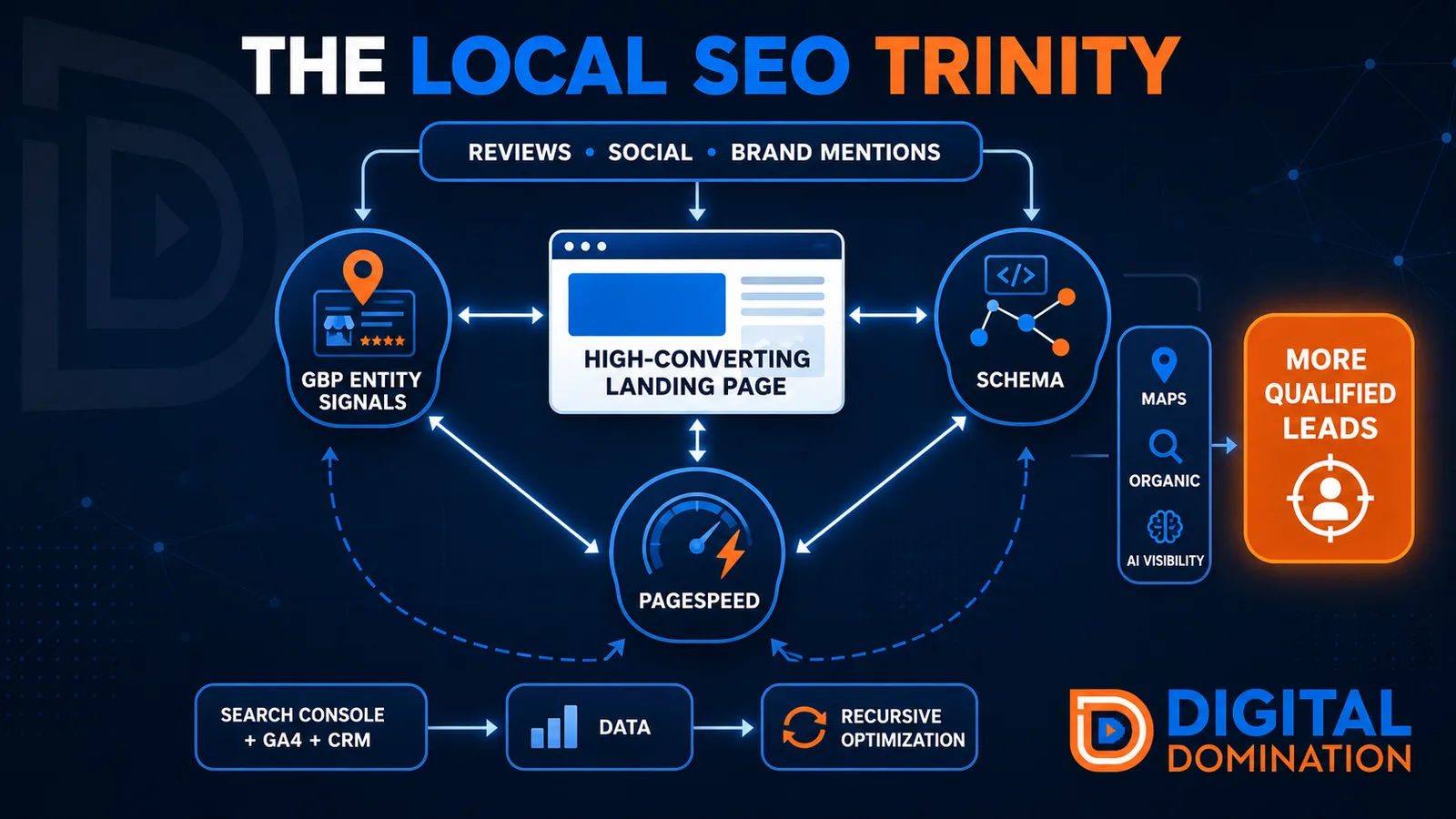
Think of a three-legged stool. Your Google profile, your website, and your reviews all have to hold you up. If one leg is short, the whole thing wobbles.
GBP entity signals
This leg is your Google Business Profile. GBP means Google Business Profile. It covers your categories, your services, your location, your hours, and your reviews. Google uses those facts to decide who to show.
Your Google profile is your storefront sign. If the sign is missing, or it names the wrong shop, people drive past.
PageSpeed to conversion
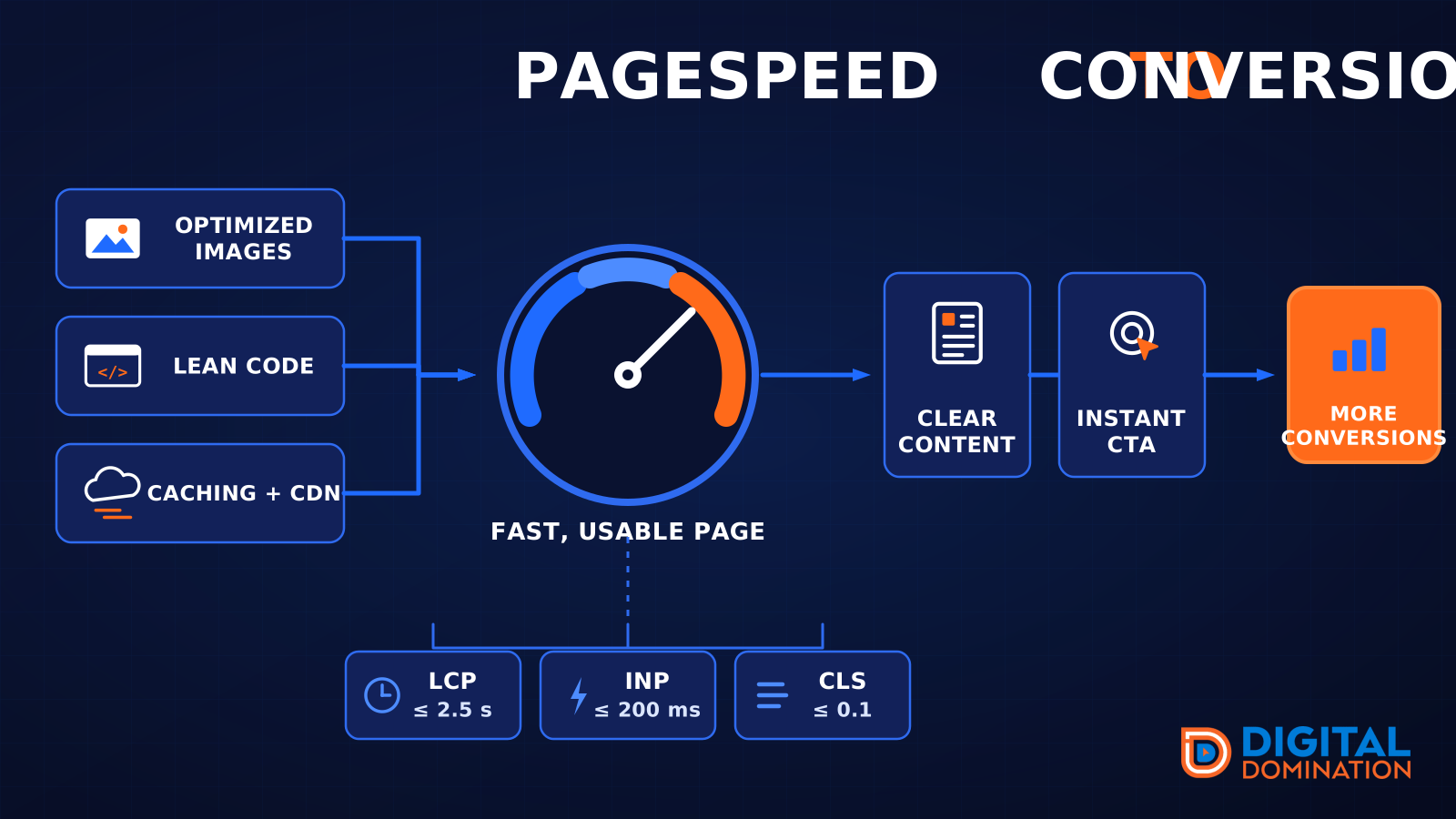
This leg is your website, above all on a phone. Small images, lean code, and caching make a page fast. A fast, clear page is what turns a visit into a call. Phone speed is one of the 12 Trinity checks because a slow page loses the call before anyone sees your offer.
Your website is the showroom. If the door sticks, people leave before they look around.
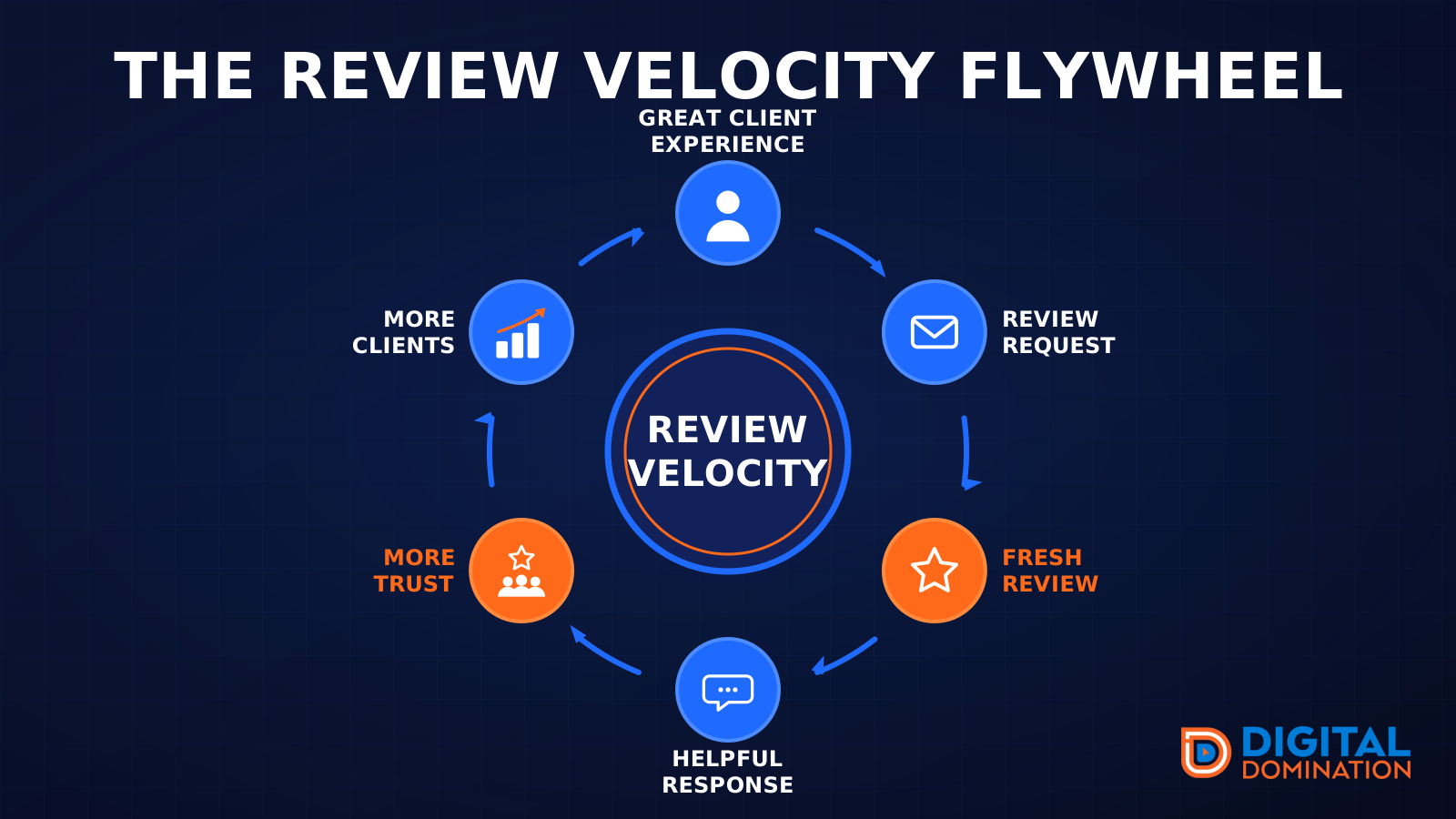
The review velocity flywheel
This leg is reviews and reputation. A good visit leads to a review request, then a fresh review, then a helpful reply, then more trust, then more customers. When the scan can find your Google listing, it shows your rating, your recent reviews, and how many you answered.
Reviews are word of mouth. One kind word helps. A steady stream of real reviews, and a reply from you, helps more.
How this turns into revenue
Being found in more searches leads to more calls. More calls lead to more booked jobs. More booked jobs lead to more revenue.
Example numbers, not a real business: 40 calls from search in a month, a 25 percent close rate, and a $400 average job. That is 10 booked jobs. That is $4,000. The math is the lesson. It is not a promise.
The full page has a box where you can type your own average job value and close rate.
One real story, from our car dealership case study: Medina Auto Group went from invisible on Google Maps to dominating every high-intent search across their market. The turnaround spanned all four of their rooftops at once. The same page says the team eliminated 89 unfair one-star reviews that had been dragging the dealership's reputation down and keeping it out of the Map Pack. It also says: “Results described here are exceptional and non-typical. Outcomes vary based on market conditions, competition, and implementation. No guarantees are made regarding earnings, rankings, or conversions.”
Free strategy call
More booked jobs start with a clear plan
Book a free strategy call. We look at your Google profile, your website, and your reviews, and we tell you what to fix first.
Free. You pick the time. A real person shows up.