
Free local visibility tools vs doing local SEO yourself
A practical comparison for local owners who want more measurable call-button clicks, not just another dashboard to check.
The short answer
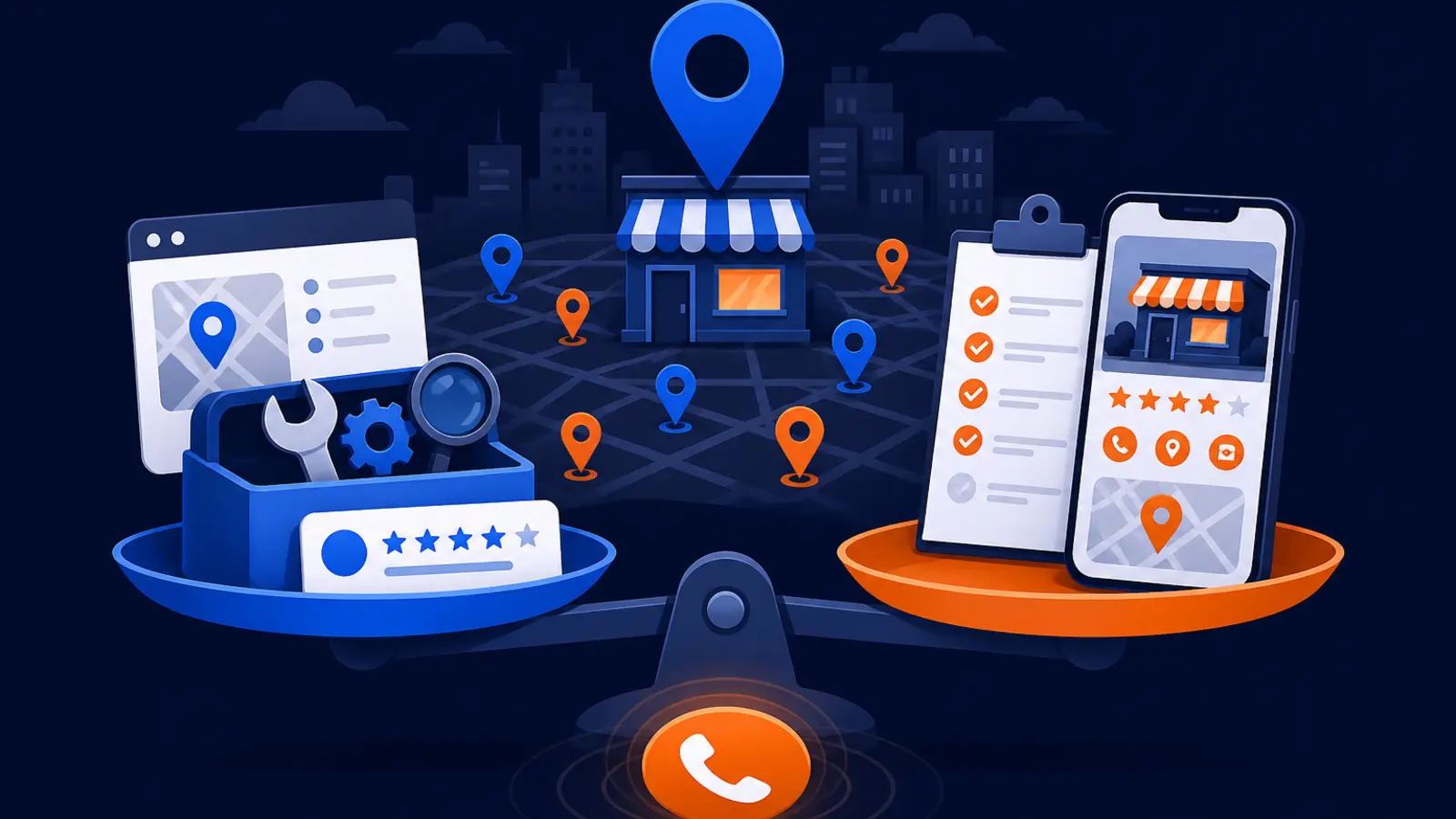
For most busy local business owners, free diagnostic visibility tools with a guided workflow are more likely to turn visibility problems into measurable call-button clicks than a fully DIY setup. The reason is simple: the tools point you to the gaps that matter, then give you a sequence to fix them. DIY can work, but only if someone has the time to learn the tools, check the data, make changes, and wait long enough to judge results.
The DIY route is still a valid choice. It genuinely suits an owner or marketer who can keep the Google Business Profile complete, understand Search Console and Analytics, read rank-tracking reports, and stay patient for weeks to months before deciding whether changes worked.
The buying question is not whether Google’s free tools are useful. They are. The better question is whether your business needs raw data or a guided path from problem to action.
What each path really includes
The DIY path usually starts with Google Business Profile, Google Search Console, Google Analytics, and a local rank tracker. Google Business Profile Help says eligible storefront and service-area businesses can manage how they appear on Google Maps and Search at no charge. It can display business hours, website, phone number, and location, and a verified profile lets an owner or manager make changes on Google Maps and Search.
Google Search Console Help describes Search Console as a free service for monitoring, maintaining, and troubleshooting a site’s presence in Google Search results. Google Analytics says it connects customer and campaign data across devices and platforms and offers a free account option. A local rank tracker adds another view: BrightLocal Help Center explains that a local search grid can report rankings from one street to the next instead of relying on one citywide ranking number.
The guided visibility tools path uses diagnostics to find the visibility problem first, then helps the owner choose the next action. With Digital Domination, that can include the free 169-point GeoGrid scan, which checks 169 real Google results across the service area, and tool options such as Tork, Digital Domination’s AI local SEO software for Google Business Profiles.
In plain English, here is the difference:
- ▸DIY gives you the source tools and expects you to interpret them.
- ▸Guided tools organize the problem so you know what to fix first.
- ▸DIY is cheaper in software cost if you already know what you are doing.
- ▸Guided tools usually save time when you do not know why calls are not coming in.
- ▸Both paths still require accurate business information, reviews, and patience.
Why guided diagnostic tools often help owners act faster
Local SEO gets confusing because one weak spot can look like another. A business may think it has a ranking problem when it really has an incomplete profile, a review problem, poor service-area coverage, weak website signals, or rankings that only show up near the shop but not where customers live.
Google Business Profile Help organizes local ranking around relevance, distance, and prominence. That matters because it reminds owners that rankings are not controlled by one setting. A guided workflow can help sort those categories into practical tasks, such as improving profile completeness, checking whether the business is visible across the actual service area, and watching whether call-button clicks change after updates.
Guided tools are usually better when the owner needs help turning a messy visibility problem into a short work queue. The value is not magic access to Google. Google Search Central says third-party SEO tools do not have access to Google’s internal ranking data and cannot guarantee performance. The value is better diagnosis, cleaner priorities, and less guessing.
Guided diagnostic tools are especially useful when:
- ▸You are getting impressions but not enough calls.
- ▸You rank in one part of town but disappear in another.
- ▸You do not know whether the profile, website, reviews, or geography is the main issue.
- ▸You need a simple before-and-after view.
- ▸You want a workflow instead of a pile of reports.
Where the DIY path is strong
DIY local SEO can be the right choice for a disciplined owner or an in-house marketer. Google Search Central says a small local business can probably do much of its SEO work itself and recommends starting with the SEO Starter Guide. That is a fair point. Many basics are learnable, and a careful owner can avoid paying for work that only requires accuracy and consistency.
DIY is strongest when the business has someone who will actually maintain the system. That means keeping the Business Profile accurate, checking Search Console, watching Analytics, reviewing local ranking reports, and documenting what changed. It also means knowing that not every movement in rankings should trigger a panic.
Google Search Central describes SEO services as including site content or structure review, technical advice, content development, online business development campaigns, keyword research, SEO training, market and geography expertise, and optimizing for generative AI. A capable DIY marketer can handle some of those tasks, but it is still a real workload.
DIY is a good fit when you have:
- ▸A person responsible for local SEO every week.
- ▸Enough patience to wait before judging changes.
- ▸Comfort reading reports without overreacting to daily movement.
- ▸A complete and verified Google Business Profile.
- ▸A process for asking happy customers for reviews.
The limit of free Google tools and rank trackers
Free Google tools show valuable information, but they do not automatically tell you what to do next. Search Console can show search performance and technical issues, but an owner still has to decide what matters. Analytics can connect customer and campaign data, but someone has to interpret the behavior and tie it back to phone calls, forms, and booked jobs.
Google Business Profile Performance can show calls and website clicks, but those numbers need context. A dip in calls could come from seasonality, ranking changes, weaker reviews, a holiday, a wrong phone number, or a service-area issue. A local rank grid can help show street-by-street visibility, but it is still one part of the decision.
The biggest risk in DIY is not lack of data. It is acting on the wrong conclusion. If you change the website, rewrite the profile, move categories around, and start posting all at once, you may not know what helped or hurt.
Watch for these DIY traps:
- ▸Treating one keyword as the whole market.
- ▸Looking only at citywide ranking averages.
- ▸Making too many changes at once.
- ▸Ignoring call-button clicks while chasing impressions.
- ▸Checking reports often but not keeping an action log.
Calls are the metric that makes this decision practical
The best comparison is not which path produces the prettiest report. It is which path helps you create more measurable call-button clicks from local search. Google Business Profile Help says the Performance calls metric is the number of times a customer clicked the call button on the Business Profile, and a phone number is required to track it. It also says website clicks measure the number of times people clicked the website link on the Business Profile.
That makes calls and website clicks practical checkpoints for a local owner. They are not perfect. A customer can still call after finding the number elsewhere, and not every click becomes a booked job. But they are closer to revenue than a ranking screenshot.
If you choose guided tools, use call-button clicks as the proof that guidance is becoming action. If you choose DIY, use the same standard. Visibility work should eventually show up in the actions customers take.
At minimum, review these numbers together:
- ▸Call-button clicks from the Business Profile.
- ▸Website clicks from the Business Profile.
- ▸Local grid visibility across your service area.
- ▸Search Console queries and pages tied to local intent.
- ▸Analytics activity from local landing pages.
What to look for before you choose
Before you pick either path, check whether the basics are measurable. Google Business Profile Help says businesses with complete and accurate information are more likely to show up in local search results. It also says more reviews and positive ratings can help local ranking. That means any path should begin with accuracy, completeness, reviews, and a clean way to compare visibility over time.
A good tool or process should make it easy to see what changed and when. You should not need to become a technical SEO to know whether your hours are correct, your phone number is visible, your profile is verified, your service area is represented, and your calls are being tracked.
Expect local SEO to take some time. Google Search Central says some SEO changes can take effect in a few hours, others could take several months, and a few weeks is usually needed to assess effects in Search results. That is why a weekly review rhythm is usually more useful than checking rankings every morning.
Use these concrete checkpoints before you commit to a path:
- ▸Your Business Profile is verified and managed by the right owner or manager.
- ▸Your hours, phone number, website, location, and service details are accurate.
- ▸Your phone number is present so call-button clicks can be tracked.
- ▸You can see website clicks from the Business Profile.
- ▸You can compare visibility across the actual service area, not just one zip code.
- ▸You have a review request process that follows Google’s rules.
- ▸You know which changes were made each week.
Questions to ask before you choose a path
The right choice depends less on software and more on the person who will use it. A free tool that nobody checks is not really free. A rank tracker without a decision process can become a distraction. A guided workflow is useful only if it helps you take cleaner action.
Ask these questions before you decide:
- ▸Who will own local visibility every week?
- ▸Do we know which searches and locations matter most?
- ▸Can we tell the difference between rankings, clicks, and calls?
- ▸Will we keep a simple log of profile, website, and review changes?
- ▸Are we willing to wait a few weeks before judging Search results?
- ▸Do we need diagnosis, or do we already know what to fix?
- ▸Can we read a local grid without chasing every small movement?
- ▸Is the next step clear after we open the report?
Choose guided visibility tools if speed and clarity matter
Guided diagnostic tools are usually the better fit when the business owner is already overloaded. A two-truck plumbing company, a med spa, a law office, or a repair shop may not have a person who can study Search Console, compare grid rankings, and turn the findings into a weekly plan. In that case, the best tool is the one that reduces confusion and points to the next action.
Digital Domination’s free GeoGrid scan checks 169 real Google results across the service area. That matters because local visibility changes by location. Looking good near the office does not mean you are visible where the best customers are searching.
Tork is also relevant for owners who want help with Google Business Profile work instead of starting from a blank screen. It is Digital Domination’s AI local SEO software for Google Business Profiles. Use it as a workflow aid, not as a promise that any third-party tool can control Google.
Guided tools tend to suit businesses that:
- ▸Want a clearer diagnosis before buying services.
- ▸Need to see where they show up across the service area.
- ▸Care more about calls than vanity rankings.
- ▸Have limited time for learning SEO from scratch.
- ▸Want local visibility tasks organized into a workflow.
Choose DIY if you have time, discipline, and patience
DIY is the better option when your business has a person who enjoys this work and can stick with it. If an owner or marketer can study Google’s SEO Starter Guide, maintain the Business Profile, learn Search Console, use Analytics, and interpret a rank-tracking grid, DIY can be a sensible path.
The DIY route also works when the market is less competitive or when the business is not in a hurry. If calls are acceptable and the goal is steady improvement, a careful owner can make progress without paying for guidance. The key is to avoid random changes and give Google enough time to reflect updates.
DIY should not mean guessing. It should mean using free tools responsibly, keeping records, and judging changes with enough time and context.
DIY is probably right for you if:
- ▸You can spend time on local SEO every week.
- ▸You are comfortable reading Google help documents.
- ▸You can connect rankings, clicks, and calls without overreacting.
- ▸You have a rank tracker and understand local grid movement.
- ▸You can wait weeks to months before making a final judgment.
- ▸You prefer learning the system before asking for outside help.
A simple 30-day decision plan
If you are unsure, run a short test before choosing. Start by making the Business Profile accurate and complete. Confirm that the phone number is present so calls can be tracked. Check Search Console for obvious site issues. Review Analytics for local page activity. Then compare those findings against a local visibility scan or grid report.
Do not judge the whole project after a few days. Google Search Central says a few weeks is usually needed to assess effects in Search results, and some changes can take several months. The goal of the first month is not to declare victory. It is to find out whether you can run the process yourself or need a guided workflow.
Use this simple plan:
- ▸Week 1: verify profile accuracy, phone number, hours, website, and service details.
- ▸Week 2: review Search Console and Analytics for obvious local search issues.
- ▸Week 3: compare local visibility across the service area with a grid or scan.
- ▸Week 4: review call-button clicks, website clicks, and the change log together.
- ▸Decision: continue DIY if the next steps are clear, or use guided tools if the data is still confusing.
Where to go next
If you want guided local visibility tools, visit the Digital Domination tools page. It shows practical options for diagnosing and improving local visibility, including tools connected to Google Business Profile work such as Tork.
If you want a starting point before choosing software or services, use the free GeoGrid scan page. The scan checks 169 real Google results across your service area, so you can see where you are visible and where you are not.
The fairest recommendation is this: choose DIY if you have time, patience, and a person who will manage the process every week. Choose guided diagnostic tools if you want a clearer path from visibility problems to actions that can be measured in call-button clicks.
Keep reading
Related guides
Put it into action
Frequently Asked Questions
Can I do local SEO myself with free Google tools?
Yes, many local businesses can do some local SEO themselves. Google Search Central says a small local business can probably do much of its SEO work itself and recommends starting with the SEO Starter Guide. The challenge is not access to tools, it is having the time and discipline to use them correctly.
Are free local visibility tools better than a rank tracker?
They solve different problems. A rank tracker can show where you appear across locations, while guided visibility tools help turn that information into a practical next step. If you already know how to interpret local rankings, a tracker may be enough.
What is the best metric for local SEO calls?
A useful metric is call-button clicks from your Google Business Profile. Google Business Profile Help says this measures the number of times a customer clicked the call button on the profile, and a phone number is required to track it. You should review it alongside website clicks and local ranking visibility.
How long should I wait before judging local SEO changes?
Google Search Central says some changes can take effect in a few hours, others could take several months, and a few weeks is usually needed to assess effects in Search results. For most owners, weekly tracking is more useful than checking every day. Keep a change log so you know what you are judging.
Does a local rank tracker show my real Google ranking?
A local rank tracker can be useful, especially when it shows rankings from one street to the next instead of one citywide number. BrightLocal Help Center describes this kind of local grid reporting. Still, Google Search Central says third-party SEO tools do not have access to Google’s internal ranking data and cannot guarantee performance.
Who should choose DIY local SEO?
DIY suits an owner or marketer with time to learn Google’s guidance, keep the Business Profile complete, read Search Console and Analytics, and interpret rank-tracking reports. It also requires patience because results may take weeks to months to assess. If nobody owns the process, DIY usually stalls.
What is Tork used for in local SEO?
Tork is Digital Domination’s AI local SEO software for Google Business Profiles. It is best viewed as a workflow aid for profile-related local visibility work. It does not replace Google’s rules or guarantee rankings.
Where should I start if I just want more calls?
Start by making sure your Google Business Profile is accurate, verified, and able to track call-button clicks. Then compare your visibility across the service area with a local scan or grid. If the next steps are still unclear, guided tools are likely a better fit than pure DIY.
Ready to dominate your map?
Top 3 in the Google Map Pack in 12 weeks, or you don't pay.