
Google Business Profile booking links now need an owner audit
Google has expanded self-serve link controls for appointments and reservations, which makes your booking links a revenue and operations issue, not just a profile setting.
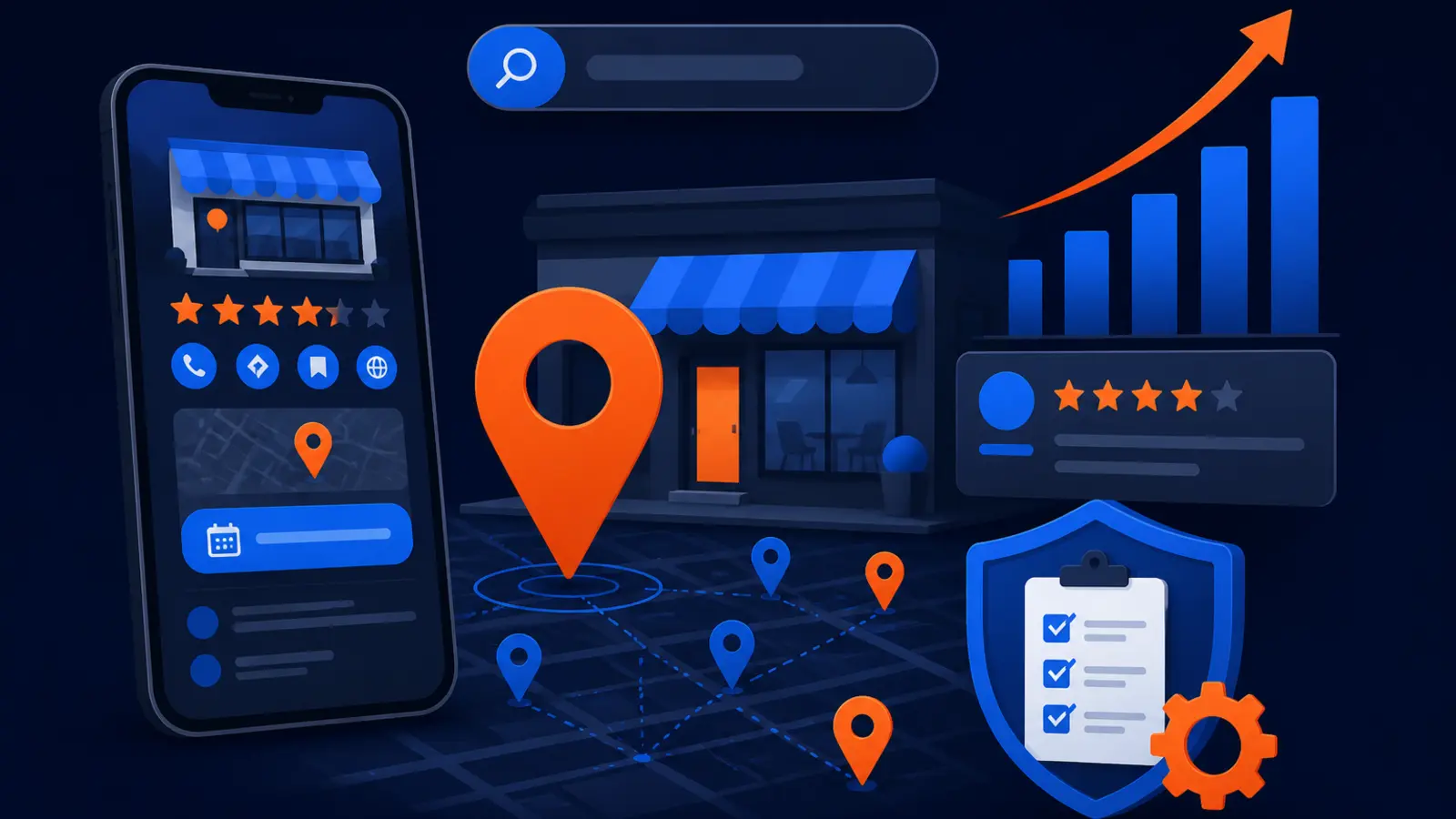
What changed today
Google Business Profile owners can now choose which appointment-booking and dining-reservation links appear on Google, according to Lisa Landsman’s post on LinkedIn on November 24. Search Engine Roundtable reported the change on November 23 in its coverage of new controls for appointments and dinner reservations.
This affects any local business where a customer can book, schedule, reserve, or request an appointment from Search or Maps. That includes salons, med spas, clinics, dentists, chiropractors, fitness studios, restaurants, home service companies, pet groomers, auto shops, and any business using a scheduling platform.
Google’s own Business Profile Help page, “Manage your local business links,” says local business links can help customers take actions directly from Search and Maps. That is the practical point: this is no longer only about whether your profile looks complete. It is about where the customer goes when they are ready to act.
Why booking links deserve more attention than most owners give them
A wrong link on your Google Business Profile can send a ready-to-book customer into the wrong system. That can mean a booking partner you stopped using, a menu of services you no longer offer, a location page for the wrong office, or a reservation flow your front desk does not check anymore.
For many owners, the Google profile has become the front door. A customer searches, taps your profile, and clicks the most convenient action button. If that button points to the wrong place, the problem may look like a no-show, a missed call, a confused guest, or a customer who never appears in your system.
The damage is not always obvious because the customer may not call to tell you what went wrong. They simply book somewhere else, arrive at the wrong time, or blame your business for a bad handoff between Google and a third-party partner.
This change matters most for businesses with any of these situations:
- ▸You changed booking software in the past year.
- ▸You use more than one booking or reservation partner.
- ▸You have multiple locations with separate calendars.
- ▸You run seasonal services, holiday menus, or special appointment types.
- ▸You have staff who manually confirm appointments from different systems.
- ▸You pay fees to a third-party marketplace when a direct booking would work better.
This is a conversion-control issue, not a profile-completeness task
Local SEO work often starts with accuracy: name, address, phone number, categories, services, hours, photos, and reviews. Those still matter. Google’s local ranking factors are relevance, distance, and prominence, so your profile should clearly match what you do and where you do it.
Booking links sit in a different category because they affect the moment after a customer chooses you. If the profile earns the click but the booking path creates friction, the SEO work is leaking value. For the owner, that means the right question is not only, “Do we have a booking link?” The better question is, “Is Google sending customers into the booking path we actually want?”
That is why owners shopping for Google Business Profile help or local SEO should ask about booking link audits. A provider who only fills out fields may miss a link that changes where the customer lands, who gets credit, what fees apply, and whether the appointment is visible to your team.
Five things to check on your profile this week
Before holiday and year-end demand peaks, do a short audit from the customer’s point of view. Use your phone, not only your desktop computer, because many customers will find you in Google Maps while they are already making a decision.
Search for your business name, open your profile, and test every action link you can see. If you manage multiple locations, check each location separately. Do not assume one clean profile means the whole account is clean.
Here are the profile items to check this week:
- ▸Open every appointment, booking, reservation, order, and menu link visible on your Google Business Profile.
- ▸Confirm each link goes to the correct location, service list, calendar, and staff schedule.
- ▸Check whether Google shows a preferred link and whether that link matches your current business preference.
- ▸Look for old booking partners, marketplaces, or reservation systems you no longer want customers to use.
- ▸Ask your front desk which booking sources cause the most confusion, then compare that to what Google is showing.
- ▸Test the flow as a first-time customer and stop at the final confirmation step unless you are making a real booking.
What owners should do about it
The owner-level fix is not complicated, but it does need a clear decision. Decide which booking destination you want Google to favor. For some businesses, that is the native booking page on the company website. For others, it is a scheduling platform that connects cleanly to the team’s calendar. Restaurants may prefer a reservation partner that is already built into host operations.
Next, document what should appear. Write down the approved booking link for each location, the approved reservation link if you take reservations, and any links that should be removed or deprioritized. This gives your manager, SEO provider, and front desk the same reference point.
Then use the Google Business Profile controls described in Google’s Business Profile Help documentation to manage local business links and preferred links where available. If your profile is managed by an agency or employee, ask them to show you the live link audit, not just tell you it is handled.
Take these actions before the next demand spike:
- ▸Choose one primary appointment or reservation path for each location.
- ▸Remove or reduce reliance on old links that no one on your team monitors.
- ▸Make sure the destination page works on mobile and does not require extra searching.
- ▸Confirm your website’s booking button matches the preferred Google booking path.
- ▸Tell staff which systems may receive bookings from Google.
- ▸Put a calendar reminder to recheck links after software, menu, staff, or hours changes.
The hidden fee and operations problem
Booking links can also affect cost. Some businesses use third-party platforms because they bring exposure. Others use them only because old integrations never got cleaned up. There is nothing automatically wrong with a third-party partner, but the owner should know when a customer is being routed through one.
The operations issue can be just as important as the fee issue. If the customer books through a system your team checks every hour, that may be fine. If the customer books through a system your team checks once a day, that can create bad handoffs. For appointment businesses, the worst version is an appointment that the customer thinks is confirmed but the staff does not see in time.
This is why the audit should include the people who handle bookings, not only the person who manages marketing. Your front desk, host stand, office manager, or dispatcher will usually know which systems create duplicate records, wrong appointment types, or awkward customer conversations.
Questions to ask your SEO or GBP provider
If someone manages your Google Business Profile, this change gives you a simple way to test how practical their work is. You are not asking for a technical lecture. You are asking whether the profile sends customers into the correct money path.
A good provider should be able to explain which booking and reservation links are live, which one is preferred, how they verified the links, and what happens if a third-party partner adds or updates a link. They should also know the difference between a ranking task and a conversion task. This one is both, but the immediate risk is conversion loss.
Ask your provider these questions:
- ▸Have you audited all appointment, booking, reservation, food-ordering, and menu links on our profile?
- ▸Which link is preferred for each location, and why?
- ▸Are any third-party partners appearing that we did not approve?
- ▸Have you tested the booking flow on mobile from Google Search and Google Maps?
- ▸Do the links match the booking buttons on our website?
- ▸Who checks these links after we change software, services, hours, staff, or menu items?
Holiday and year-end triage for busy businesses
If you are entering a busy season, do not wait for a full marketing cleanup before checking these links. A short triage pass is better than no pass. The goal is to remove obvious friction before customers start booking holiday appointments, year-end visits, private events, gift services, new-year consultations, or seasonal reservations.
Start with the profile pages that get the most customer action. For a single-location business, that means your main profile. For a multi-location brand, start with the busiest locations, the locations with recent software changes, and the locations that have the most customer complaints about booking.
Use this quick triage order:
- ▸Check the most visible action button first.
- ▸Test the link on a mobile phone while signed out of your business accounts.
- ▸Verify the appointment types or reservation times shown are current.
- ▸Confirm the page clearly displays the correct business name and location.
- ▸Remove outdated links before trying to perfect every smaller profile detail.
- ▸Ask staff to report any customer who mentions booking through an unexpected system.
Where this fits with local ranking work
This update does not replace the basics of local SEO. You still need accurate categories, strong service pages, consistent business information, useful photos, review activity, and a website that supports the profile. But booking link control sits close to the bottom of the funnel, where the customer is already deciding.
There is also a trust issue. If your Google profile says one thing and your booking page says another, customers hesitate. If the profile leads to an old partner, the customer may wonder whether your business is organized. If the link opens a clunky mobile page, they may back out and choose another result.
For owners, the practical takeaway is simple: ranking visibility and booking control should be managed together. Getting found is only useful if the next step is clean.
Do not forget the website experience after the click
Google can send the customer to the right place, but your site or booking platform still has to finish the job. If the page loads slowly, hides the booking button, or makes the customer re-enter information, some people will abandon the process.
You do not need to become a developer to check this. Open the link on your phone using regular cellular service, not only office Wi-Fi. Look at whether the page loads, whether the appointment button is obvious, and whether the location is correct. If the page feels confusing to you, it will probably feel confusing to a first-time customer.
If you work with a web or SEO provider, ask them to check mobile performance as part of the path. Google’s Core Web Vitals “good” thresholds are LCP 2.5 s, INP 200 ms, and CLS 0.1 at the 75th percentile of field data. Owners do not need to memorize those terms, but they should expect the booking path to be fast, stable, and easy to use.
How to make this a repeatable checklist
The best time to fix booking links is before something breaks. The second-best time is today. Put this into a simple recurring checklist so the issue does not return after a software change, staff change, new service launch, or agency handoff.
This checklist should live somewhere your team can find it. It does not need to be fancy. A shared document with the approved links, login owner, last audit date, and notes for each location is enough for many businesses.
Add these moments to your internal checklist:
- ▸After changing booking or reservation software.
- ▸After adding or closing a location.
- ▸After changing business hours, holiday hours, or service availability.
- ▸After launching a seasonal offer, event menu, or new appointment type.
- ▸After switching SEO, website, or reputation management providers.
- ▸At the start of every major demand season.
What this means when choosing local SEO help
This news should change how owners evaluate Google Business Profile help. A provider should not treat booking links as a minor setting buried inside the profile. They should treat them as part of the customer path from search to sale.
Digital Domination is a Las Vegas local SEO agency serving local service businesses nationally, so we look at this through the lens of practical conversion control. If you want to understand how Google Business Profile work should connect with rankings, profile actions, reviews, photos, services, and local visibility, visit digitaldomination.ai/google-business-profile-seo/. That page explains our Google Business Profile SEO service in plain terms and what an owner should expect from profile management.
Before holiday or year-end demand peaks, ask one direct question: when a customer clicks to book from Google, are they going exactly where you want them to go? If you are not sure, start with a visibility check. Get the free GeoGrid scan at digitaldomination.ai/scan/.
Keep reading
Related guides
- ▸Local SEO services in Phoenix
- ▸Local SEO services near me
- ▸Local SEO services vs doing local SEO yourself
Put it into action
Frequently Asked Questions
Can I choose which booking link shows on my Google Business Profile?
Yes, Google now gives Business Profile owners more control over appointment and reservation links, according to Lisa Landsman’s LinkedIn post and Google’s Business Profile Help documentation. Availability and exact options can vary by business type, category, and partner setup, so you should check your profile directly.
Why is Google showing an old booking system for my business?
Old booking links can remain visible if they came from a past integration, a third-party provider, or profile data that was never cleaned up. Audit your local business links inside Google Business Profile and compare them with the booking system your staff actually uses.
Should my booking link go to my website or a third-party app?
The best link is the one that creates the cleanest customer and staff experience. For some businesses, that is a direct website booking page. For others, it is a third-party system that syncs correctly with calendars, reminders, and front-desk workflow.
Do booking links affect local SEO rankings?
Google’s main local ranking factors are relevance, distance, and prominence. Booking links are more directly tied to conversions, but they still matter because a strong profile should help customers take the next step without confusion.
How often should I audit Google Business Profile booking links?
Check them any time you change booking software, services, staff schedules, hours, locations, or reservation partners. At minimum, review them before busy seasons when missed bookings can create the most damage.
Can my SEO agency manage Google booking and reservation links for me?
Yes, if the agency has proper access and understands your preferred booking path. Ask them to document all live links, identify preferred links, test the mobile booking flow, and confirm that no unwanted third-party partners are appearing.
What businesses are most affected by this Google Business Profile update?
Salons, clinics, fitness studios, restaurants, med spas, dentists, home service businesses, pet services, and any company that takes appointments or reservations should pay attention. The more systems or locations you have, the more important the audit becomes.
The Local SEO Trinity
Think of a three-legged stool. Your Google profile, your website, and your reviews all have to hold you up. If one leg is short, the whole thing wobbles.
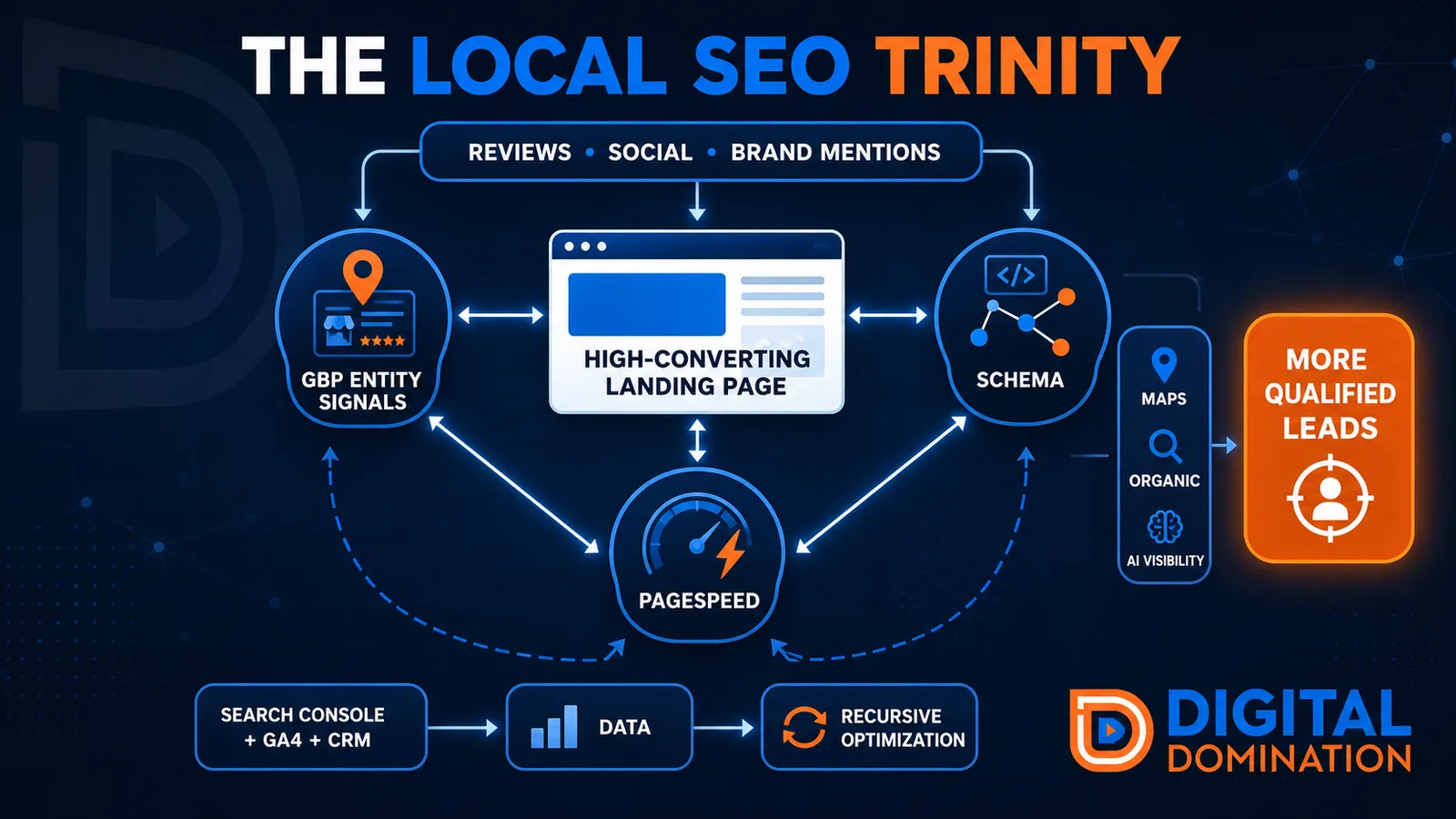
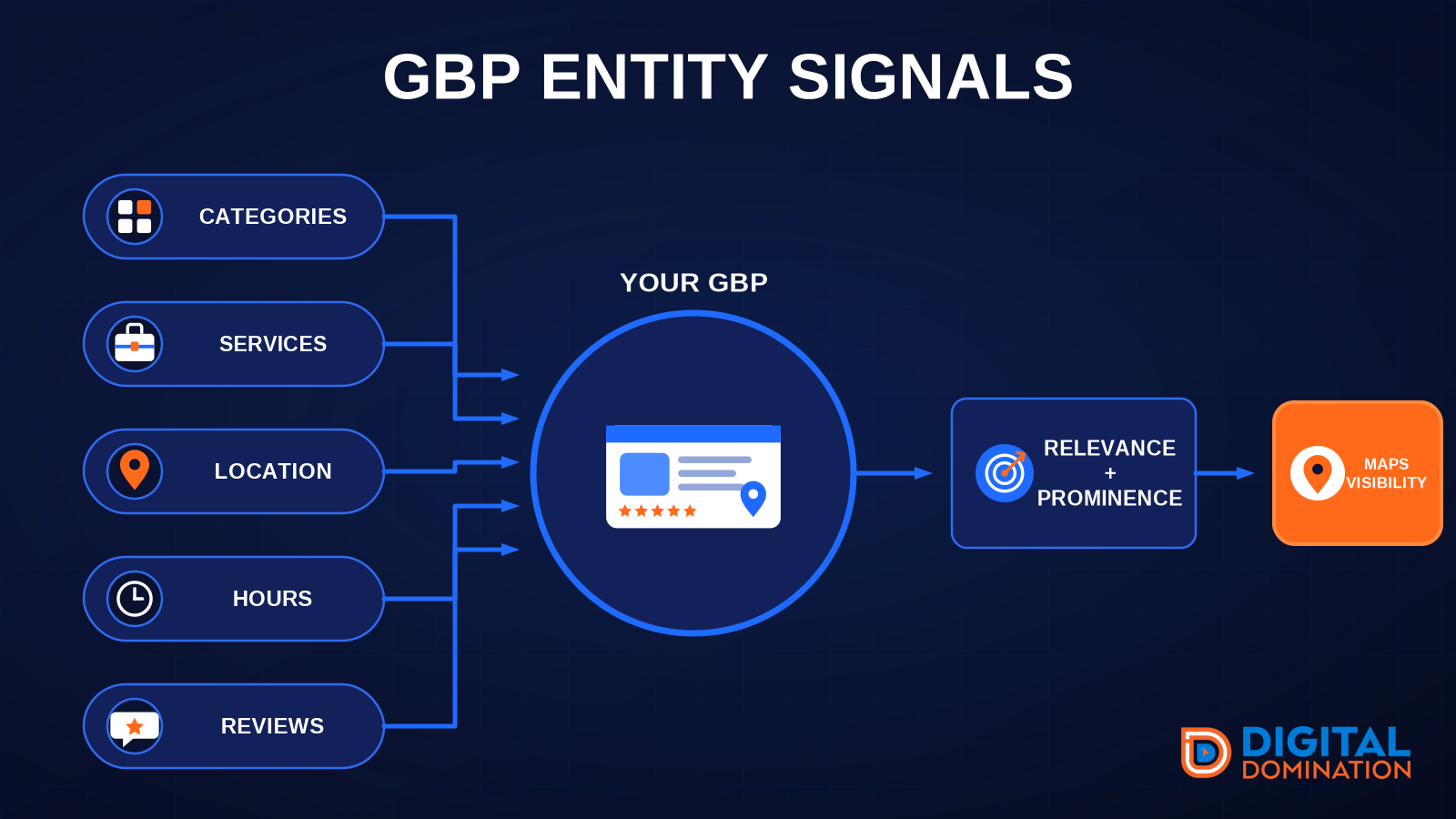
GBP entity signals
This leg is your Google Business Profile. GBP means Google Business Profile. It covers your categories, your services, your location, your hours, and your reviews. Google uses those facts to decide who to show.
Your Google profile is your storefront sign. If the sign is missing, or it names the wrong shop, people drive past.
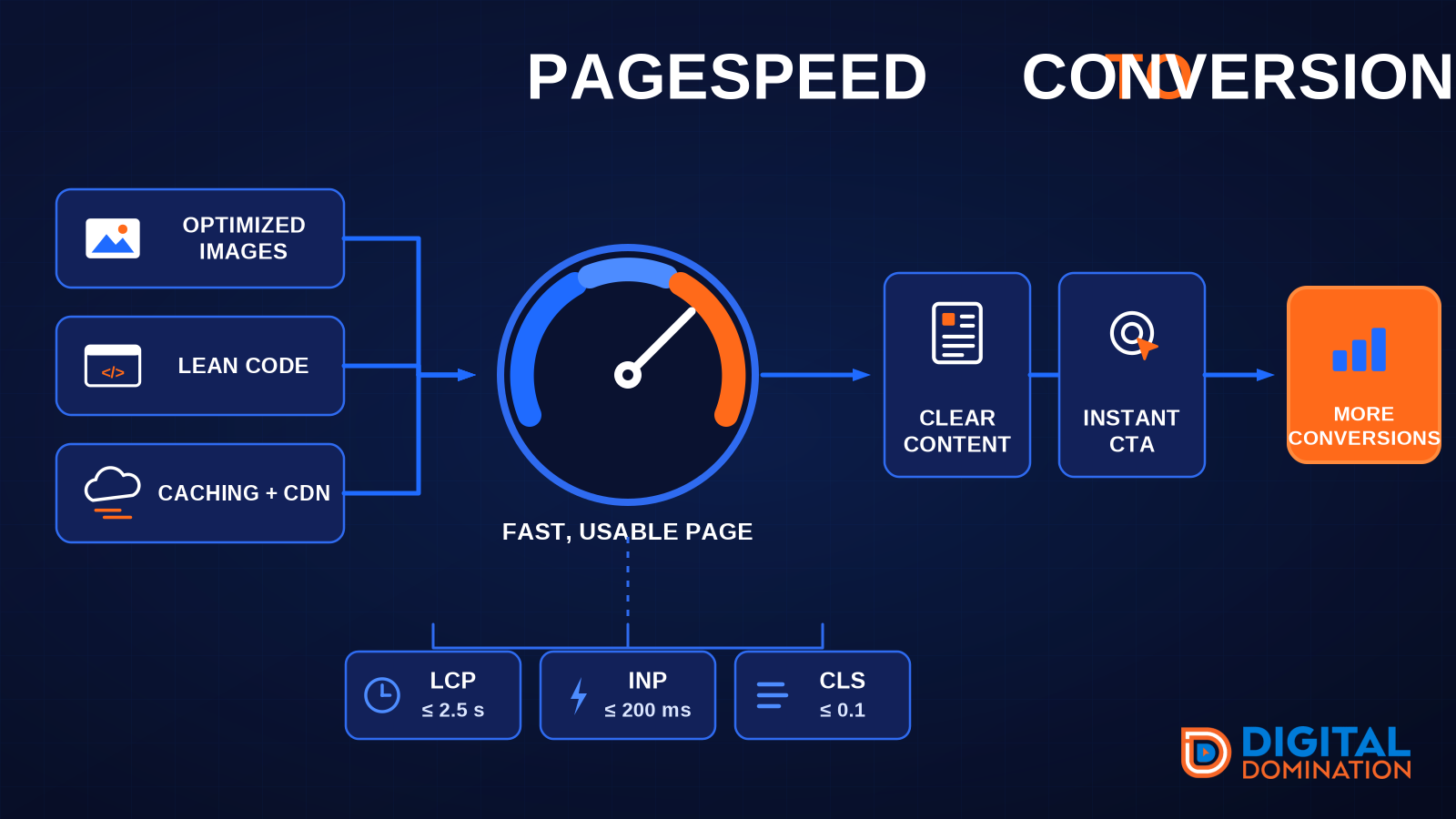
PageSpeed to conversion
This leg is your website, above all on a phone. Small images, lean code, and caching make a page fast. A fast, clear page is what turns a visit into a call. Phone speed is one of the 12 Trinity checks because a slow page loses the call before anyone sees your offer.
Your website is the showroom. If the door sticks, people leave before they look around.
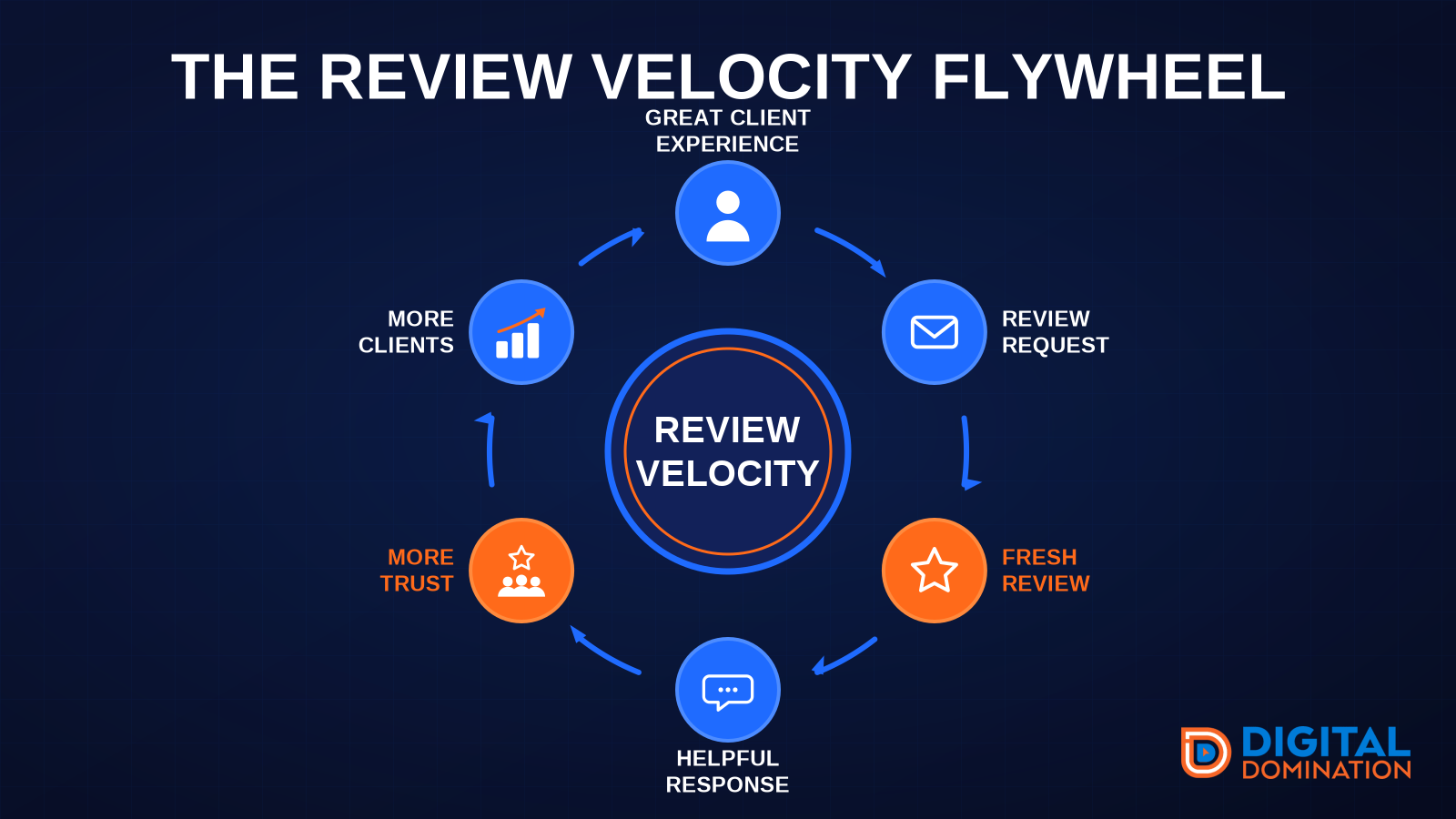
The review velocity flywheel
This leg is reviews and reputation. A good visit leads to a review request, then a fresh review, then a helpful reply, then more trust, then more customers. When the scan can find your Google listing, it shows your rating, your recent reviews, and how many you answered.
Reviews are word of mouth. One kind word helps. A steady stream of real reviews, and a reply from you, helps more.
How this turns into revenue
Being found in more searches leads to more calls. More calls lead to more booked jobs. More booked jobs lead to more revenue.
Example numbers, not a real business: 40 calls from search in a month, a 25 percent close rate, and a $400 average job. That is 10 booked jobs. That is $4,000. The math is the lesson. It is not a promise.
The full page has a box where you can type your own average job value and close rate.
One real story, from our car dealership case study: Medina Auto Group went from invisible on Google Maps to dominating every high-intent search across their market. The turnaround spanned all four of their rooftops at once. The same page says the team eliminated 89 unfair one-star reviews that had been dragging the dealership's reputation down and keeping it out of the Map Pack. It also says: “Results described here are exceptional and non-typical. Outcomes vary based on market conditions, competition, and implementation. No guarantees are made regarding earnings, rankings, or conversions.”
Free strategy call
More booked jobs start with a clear plan
Book a free strategy call. We look at your Google profile, your website, and your reviews, and we tell you what to fix first.
Free. You pick the time. A real person shows up.