
Google ranking hub: what local owners should do now
If calls or form fills dropped after a Google update, do not buy a vague recovery package until your provider separates organic Search data from Maps visibility data.
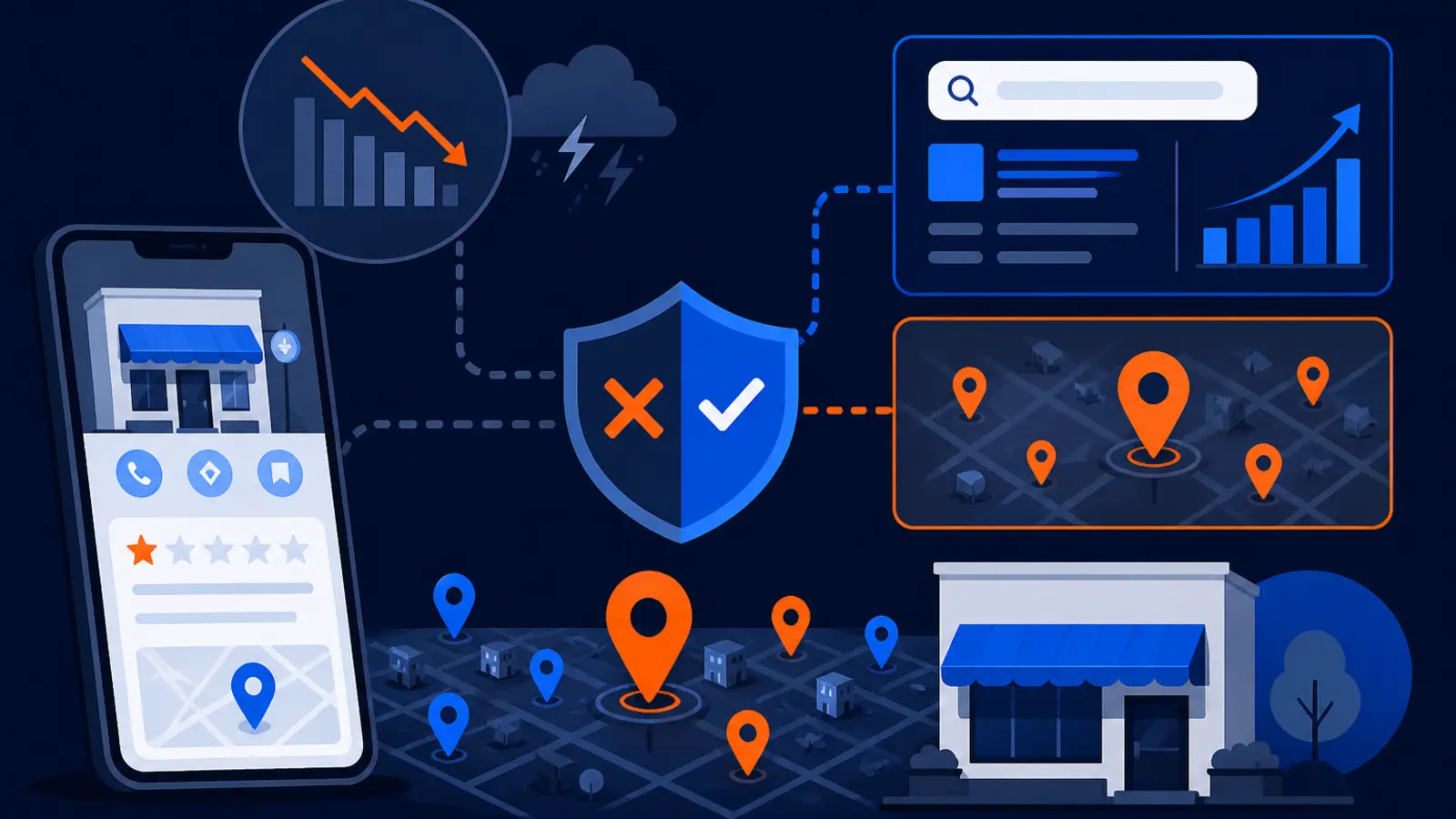
Google just made update confusion a little easier to challenge
On November 24, Google released a new Search ranking transparency hub that puts major ranking update information, policy changes, rollout status and feedback paths in one place. Search Engine Land reported the release, and Google’s own Google Search Central documentation now explains how site owners can stay informed and submit feedback about ranking changes.
This matters most to local business owners who feel the effect of ranking swings as fewer calls, weaker form fills or quieter days at the front desk. If you run a roofing company, dental office, law firm, med spa, plumbing company or other local service business, a Google update can look like a lead problem before anyone understands what actually changed.
The important point is not that Google has created a rescue button. It has not. The important point is that owners now have a clearer checklist for what an SEO provider should document before asking them to pay for an algorithm recovery project.
What changed in Google’s new ranking hub
Google’s How to Stay Informed on Google Search Ranking Updates, published on Google Search Central on November 24, says Google will use the new hub to centralize information about significant ranking changes and related Search policy updates. The page is meant to reduce the guessing that often follows a confirmed update.
Google’s Submit Feedback About Ranking Changes in Google Search, also on Google Search Central on November 24, says verified site owners can submit feedback through Search Console using update-specific hashtags. That feedback is reviewed in aggregate. Google says it does not trigger manual fixes for individual URLs.
For a local owner, the practical change is that your provider should no longer be speaking only in broad phrases like the algorithm hit us. They should be able to connect the timing of your drop to Google’s public update information, your Search Console data and your local visibility data. Ask your provider to document these items before they recommend a recovery project:
- ▸Which Google update or ranking system change they believe is relevant
- ▸The date your impressions, clicks, calls or forms started changing
- ▸The affected queries, pages and service areas
- ▸Whether the loss is in organic Search, the Map Pack or both
- ▸Whether Google’s rollout status is still active or already complete
Why this hits local businesses differently
A national publisher may care about traffic volume first. A local business usually cares about whether the phone rings from a specific city, suburb or service area. That makes update diagnosis more complicated.
A drop in website traffic can be painful, but it is not always the same thing as a drop in local leads. Your website can lose organic rankings for blog posts while your Google Business Profile still drives calls. The reverse can also happen. Your site may look steady in Search Console while your Map Pack visibility weakens across neighborhoods that matter to your crews or office.
That is why the new Google process is useful but incomplete for local businesses. Search Console can show how your verified website changed in Google Search. It does not fully answer whether your Google Business Profile is losing local visibility across the map. Those are related issues, but they are not the same diagnosis.
Do not confuse organic Search losses with Map Pack losses
Google’s local ranking factors are relevance, distance and prominence. In plain English, Google is trying to match the searcher’s need, the searcher’s location and the strength of the business as a local result.
That means your Map Pack visibility can vary block by block. A business may rank well near its office but disappear across town. It may rank for emergency plumber but not water heater repair. It may show in Maps for branded searches but not for money terms from new customers.
Before buying recovery, ask your provider to separate these channels clearly:
- ▸Organic Search: website pages ranking below the ads and map results
- ▸Map Pack: Google Business Profile results shown with the map
- ▸Branded demand: searches for your business name
- ▸Non-branded demand: searches such as roof repair near me or dentist in Henderson
- ▸Lead tracking: calls, forms, bookings and direction requests tied to each channel
Five things to check before you buy recovery
The safest answer for most local owners is to demand a diagnosis first, not a recovery package first. A real diagnosis does not need to be confusing. It should show what dropped, where it dropped and whether the timing lines up with a confirmed update.
Use this checklist with your SEO provider this week:
- ▸Search Console performance: compare clicks, impressions, average position and queries before and after the suspected update
- ▸Affected URLs: identify the exact service pages, location pages or blog posts that lost visibility
- ▸Affected keywords: separate buyer-intent searches from informational searches that rarely become leads
- ▸Map visibility: check rankings from different points across your real service area, not only from your office
- ▸Lead quality: compare phone calls and forms by source before assuming every lead drop came from organic rankings
What your provider should show in Search Console
Search Console is now more important in the recovery conversation because Google’s feedback process is tied to verified site owners. If your provider manages your SEO but cannot explain your Search Console data in plain language, that is a problem.
You do not need to become technical. You need enough evidence to know whether you are paying for useful work or anxiety. Ask for screenshots or a short screen-share showing the queries and pages that changed around the update window.
A basic Search Console review should include:
- ▸The date range used for comparison
- ▸The search type being reviewed, such as web results
- ▸The pages that lost clicks or impressions
- ▸The queries that lost position
- ▸Whether the drop affected branded searches, non-branded searches or both
- ▸Whether indexing problems, manual actions or security issues are present
When to wait and when to act
The money risk is paying for urgent algorithm recovery before the post-update data is stable. Google updates can roll out over time, and rankings can move during that period. Acting too early can lead to random changes that make the site harder to diagnose later.
Waiting does not mean doing nothing. It means avoiding speculative rebuilds while collecting better evidence. You can still fix obvious problems, improve thin pages, update outdated information and verify tracking.
Use this decision rule:
- ▸Wait if the update is still rolling out and your provider cannot show which pages or queries were affected
- ▸Act if important service pages dropped and the same pattern appears in Search Console after the rollout is clearer
- ▸Act if your Google Business Profile has inaccurate categories, services, hours or contact details
- ▸Act if your site has obvious technical problems, such as pages blocked from Google or broken location pages
- ▸Do not act on fear alone if the only explanation is that Google changed something
What to do about it this week
A local owner can take useful steps without buying a large recovery package on day one. The goal is to preserve evidence, fix clear issues and force the conversation into facts.
If your leads dropped after the November 24 news or after any confirmed ranking update, take these actions this week:
- ▸Ask your provider for a one-page update impact summary
- ▸Export or screenshot Search Console performance for the affected date range
- ▸List your most important services and cities, then check whether the drop affects those terms
- ▸Review call tracking, form submissions and booking data by source
- ▸Check your Google Business Profile categories, services, hours, website link and phone number
- ▸Ask for a Map Pack visibility scan from multiple points in your service area
- ▸Do not approve a full recovery project until the diagnosis separates website Search from Maps
How feedback to Google fits in
Google’s new feedback path can be useful, but owners should understand what it is and what it is not. Google Search Central says verified site owners can submit ranking-change feedback through Search Console with update-specific hashtags. The submissions are reviewed in aggregate, not as individual repair tickets.
That means your provider should not sell feedback submission as a shortcut to restored rankings. It is better understood as a way to send structured examples to Google when a confirmed update appears to have created poor results or unusual losses.
If you submit feedback, make it specific. Include the affected query, the affected URL, the update hashtag if Google provided one, and a plain description of why the result seems worse for users. Keep a copy of what was submitted so your team can compare it with later ranking movement.
What to check on the website before blaming the algorithm
Not every drop is an update problem. Sometimes the update timing is a coincidence. A developer may have changed a title tag, removed internal links, deleted a location page, set the wrong canonical tag or published a redesign that made important content harder for Google to understand.
Site speed can also matter, but it should be measured rather than guessed. Google’s Core Web Vitals good thresholds are Largest Contentful Paint at 2.5 seconds, Interaction to Next Paint at 200 milliseconds and Cumulative Layout Shift at 0.1, measured at the 75th percentile of field data. If your provider blames speed, ask them to show the actual metrics and the pages affected.
Before you call it an algorithm hit, check these basics:
- ▸Were important service pages changed, merged or removed
- ▸Did page titles, headings or city references change
- ▸Are forms and phone tracking still working
- ▸Are location pages still indexable
- ▸Do internal links still point to priority services
- ▸Did reviews, citations or business profile details change around the same time
The owner decision now
If leads dropped after a Google ranking update, do not buy a vague SEO recovery package first. Demand a Search Console and Maps visibility diagnosis first. The new Google ranking hub gives you a stronger basis for that request because update status, policy changes and feedback instructions are now easier to point to.
A good provider should be able to explain whether the loss is organic Search, Map Pack visibility, tracking, seasonality, website changes or a mix of those issues. If they cannot show affected queries, URLs, dates and local ranking coverage, they are not ready to prescribe the fix.
At Digital Domination, we look at this from the practical side because we are a Las Vegas local SEO agency serving local service businesses nationally. Our local SEO services page at digitaldomination.ai/local-seo-services/ explains the local SEO work we do, including Google Business Profile optimization, website visibility checks, local ranking strategy and service-area SEO. Start with the free GeoGrid scan at digitaldomination.ai/scan/.
Keep reading
Related guides
- ▸When To Choose Local SEO Services Instead Of Doing Local SEO Yourself
- ▸When To Choose Local SEO Services Instead Of Hiring An In House Market
- ▸When To Choose Online Reputation Management Instead Of Doing Local SEO
Put it into action
Frequently Asked Questions
What is Google’s new ranking transparency hub?
It is a new Google Search Central hub released on November 24 that centralizes information about significant ranking changes, policy updates, rollout status and feedback channels. Search Engine Land reported the release, and Google’s own documentation explains how site owners can stay informed.
Can Google’s new feedback form fix my lost rankings?
No. Google’s Submit Feedback About Ranking Changes in Google Search says feedback is reviewed in aggregate and does not trigger manual fixes for individual URLs. It can help Google understand patterns, but it is not a recovery request for your business.
Should I buy an SEO recovery package after a Google update?
Not before you see a diagnosis. Ask for Search Console evidence, affected queries and URLs, rollout timing and a separate Map Pack visibility review. If the provider cannot show what dropped, they are guessing.
How do I know if my lead drop came from Google Search or Google Maps?
Search Console helps diagnose website visibility in organic Search. Map Pack visibility requires checking your Google Business Profile rankings from multiple points across your service area. You also need call, form and booking data by source.
What should my SEO provider show me after a ranking drop?
They should show the affected date range, pages, queries, locations and lead sources. They should also explain whether the timing matches a known Google update and whether the rollout is still active. A one-page summary is enough if it is clear.
What are Google’s local ranking factors?
Google’s local ranking factors are relevance, distance and prominence. For a local business, that means your categories, services, content, location signals and local reputation all matter. It also means rankings can change across different parts of the same city.
Can I submit ranking-change feedback myself?
Yes, if you are a verified site owner in Search Console and Google has provided the relevant feedback path. Use the update-specific hashtag when applicable and include specific queries and URLs. Keep expectations realistic because Google reviews submissions in aggregate.
How long should I wait after a Google update before making changes?
You can fix obvious errors right away, such as broken pages, wrong business information or tracking problems. For larger recovery work, wait until you have enough post-update data and a clear diagnosis. Avoid major changes based only on panic or a vague algorithm explanation.
The Local SEO Trinity
Think of a three-legged stool. Your Google profile, your website, and your reviews all have to hold you up. If one leg is short, the whole thing wobbles.
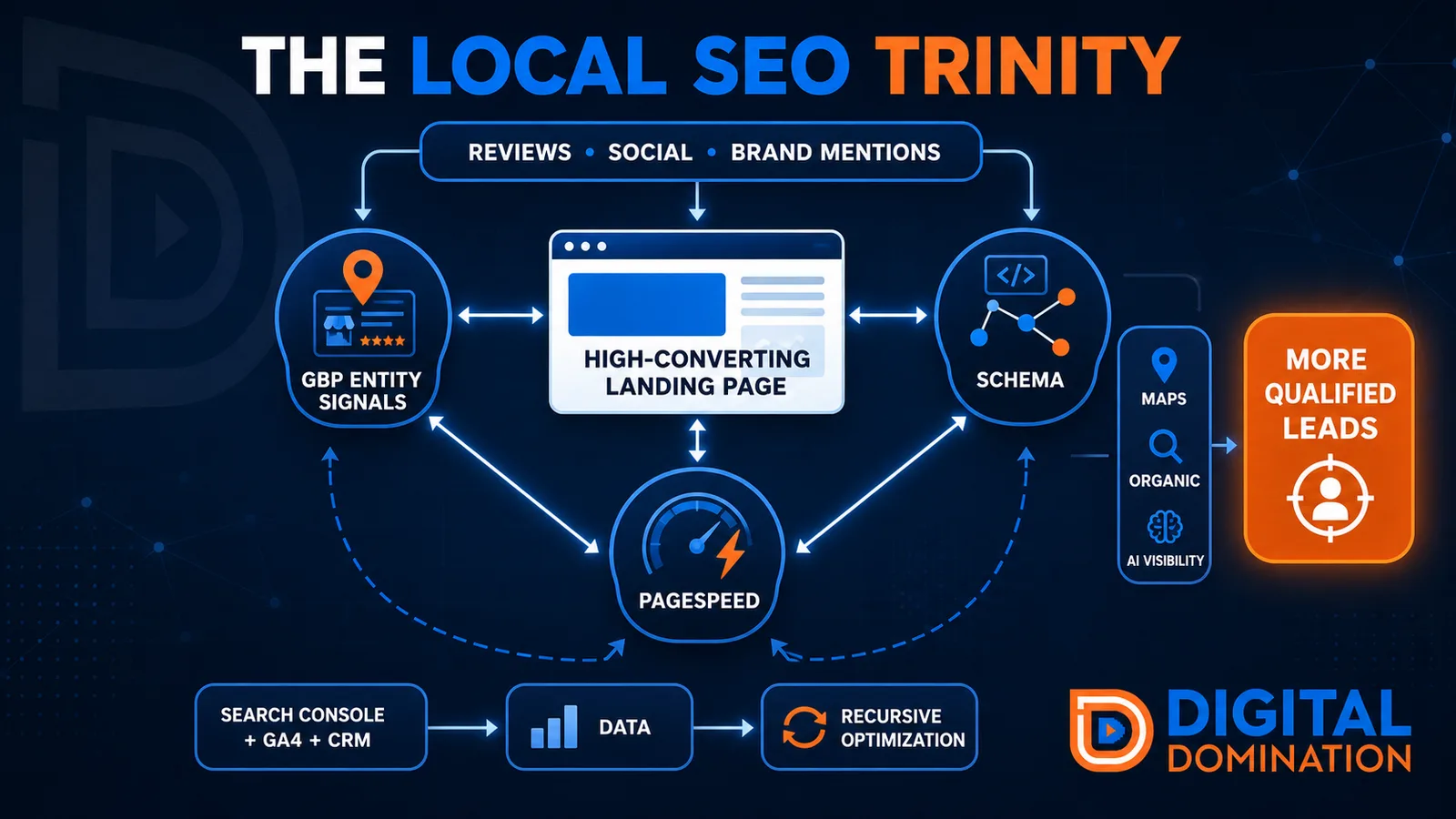
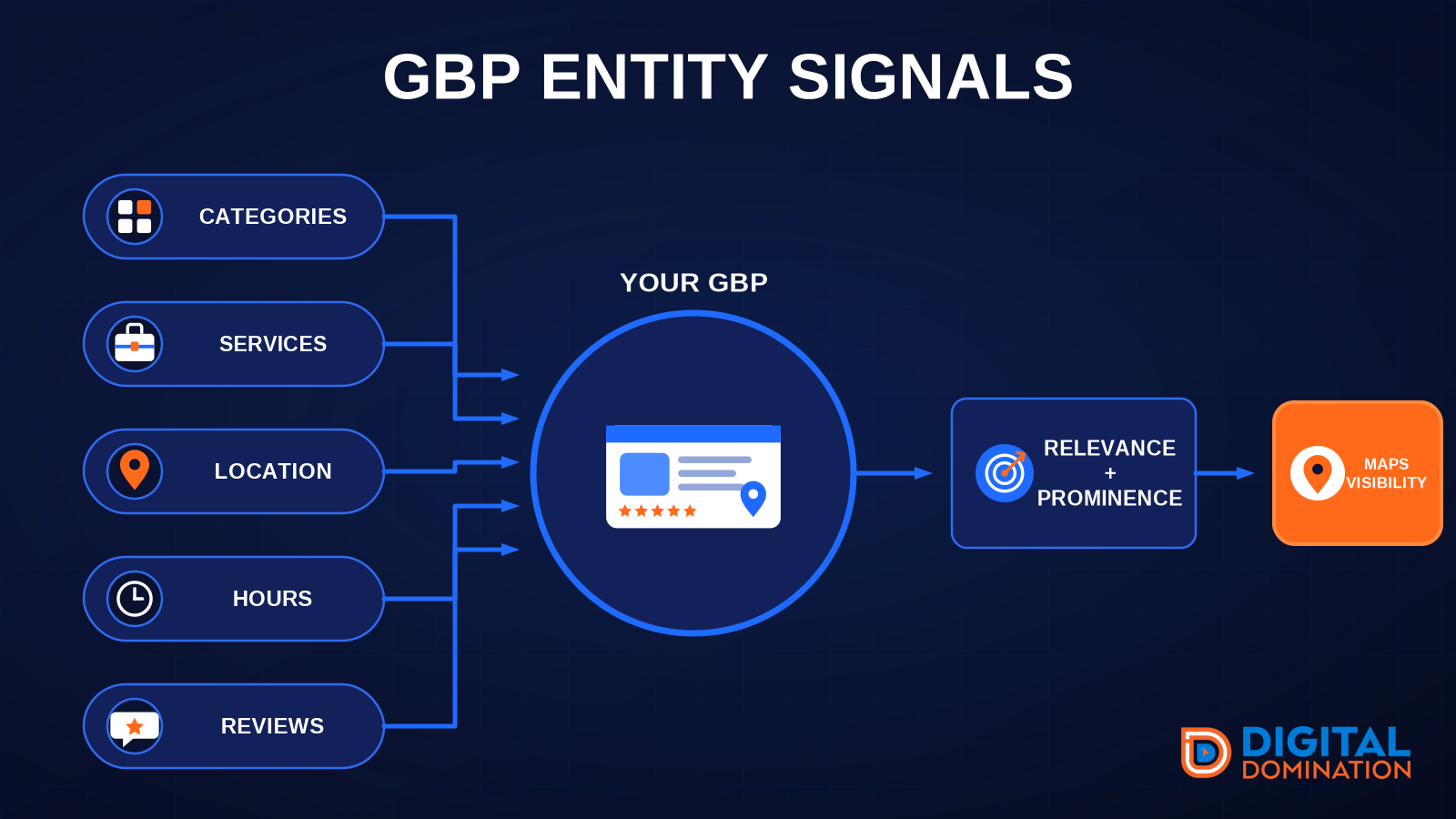
GBP entity signals
This leg is your Google Business Profile. GBP means Google Business Profile. It covers your categories, your services, your location, your hours, and your reviews. Google uses those facts to decide who to show.
Your Google profile is your storefront sign. If the sign is missing, or it names the wrong shop, people drive past.
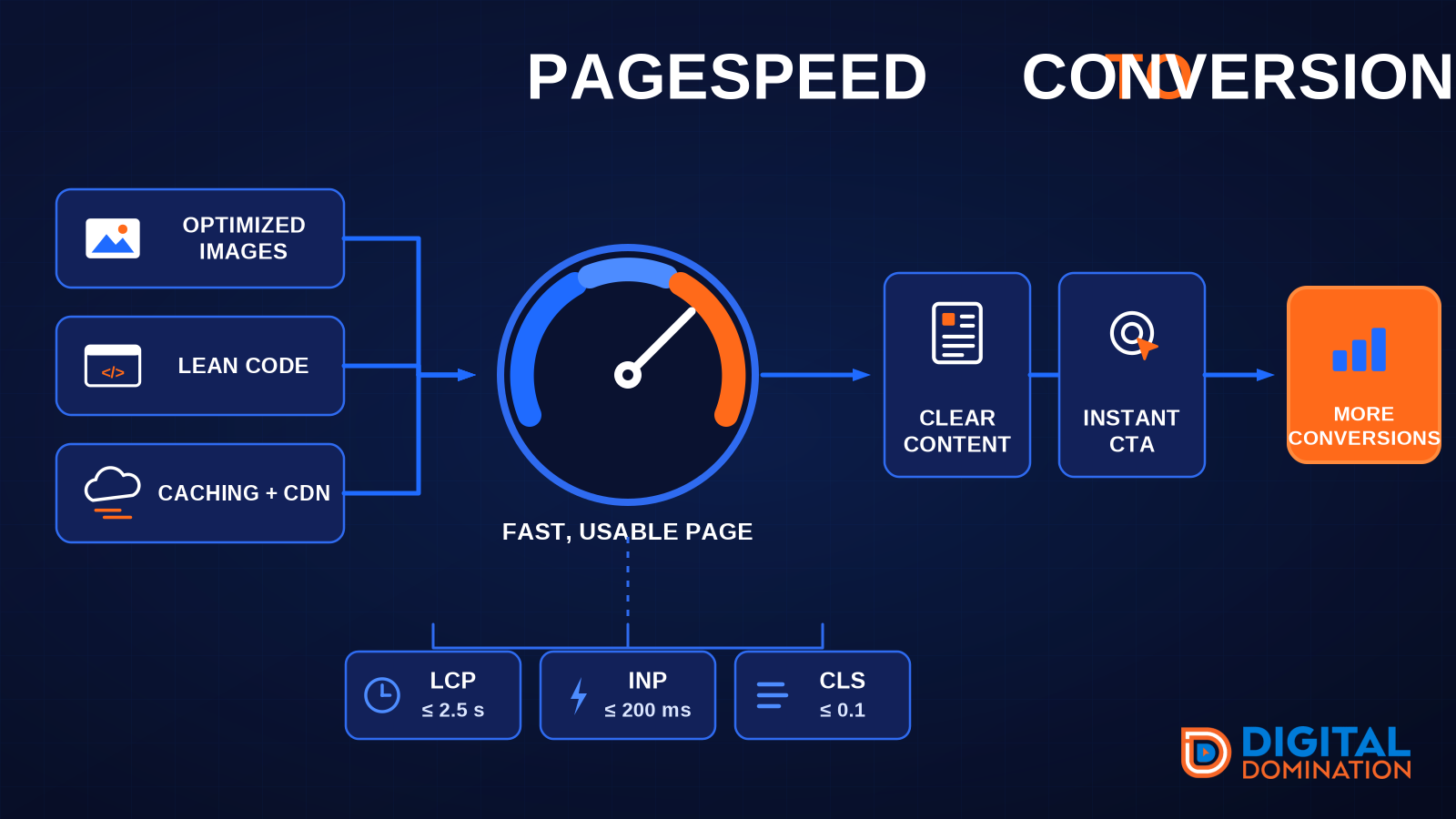
PageSpeed to conversion
This leg is your website, above all on a phone. Small images, lean code, and caching make a page fast. A fast, clear page is what turns a visit into a call. Phone speed is one of the 12 Trinity checks because a slow page loses the call before anyone sees your offer.
Your website is the showroom. If the door sticks, people leave before they look around.
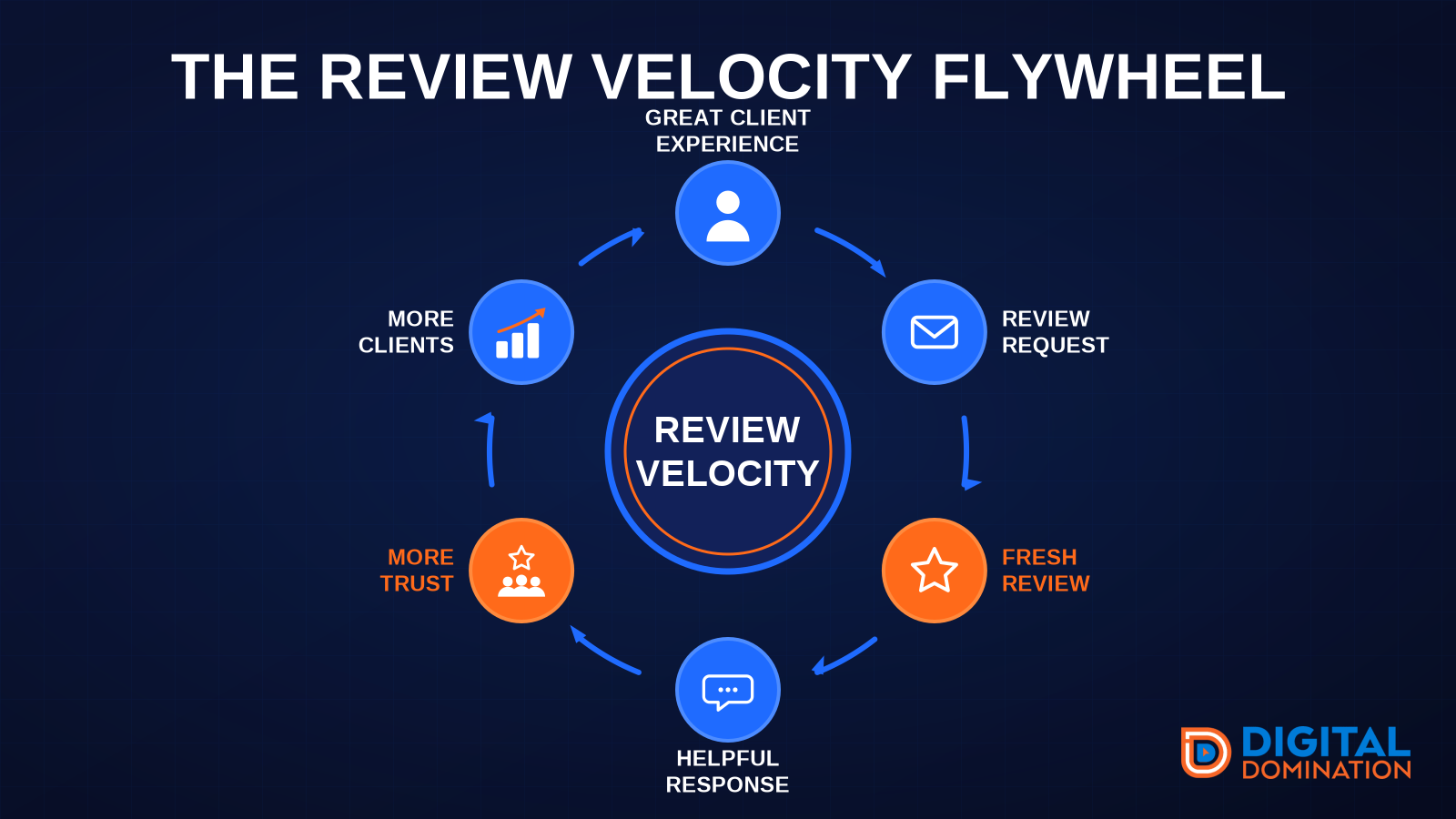
The review velocity flywheel
This leg is reviews and reputation. A good visit leads to a review request, then a fresh review, then a helpful reply, then more trust, then more customers. When the scan can find your Google listing, it shows your rating, your recent reviews, and how many you answered.
Reviews are word of mouth. One kind word helps. A steady stream of real reviews, and a reply from you, helps more.
How this turns into revenue
Being found in more searches leads to more calls. More calls lead to more booked jobs. More booked jobs lead to more revenue.
Example numbers, not a real business: 40 calls from search in a month, a 25 percent close rate, and a $400 average job. That is 10 booked jobs. That is $4,000. The math is the lesson. It is not a promise.
The full page has a box where you can type your own average job value and close rate.
One real story, from our car dealership case study: Medina Auto Group went from invisible on Google Maps to dominating every high-intent search across their market. The turnaround spanned all four of their rooftops at once. The same page says the team eliminated 89 unfair one-star reviews that had been dragging the dealership's reputation down and keeping it out of the Map Pack. It also says: “Results described here are exceptional and non-typical. Outcomes vary based on market conditions, competition, and implementation. No guarantees are made regarding earnings, rankings, or conversions.”
Free strategy call
More booked jobs start with a clear plan
Book a free strategy call. We look at your Google profile, your website, and your reviews, and we tell you what to fix first.
Free. You pick the time. A real person shows up.