
Tell Maps means more Google Business Profile edits
Google Maps is making suggested edits easier and more conversational. Local owners should tighten up hours, signage, photos and monitoring before bad data becomes a public problem.
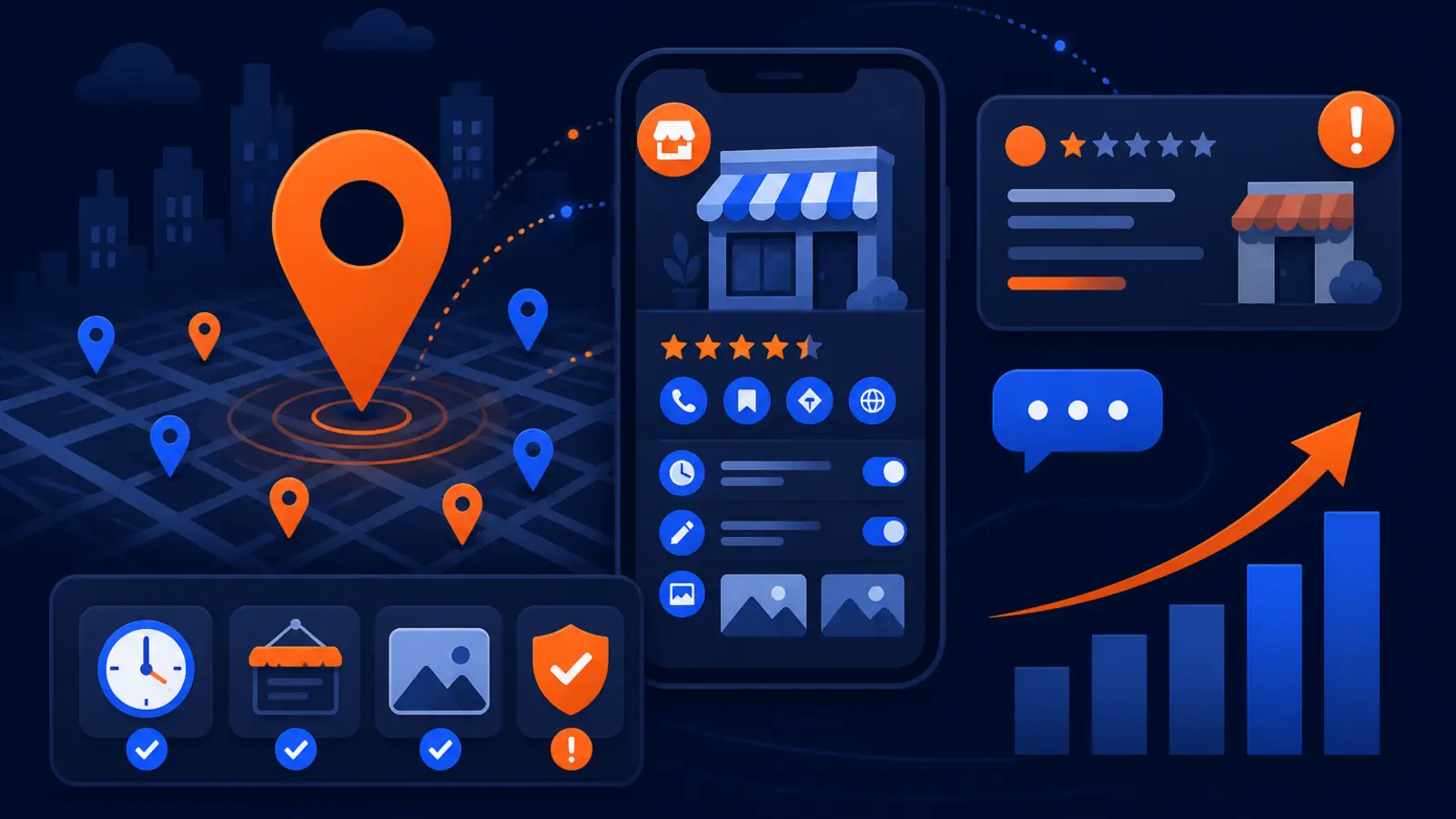
What changed in Google Maps
Google’s Tell Maps feature has started rolling out, according to Search Engine Roundtable, which reported on the launch on September 2, 2026. The short version for local business owners: people can now suggest updates to places in Google Maps through a more conversational, AI-assisted flow from Ask Maps or the Contribute tab.
This matters most to restaurants, home services, medical offices, retail stores, gyms, salons, auto shops and any business where hours, access, attributes, photos and storefront details change. Google’s own August 6 post, Ask Maps gets more helpful with food ordering and more, described Ask Maps becoming more useful for local tasks. Tell Maps pushes that same direction into user contributions.
If your public details are stale, customers now have an easier path to suggest fixes. That can help when the correction is accurate, but it can hurt when a confused customer, old sign or mismatched photo points Google in the wrong direction.
Why easier edits can create more profile risk
User-suggested edits are not new in Google Maps. The change is that Tell Maps makes the process feel more like a conversation, not a form. Google says people can report hours, mark a place closed, edit attributes, share local tips and upload a storefront-sign photo that Maps can read before submitting an hours edit for review.
That lowers friction. A customer standing outside your shop after seeing a handwritten holiday sign may be able to tell Maps what they see. Someone who cannot find parking, thinks your entrance is closed or notices an old photo may have a faster way to add context.
The risk is not that every suggestion will publish instantly. The risk is that Google is getting more structured signals from more people, more often. Watch these categories first:
- ▸Business hours and special hours
- ▸Open, closed or temporarily closed status
- ▸Service and accessibility attributes
- ▸Storefront photos and sign photos
- ▸Local tips about parking, entrances or ordering
Five things to check on your profile this week
Treat this rollout as a reason to do a same-week Google Business Profile cleanup. Do not wait until a customer tells you your listing is wrong. If Maps users can submit cleaner suggestions, your official data needs to be cleaner than the suggestions.
The goal is simple: make the profile, the building and the customer experience say the same thing. Start with these checks:
- ▸Confirm your main hours, special hours and holiday hours match what customers see at the door.
- ▸Review every attribute, including accessibility, service options, appointment rules and payment options.
- ▸Check your primary category and secondary categories against the services you actually sell.
- ▸Remove outdated photos that show old signs, old hours, old entrances or old branding.
- ▸Add fresh exterior photos that clearly show the storefront, entrance and current sign.
Audit your hours like Google is comparing evidence
Hours are one of the easiest details for users to challenge because customers experience them directly. If your Business Profile says you close at 6 p.m., your front door says 5 p.m. and your website says 7 p.m., you are inviting suggested edits and customer frustration.
Do a quick hours audit across the places customers actually check. Include your Google Business Profile, website, appointment software, social profiles, phone greeting and door signage. If you use seasonal hours, build a monthly reminder so the old schedule does not linger.
Pay extra attention to special cases that create confusion:
- ▸Lunch closures
- ▸Emergency-only hours
- ▸Appointment-only days
- ▸Holiday weeks
- ▸Seasonal schedules
- ▸Weather closures
- ▸Different showroom and service hours
Make your storefront signage match your listing
Tell Maps is especially important for businesses with physical locations because Google says users can upload a storefront-sign photo that Maps can read before submitting an hours edit for review. That means your sign is not just for people walking by. It can become evidence in an edit flow.
Walk outside and look at the building like a first-time customer. If the sign is faded, blocked, missing suite numbers or showing old hours, fix the sign before you blame Maps. For multi-tenant buildings, your suite, entrance and directional signs need to be obvious.
This week, take these simple signage steps:
- ▸Remove old paper hours from doors and windows.
- ▸Post temporary hours with a start date and end date.
- ▸Make suite numbers visible from the parking area or sidewalk.
- ▸Use the same business name on the sign and profile.
- ▸Replace old branded signs after a name change.
- ▸Photograph the entrance after any signage update.
Clean up photos before users define your business for you
Photos can create or solve confusion. A customer photo of a closed gate, a dark entrance or an old sign may shape how people understand your business. Owner photos are your chance to show the current, accurate version.
Open your Google Business Profile and sort through public-facing photos. You cannot control every customer upload, but you can add better, newer photos that make the correct information obvious. Think of photos as proof of location, access and trust.
Prioritize photos that answer practical questions:
- ▸What does the building look like from the street?
- ▸Where is the main entrance?
- ▸What sign should customers look for?
- ▸Is there parking or a reception desk?
- ▸What products, rooms, trucks or equipment are current?
- ▸What changed after a remodel, move or rebrand?
Do not ignore attributes and local tips
Attributes often look minor until they cost you a customer. If your profile says you offer dine-in, wheelchair accessible entrance, online estimates or curbside pickup, people will plan around that detail. Tell Maps gives contributors another way to flag details that do not match what they experienced.
Local tips can also influence expectations. A tip about limited parking, confusing entrances, long waits or ordering rules may be useful, but it may also be outdated or incomplete. Your job is to make the official profile and onsite instructions clear enough that fewer people need to guess.
Review these profile details for accuracy:
- ▸Accessibility attributes
- ▸Service options
- ▸Appointment requirements
- ▸Dining, pickup or delivery options
- ▸Accepted payment types
- ▸Parking notes
- ▸Women-owned, veteran-owned or similar identity attributes, if applicable
Set a suggested-edit workflow for your team
Data hygiene should not be a quarterly cleanup anymore. Make it a weekly operating task, especially if your business changes hours, service areas, staff coverage or location details often. Assign one person to own the Google Business Profile, even if the owner gives final approval.
That person should know how to log in, review changes, check notifications and compare the profile against the real-world location. If you have several locations, each manager should have a simple checklist and know who to alert when Maps shows something wrong.
A practical weekly workflow can look like this:
- ▸Check Google Business Profile notifications.
- ▸Search your business name in Google Maps.
- ▸Confirm hours and open status.
- ▸Review recent photos and customer questions.
- ▸Look for new user-suggested changes.
- ▸Compare the listing to your website and front-door signage.
- ▸Record anything that needs owner approval.
What to do about it now
Start with the highest-impact items: hours, status, name, address, phone, category, website and photos. These are the details customers use to decide whether to call, visit, book or move on. They are also the details most likely to create suggested edits when they are wrong.
Next, tighten the connection between your online profile and the real customer experience. If your office is appointment-only, say it clearly on the profile, website, phone greeting and door. If your crews serve a wider area than your storefront suggests, make sure your service area and website copy are clear.
Use this action plan this week:
- ▸Run a full Google Business Profile audit.
- ▸Update special hours for the next known holiday or closure.
- ▸Photograph your current storefront and entrance.
- ▸Remove or replace signs with stale hours.
- ▸Ask staff what customers commonly misunderstand.
- ▸Create a weekly Maps check in your calendar.
- ▸Document who approves profile changes.
How this fits local rankings
Google has long described local ranking around relevance, distance and prominence. Tell Maps does not change that basic framework, but it can affect the information Google and customers use to understand your business. Bad data can weaken relevance, confuse customers and create avoidable trust issues.
For a local service business, profile accuracy is not busywork. It supports calls, direction requests, bookings and reviews. It also reduces the chance that a well-meaning customer suggests an edit because your own information was inconsistent.
If you only have time for one test, search your business in Google Maps from a customer’s point of view. Ask yourself whether the listing, photos, hours and real-world signs all tell the same story.
When to get help
If you have one location and a stable schedule, you can handle much of this yourself with a weekly checklist. If you have multiple locations, changing hours, old photos, duplicate listings or service-area ranking problems, it may be time to bring in local SEO help.
At Digital Domination, we work from Las Vegas with local service businesses nationally, so we watch changes like Tell Maps through the lens of what owners can actually control. The next step is not panic. It is a clean profile, consistent evidence and better visibility tracking.
If you want to see how your business shows up across your market, start with the free GeoGrid scan at digitaldomination.ai/scan/.
Keep reading
Related guides
- ▸White label local SEO in Las Vegas
- ▸White label local SEO near me
- ▸White label local SEO vs doing local SEO yourself
Put it into action
Frequently Asked Questions
What is Google Tell Maps?
Tell Maps is a Google Maps feature that lets contributors suggest place updates in a more conversational, AI-assisted way. Search Engine Roundtable reported that it has started rolling out in Google Maps through Ask Maps and the Contribute tab.
Can customers change my Google Business Profile with Tell Maps?
Customers can suggest edits, but suggested edits are still submitted for review. The concern for owners is that the process is now easier, so more people may report hours, closures, attributes, photos or local tips when they notice a mismatch.
Should I worry about someone marking my business closed?
You should monitor it, not panic. Make sure your hours, special hours, website, phone greeting and storefront signs all match so Google has clear official information and customers have less reason to submit a closure edit.
How often should I check my Google Business Profile now?
A weekly check is a practical minimum for most local businesses. Check it sooner after holiday hours, weather closures, remodels, rebrands, phone changes or any signage update.
Do storefront photos matter more because of Tell Maps?
Yes, they may matter more as evidence. Google says users can upload a storefront-sign photo that Maps can read before submitting an hours edit for review, so your visible signs and owner-uploaded photos should be current.
What should I do if Google shows the wrong hours?
Log in to your Google Business Profile and correct the hours and special hours immediately. Then check your website, door sign, booking tools and social profiles so the same wrong information does not keep feeding customer confusion.
Can Tell Maps affect my local SEO rankings?
Tell Maps is not a new ranking factor by itself. But Google’s local ranking factors include relevance, distance and prominence, and inaccurate profile data can hurt how customers and Google understand your business.
What is the first thing a busy owner should audit?
Start with hours, open status, business name, address, phone, website, categories and current storefront photos. Those items are the most visible and the most likely to trigger customer edits when they are wrong.
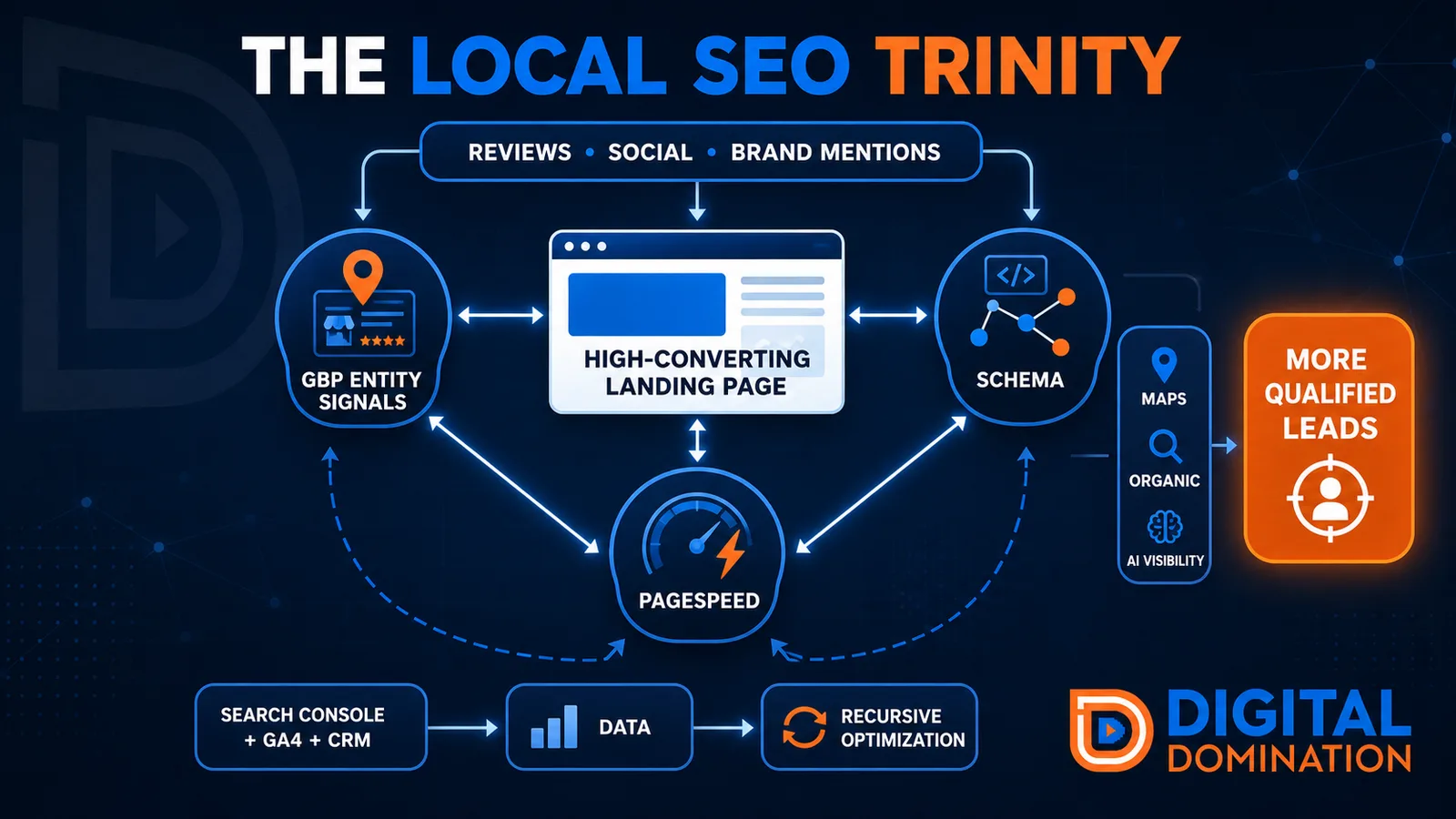
The Local SEO Trinity
Think of a three-legged stool. Your Google profile, your website, and your reviews all have to hold you up. If one leg is short, the whole thing wobbles.
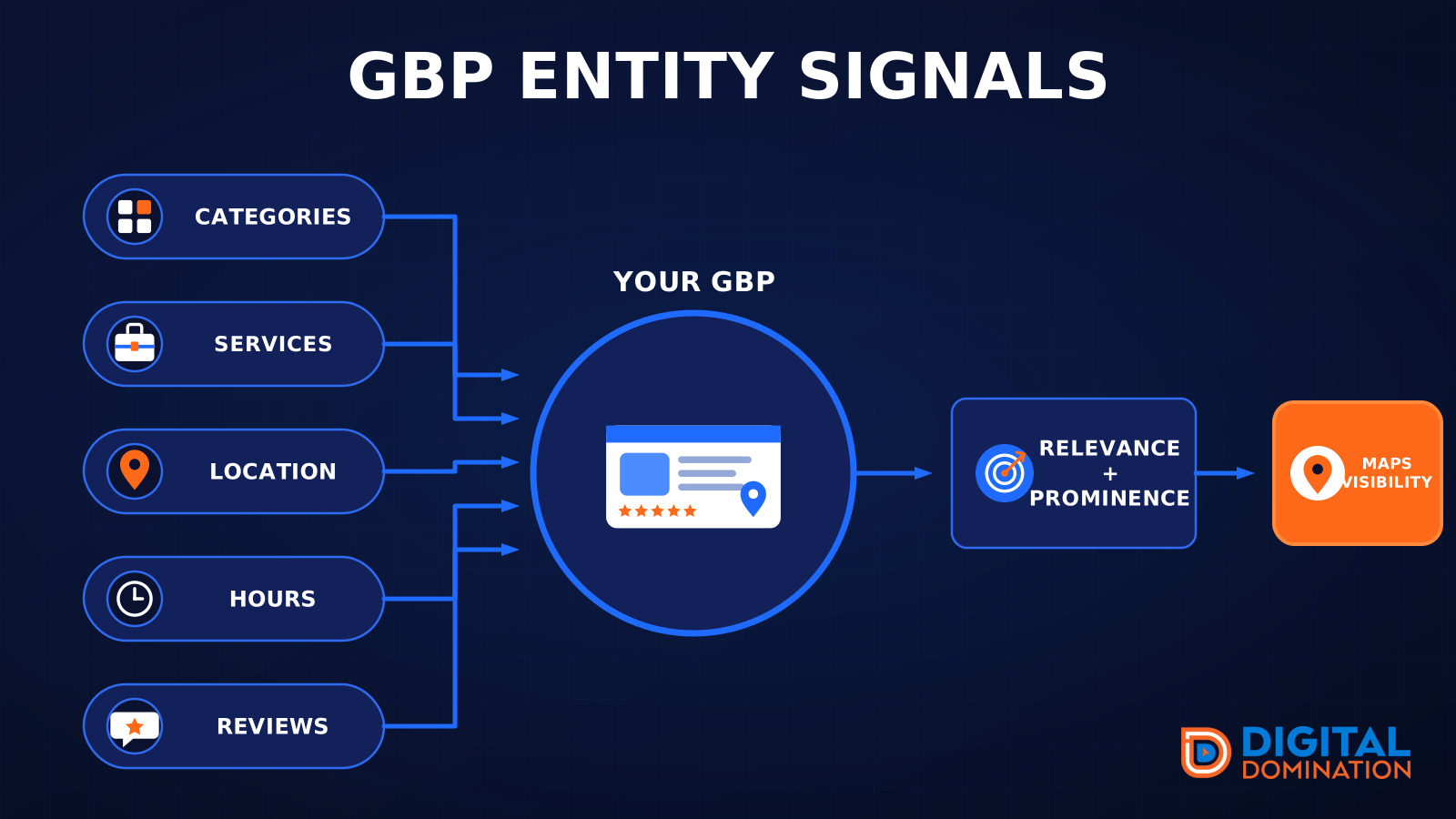
GBP entity signals
This leg is your Google Business Profile. GBP means Google Business Profile. It covers your categories, your services, your location, your hours, and your reviews. Google uses those facts to decide who to show.
Your Google profile is your storefront sign. If the sign is missing, or it names the wrong shop, people drive past.
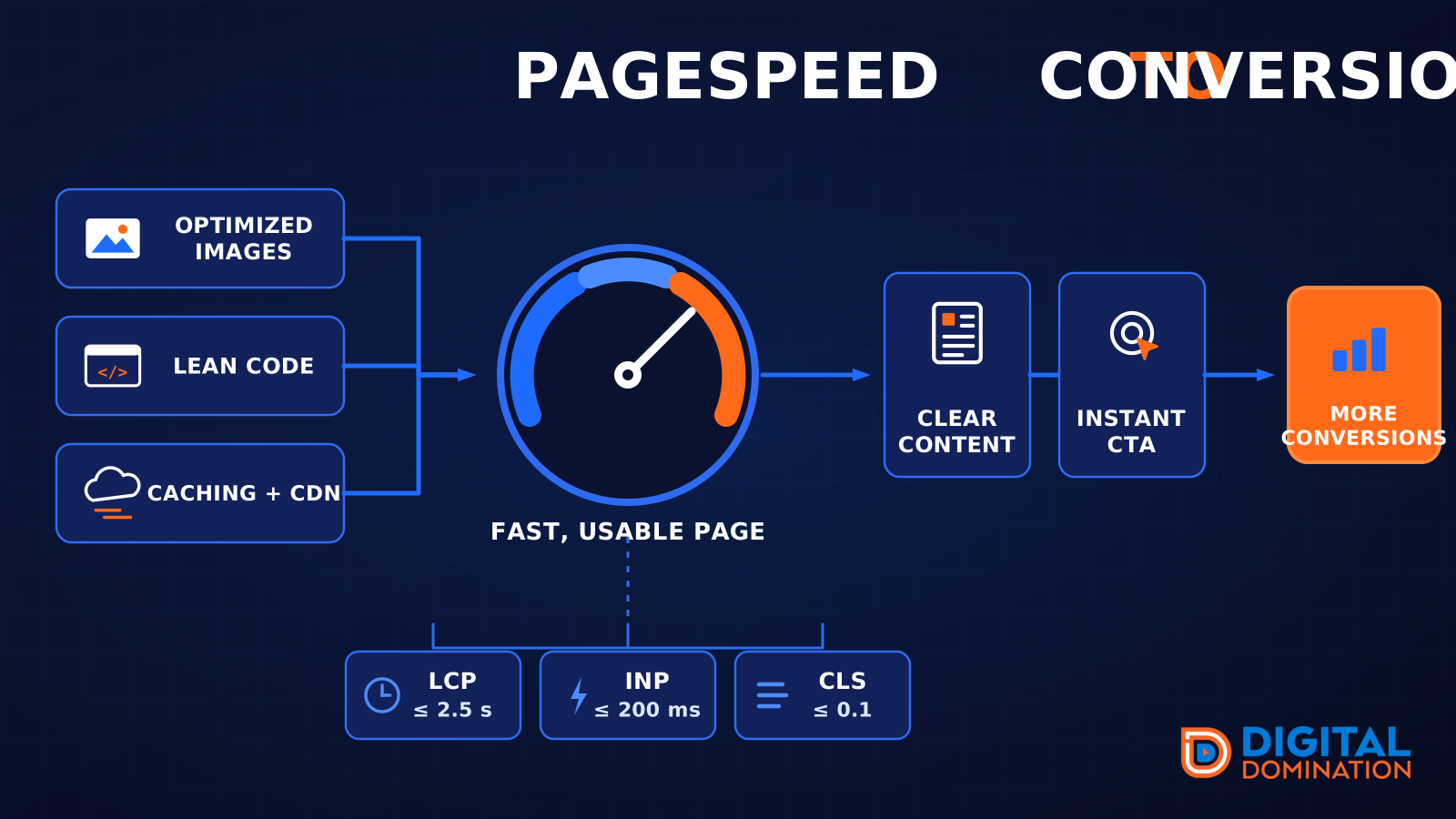
PageSpeed to conversion
This leg is your website, above all on a phone. Small images, lean code, and caching make a page fast. A fast, clear page is what turns a visit into a call. Phone speed is one of the 12 Trinity checks because a slow page loses the call before anyone sees your offer.
Your website is the showroom. If the door sticks, people leave before they look around.
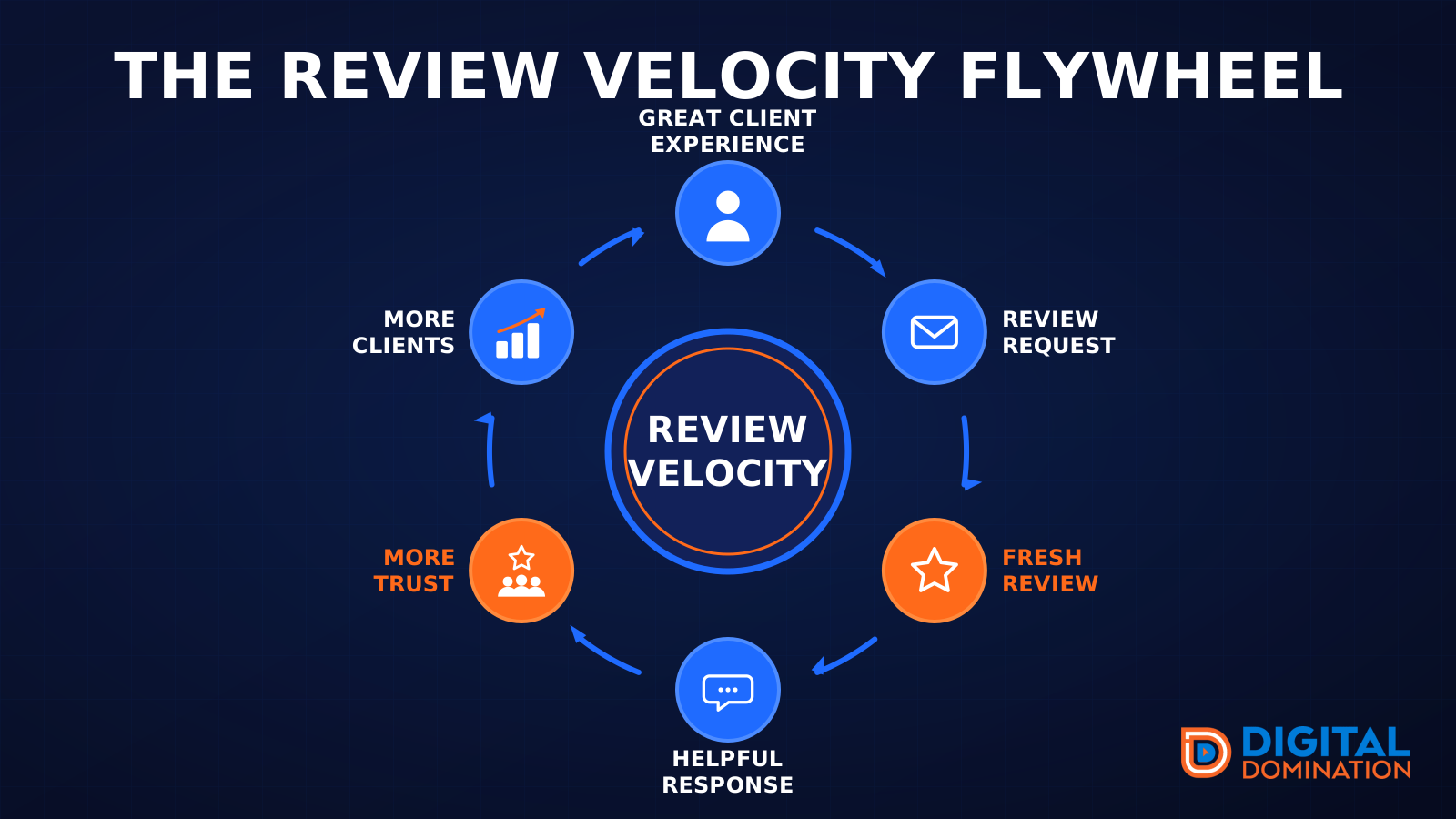
The review velocity flywheel
This leg is reviews and reputation. A good visit leads to a review request, then a fresh review, then a helpful reply, then more trust, then more customers. When the scan can find your Google listing, it shows your rating, your recent reviews, and how many you answered.
Reviews are word of mouth. One kind word helps. A steady stream of real reviews, and a reply from you, helps more.
How this turns into revenue
Being found in more searches leads to more calls. More calls lead to more booked jobs. More booked jobs lead to more revenue.
Example numbers, not a real business: 40 calls from search in a month, a 25 percent close rate, and a $400 average job. That is 10 booked jobs. That is $4,000. The math is the lesson. It is not a promise.
The full page has a box where you can type your own average job value and close rate.
One real story, from our car dealership case study: Medina Auto Group went from invisible on Google Maps to dominating every high-intent search across their market. The turnaround spanned all four of their rooftops at once. The same page says the team eliminated 89 unfair one-star reviews that had been dragging the dealership's reputation down and keeping it out of the Map Pack. It also says: “Results described here are exceptional and non-typical. Outcomes vary based on market conditions, competition, and implementation. No guarantees are made regarding earnings, rankings, or conversions.”
Free strategy call
More booked jobs start with a clear plan
Book a free strategy call. We look at your Google profile, your website, and your reviews, and we tell you what to fix first.
Free. You pick the time. A real person shows up.