
The biggest mistakes local businesses make with Google Maps SEO
A practical buyer guide for owners who want to know what keeps a business out of the Google Map Pack, and what makes searchers choose someone else even when the business ranks.
The short answer
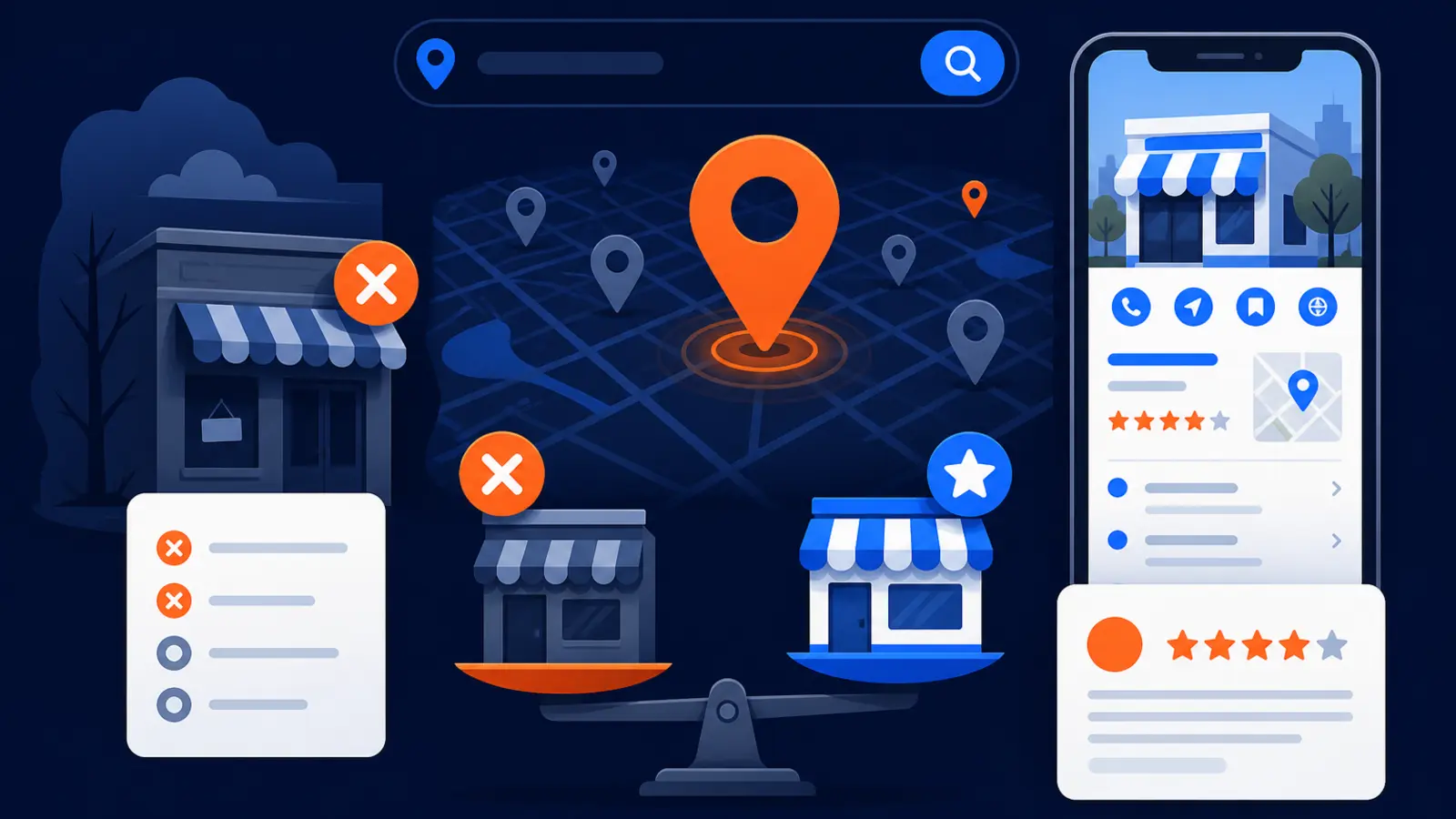
The biggest Google Maps SEO mistakes are usually not technical tricks. They are accuracy problems, trust problems, policy problems, and measurement problems. A local business can miss the Google Map Pack because the profile is incomplete, unverified, set up under the wrong category, using inconsistent information, missing reviews, or not matching what people search for in that area.
A business can also rank and still lose the customer. If the listing has weak photos, thin services, missing attributes, few recent reviews, unclear hours, or an address that does not make sense to the searcher, many people will keep looking. BrightLocal reported in its 2026 consumer search behavior research that 72% of consumers looked at three or fewer businesses before making a decision, and 6% just clicked the top result. That means your first impression in Google Maps matters before anyone visits your website.
Google Business Profile Help says local results are mainly based on relevance, distance, and prominence. Google also says complete and accurate Business Profile information is more likely to show in local search results, while inaccurate information can keep a profile from showing for relevant local searches. So the buying question is not just, “Can someone rank my profile?” It is, “Will this work make my business easier for Google to understand and easier for customers to trust?”
Mistake: treating verification like a small admin task
Verification is not just a checkbox. Google Business Profile Help says verification tells Google that the business is authorized to represent itself and is more likely to show in search results. If your profile is not verified, partly verified, stuck in video review, or controlled by an old employee or vendor, your Maps SEO work is starting on shaky ground.
Google Business Profile Help says review of a Business Profile video verification can take up to 5 business days after upload. That matters when you are moving locations, changing phone numbers, opening a second location, or trying to fix a suspended or unmanaged listing. A rushed agency can waste time optimizing a profile it does not properly control.
Before you pay anyone for Google Maps SEO, confirm these basics:
- ▸The profile is verified in the owner’s account or manager account.
- ▸The business owner has primary access, not only the agency.
- ▸The name, address, phone, hours, website, and service area are current.
- ▸Any required video verification has been submitted correctly.
- ▸No duplicate profile is competing with the real one.
Mistake: using the wrong categories or too many categories
Categories tell Google what kind of business you are. Google’s business representation guidelines say a business should use the fewest number of categories needed to describe its core business. That is easy to ignore when an owner wants to rank for every service, but stuffing categories can make the profile less clear.
The best primary category is usually the one that matches how a buyer would describe the core business. A roofer should not try to look like a general contractor just because it wants remodeling leads. A med spa should not use a medical clinic category unless that is truly the core business. The goal is not to list every possible keyword. The goal is to help Google and the customer understand the business fast.
A category mistake can hurt both ranking and conversion. If a searcher wants an emergency plumber and your profile looks like a vague home services company, you may not be chosen even if you appear in results. BrightLocal reported that consumers considered category or service type at 24% when researching local businesses.
Mistake: ignoring complete and accurate information
Incomplete profiles lose trust. Google Business Profile Help says businesses with complete and accurate information are more likely to show in local search results. BrightLocal reported that complete listing information mattered to 34% of consumers researching local businesses.
The problem is that profile data does not come only from the owner. Google Business Profile Help says Business Profile information can come from publicly available web content, licensed third-party data, user contributions, business-owner contributions, and Google’s interactions with a local place or business. In plain English, Google may compare your profile to the rest of the web, and users can suggest changes.
Owners often assume the profile is set once and done. It is not. If the website says one thing, the profile says another, and an old directory lists a third version, Google and customers both get mixed signals.
Check these fields at least monthly:
- ▸Business name, with no added keywords that are not part of the real name.
- ▸Primary and secondary categories.
- ▸Phone number and website link.
- ▸Hours, holiday hours, and appointment availability.
- ▸Services, products, descriptions, and service areas.
- ▸Photos that show the real business, team, vehicles, office, or work.
- ▸Attributes that apply to how customers search.
Mistake: mishandling service-area businesses
Service-area businesses need special care. Google Business Profile Help says a service-area business that does not serve customers at its business address should not add that address to its Business Profile. That applies to businesses like mobile mechanics, plumbers, HVAC companies, junk removal companies, cleaners, and other companies that go to the customer.
This mistake is common because owners think showing an address will help them rank. If customers cannot visit that address, adding it can create policy trouble and customer confusion. It also creates a bad experience when someone drives to a home office, warehouse, virtual office, or mailbox expecting service.
The right setup depends on how customers actually buy from you. If customers visit your shop, the address usually matters. If you travel to them, the service area and on-page proof of real local service matter more. Either way, the profile should match the real customer experience.
Mistake: treating reviews as a side project
Reviews affect rankings and buyer choice. Google Business Profile Help says prominence is based on information such as how many websites link to a business and how many reviews it has, and that more reviews and positive ratings can help local ranking. BrightLocal’s 2026 local ranking factors article lists Google Business Profile at 32% and reviews at 20% in local pack and Maps ranking factor group weighting.
Reviews also matter after you rank. BrightLocal reported that consumers researching local businesses considered star rating at 38% and number of reviews at 37%. BrightLocal also reported that 52% of consumers looked at a business and decided not to contact it during their most recent local search. In many cases, the profile did not give them enough confidence.
The mistake is not only having too few reviews. It is asking in ways that break policy, asking only happy customers, or ignoring negative feedback. Google’s prohibited content policy says merchants may not offer incentives for reviews, discourage negative reviews, or selectively solicit positive reviews.
A safe review process should include these habits:
- ▸Ask every real customer in a consistent way.
- ▸Do not offer discounts, gifts, cash, or perks for reviews.
- ▸Do not ask only happy customers.
- ▸Reply professionally to positive and negative reviews.
- ▸Use review feedback to fix service issues.
- ▸Keep review requests simple and policy-compliant.
Mistake: ranking in one spot and assuming the whole city sees you
Google Maps rankings change by location. A business may rank near its office and be invisible a few miles away. That is why a single manual search from your phone is not a reliable way to judge Google Maps SEO.
Google Business Profile Help says local results are mainly based on relevance, distance, and prominence. Distance is the part many owners underestimate. If you serve a whole metro area, you need to know how you appear across that area, not just at your desk.
This is where a grid view helps. A GeoGrid checks many real search points across a service area, so you can see where the profile is strong, weak, or missing. Digital Domination’s Free GeoGrid scan checks 169 real Google results across the service area. The goal is simple: stop guessing and see what buyers see in different neighborhoods.
A useful ranking report should show:
- ▸The keyword being checked.
- ▸The search area being checked.
- ▸The profile’s position across multiple map points.
- ▸Where the business is in the top 3, lower than top 3, or not visible.
- ▸Movement over time, not just a one-day screenshot.
What to expect from a serious Google Maps SEO provider
A serious provider should not talk only about keywords. They should inspect the profile, policy risks, categories, services, reviews, photos, website signals, tracking, and competition in your actual market. Google Business Profile Help says there is no way to request or pay for a better local ranking on Google, so be cautious if a vendor makes it sound like they have a paid shortcut into the Map Pack.
Google’s third-party policy says an agency may claim and manage a Business Profile only with the business owner’s express consent. That means you should always keep ownership and know who has access. If a company wants to own your profile, hide reporting, or avoid clear consent, that is a serious warning sign.
Here are concrete checkpoints an owner can verify before and during the work:
- ▸You keep owner access to the Google Business Profile.
- ▸The provider explains what changes will be made before major edits.
- ▸The category plan matches the real business model.
- ▸The review plan follows Google policy.
- ▸The reporting shows rankings across the service area, not one search.
- ▸The provider tracks calls or lead actions where possible.
- ▸The work includes profile accuracy, photos, services, attributes, and website consistency.
- ▸The provider explains what you can do in-house and what they will handle.
Questions to ask before you sign
Use these questions to separate real Google Maps SEO work from generic promises. You do not need technical answers. You need clear answers you can understand and verify.
Ask these questions before you hire a Google Maps SEO provider:
- ▸Who will own the Google Business Profile after we start working together?
- ▸How will you verify that our business information is accurate?
- ▸Which primary category do you recommend, and why?
- ▸How will you handle service areas if customers do not visit our address?
- ▸What is your review request process, and does it follow Google policy?
- ▸How will you check rankings across the places we actually serve?
- ▸Will reporting show Map Pack movement and call volume?
- ▸What changes will you make to our website to support local relevance?
- ▸What happens if Google suggests edits or the profile is changed by users?
- ▸What work can we do ourselves to keep costs down?
When the cheaper DIY path makes sense
DIY can be a good choice for a hands-on owner. If you are willing to maintain the profile every week, ask for reviews correctly, upload current photos, check for unwanted edits, keep hours accurate, and measure rankings across your service area, you may not need a full-service program right away.
The tradeoff is consistency. Google Maps SEO is not a one-time setup project. It is a system of keeping business data clean, proving prominence, earning trust, and showing Google that the business matches the search. If you do not have time to check the profile, respond to reviews, add proof, and compare visibility across neighborhoods, the cheaper path can become expensive through missed calls.
DIY is most realistic when these statements are true:
- ▸You can log in weekly and review profile changes.
- ▸You can collect policy-compliant reviews from real customers.
- ▸You can add fresh, accurate photos.
- ▸You can keep services, hours, and attributes current.
- ▸You can check rankings across the service area, not only from your office.
- ▸You can make basic website updates that match your services and locations.
- ▸You can respond calmly to negative reviews and customer questions.
The practical next step
The safest next step is to see where you stand before deciding whether to do it yourself or hire help. The Get Ranked page explains Digital Domination’s Maps Domination Program, how qualification works, and how weekly GeoGrid tracking reports provide visual proof of rankings and call volume.
If you want a starting point, request the Free GeoGrid scan. It checks 169 real Google results across your service area, so you can see where you rank, where you are missing, and which competitors are showing up instead. From there, you can decide whether the DIY path is enough or whether a done-for-you Maps program makes more sense.
Keep reading
Related guides
- ▸Is Scorpion worth it for a local service business?
- ▸Is SEO Worth It For Law Firms
- ▸Jewelry store local SEO
Put it into action
Frequently Asked Questions
Why is my business not showing up on Google Maps?
The most common reasons are incomplete information, verification problems, wrong categories, policy issues, weak prominence, or distance from the searcher. Google Business Profile Help says local results are mainly based on relevance, distance, and prominence, so a problem in any of those areas can keep you out of view.
Can I pay Google to rank higher in the Map Pack?
No. Google Business Profile Help says there is no way to request or pay for a better local ranking on Google. You can pay for ads, but organic Map Pack visibility depends on relevance, distance, prominence, profile quality, and customer trust signals.
Do Google reviews really help Maps rankings?
Yes, reviews can help. Google Business Profile Help says prominence can include how many reviews a business has, and that more reviews and positive ratings can help local ranking. Reviews also affect whether searchers choose you after you appear.
Should I show my address if I run a service business from home?
Not if customers do not visit that address. Google Business Profile Help says a service-area business that does not serve customers at its business address should not add that address to its Business Profile. Use the setup that matches how customers actually receive service.
How often should I update my Google Business Profile?
A weekly check is practical for most local businesses. Look for suggested edits, wrong hours, new reviews, outdated photos, missing services, and attribute changes. At minimum, check it before holidays, busy seasons, moves, phone changes, and staffing changes.
What is the biggest Google Maps SEO mistake?
The biggest mistake is assuming ranking is only about keywords. Google needs accurate business information, a clear category, policy-compliant setup, and proof that customers trust the business. Searchers need the same things before they call.
Is DIY Google Maps SEO good enough for a small business?
It can be, if the owner can stay consistent. The DIY path suits an owner who can keep the Business Profile accurate, collect policy-compliant reviews, monitor edits, add photos and attributes, and check rankings across service areas every week. If that will not happen, hiring help may be safer.
Ready to dominate your map?
Top 3 in the Google Map Pack in 12 weeks, or you don't pay.