
WhatsApp buttons in Google local panels make contact routing harder to ignore
Google is testing or showing WhatsApp as a direct action button in some local panels. For local businesses, the issue is not rankings. It is whether the lead reaches the right person fast enough.
What changed in Google local panels
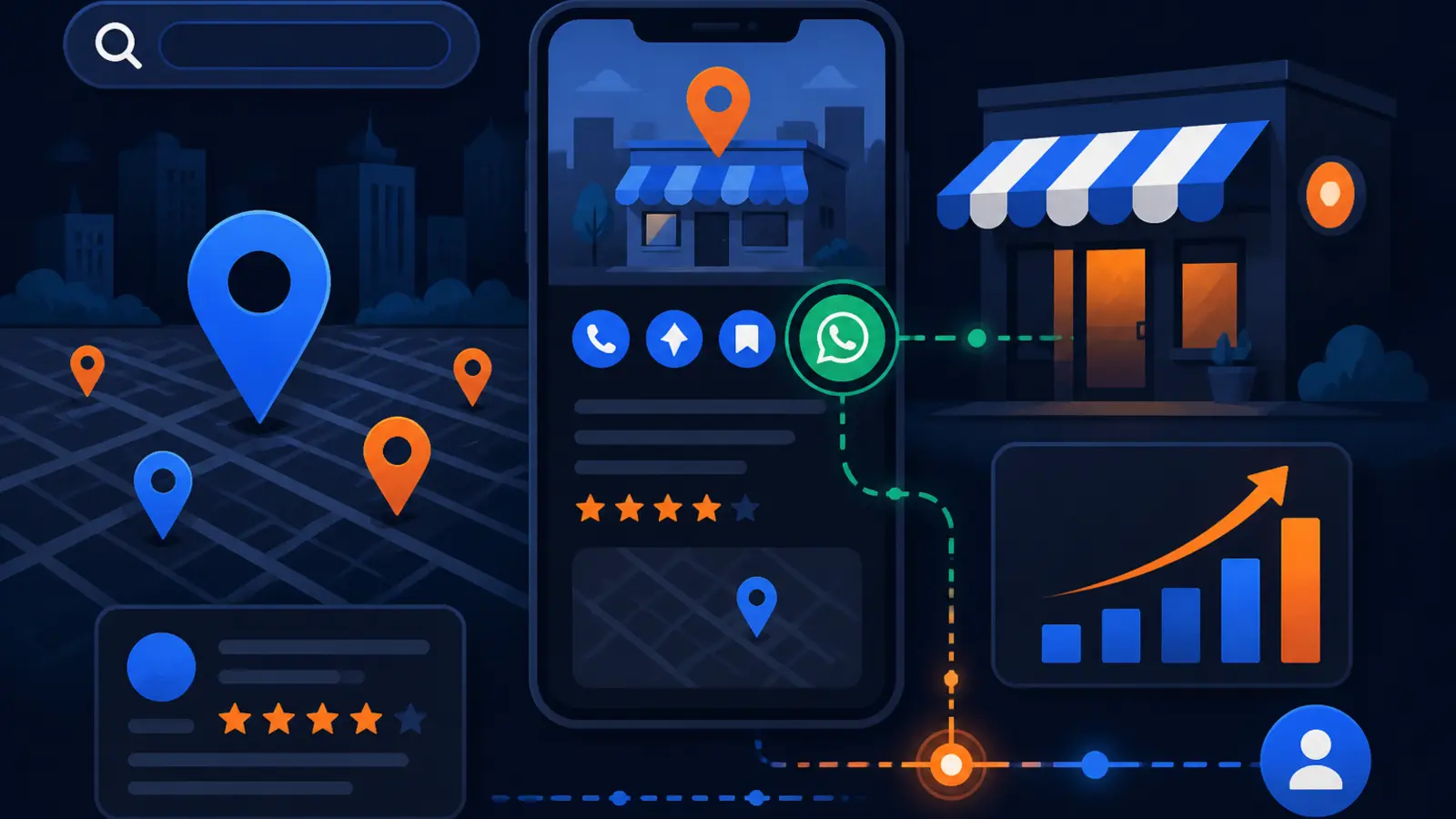
Search Engine Roundtable reported on October 7, 2026 that Google is showing a WhatsApp button in some local panel results in Google Search. The button can appear near other familiar actions such as call, directions, website and chat. SearchPrex followed with coverage noting that the WhatsApp button appears to use the WhatsApp or chat information tied to the Google Business Profile.
That means a person searching for a plumber, dentist, roofer, med spa, lawyer, HVAC company or other local service business may see WhatsApp as a direct way to contact the business before they ever visit the website. If that button is connected to the wrong number, a personal phone, an old employee, or an inbox nobody checks, the business can lose a lead that was already interested.
This is not a local ranking update. Google’s local ranking factors are still relevance, distance and prominence. The practical issue is conversion. Your profile may already be visible, but now one of the contact paths inside that profile could send customers to the wrong place.
Why this is a lead-routing issue, not just a GBP setting
Many business owners think of the Google Business Profile as a listing: name, address, phone number, hours, photos and reviews. That view is now too narrow. The profile is also a front desk, and every button on it is a door into your business.
When Google adds or surfaces another contact button, the owner needs to know who owns that channel. A WhatsApp button is not helpful if it rings on the owner’s personal phone during a job, sits inside an app nobody opens, or bypasses the office team that normally books estimates.
For a local business, the questions are simple and operational. These are the lead-routing problems to look for this week:
- ▸Does the WhatsApp button go to a number the business controls?
- ▸Is the number tied to a current staff member, not a former employee?
- ▸Can the person receiving the message answer booking questions?
- ▸Is there a backup when that person is unavailable?
- ▸Does the team know how to record the lead in your normal system?
What Google’s documentation says about messaging
Google Business Profile Help says verified Business Profiles can add chat options, including WhatsApp or text messaging where the feature is available. Google’s documentation also frames chat as a way for customers to contact businesses from the Business Profile.
The important phrase for owners is where the feature is available. You may not see the same options in every country, category, device or profile. You also may not see the same button that another business owner sees in a screenshot. That does not mean you can ignore it, because your setup can still affect what appears when Google decides to show it.
Ask your profile manager to check the live profile, not just the dashboard. The setup inside the dashboard matters, but the customer experience in Google Search and Google Maps matters more.
Five things to check on your profile this week
If you only do one thing after reading about the WhatsApp button, make it an audit of every contact path on your Google Business Profile. Do not treat the audit as a technical project. Treat it like mystery-shopping your own front desk.
Have someone search your business name on a phone, tap the available buttons, and document where each one goes. Then compare that to what you want to happen when a new customer is ready to call, message, book or ask a question.
Use this checklist for a quick owner-level review:
- ▸Confirm the primary phone number is correct and answered during business hours.
- ▸Check whether WhatsApp or chat is enabled, and which number or account receives messages.
- ▸Tap every visible action button in Google Search and Google Maps from a mobile device.
- ▸Verify that staff know who responds to messages and how quickly they should reply.
- ▸Make sure messages are recorded in your CRM, job software, intake sheet or booking process.
Why the wrong WhatsApp number can be worse than no button
A broken contact path is frustrating. A hidden contact path is worse. If a customer taps call and the number is disconnected, the problem is obvious. If a customer sends a WhatsApp message and nobody sees it, the customer may assume your business ignored them.
That can hurt trust before your team ever has a chance to help. The searcher already found your profile, compared you against nearby competitors and chose to contact you. Losing that person at the message-routing stage is an avoidable failure.
The risk is higher for businesses with multiple people touching marketing and operations. Your SEO provider may manage the profile, your office may answer calls, your owner may have created WhatsApp years ago, and your field staff may use personal phones with customers. Nobody may be looking at the whole contact system.
What to ask your local SEO provider now
Yes, your local SEO provider should audit your Google Business Profile contact buttons and message routing now that WhatsApp can appear directly in the local panel. This is part of managing the profile as a lead source, not just as a citation or ranking asset.
The audit should not stop at whether the profile has the right name, address and phone number. It should include the buttons a customer can tap, the inboxes those buttons feed, the response process and the tracking used to understand which channel produced the lead.
Ask your provider these direct questions:
- ▸Have you checked our live profile on mobile search and Maps this week?
- ▸Do we have WhatsApp or chat enabled in Google Business Profile?
- ▸Which number, account or inbox receives those messages?
- ▸Who on our team is responsible for replying?
- ▸How are WhatsApp or chat leads tracked after the first message?
- ▸What should we disable if we cannot monitor it consistently?
What to do about it
Start by assigning one person to own the audit. That person does not need to be technical. They need access to the Google Business Profile, the ability to test the public listing and the authority to ask staff how messages are handled.
Next, decide which contact options you actually want customers to use. More buttons are not always better. A small business that answers calls quickly but rarely checks messages may be better off simplifying its contact setup until it has a reliable process.
Take these practical steps before the end of the week:
- ▸Open your Business Profile dashboard and review every contact and messaging field.
- ▸Search your business on Google from a phone and screenshot the visible buttons.
- ▸Send a test WhatsApp or chat message if the option appears.
- ▸Track how long it takes for the right person to see and answer the test.
- ▸Remove or pause any contact option your team cannot monitor.
- ▸Write a simple response rule, including who answers, when they answer and where the lead is logged.
How this affects multi-location and service-area businesses
Multi-location businesses need to be especially careful because each profile can have its own contact setup. A WhatsApp number that makes sense for one location may be wrong for another. A central intake team may be fine, but only if staff can identify which location or service area the customer is asking about.
Service-area businesses have a different issue. Many do not have customers visiting an office, so calls and messages are the main conversion paths. If Google surfaces WhatsApp in the local panel, that button may become one of the first ways a homeowner asks for pricing, availability or an appointment.
Owners with more than one profile should check each listing separately. These are the common problems to look for:
- ▸One location using the owner’s personal WhatsApp while another uses the office line.
- ▸Old profiles that still have outdated chat settings.
- ▸Messages going to a manager who no longer handles intake.
- ▸No process for tagging which location a message came from.
- ▸Different response standards across locations.
Do not confuse contact buttons with local rankings
It is tempting to treat every Google interface change as an SEO ranking change. This one should be viewed differently. Search Engine Roundtable and SearchPrex covered a visible button in local panels, not a new ranking factor.
Your ranking work still depends on the fundamentals: relevance, distance and prominence. Your profile category, services, content, reviews, citations, proximity to the searcher and broader authority still matter. The WhatsApp button sits closer to the moment after the searcher finds you.
That makes it a conversion problem. If rankings bring the customer to your profile, contact routing decides whether that interest turns into a conversation. Local SEO providers should care about both, because visibility without clean intake can waste demand.
Tracking matters, but do not overcomplicate it
Some owners will ask whether WhatsApp leads can be tracked the same way as calls or website form fills. The answer depends on your setup. The immediate goal is not to build a perfect dashboard. The immediate goal is to avoid losing messages and to know whether they became real opportunities.
At minimum, your team should manually log WhatsApp or chat leads for a short period so you can see whether people are using the channel. If volume grows, you can tighten the process with a shared inbox, CRM workflow or call center procedure.
Keep the first version simple. Record these details for every message lead:
- ▸Date and time of the message.
- ▸Customer name, if provided.
- ▸Service requested.
- ▸Location or service area.
- ▸Who replied.
- ▸Whether the lead booked, quoted, or went nowhere.
A quick word on websites and other buttons
The WhatsApp button is getting attention because it is new to many local panels, but it is only one part of the contact experience. Website, call, directions, booking and chat buttons all deserve the same review. If one button is wrong, customers may not try a second one.
This is also a good time to test the page your website button sends people to. If that page is slow, confusing, or missing the phone number, you can still lose the lead after the profile does its job. Core Web Vitals are one practical check. Google’s good thresholds are LCP 2.5 s, INP 200 ms and CLS 0.1 at the 75th percentile of field data.
You do not need to become a web performance expert. You do need to ask whether the page loads quickly on a phone, makes the next step obvious and matches the service the searcher wants.
The owner’s decision: audit now or wait for missed leads
The WhatsApp button in Google local panels is a small visual change with a practical business consequence. If Google gives customers another way to contact you, that channel needs an owner, a response process and a way to record the lead. Waiting until you notice fewer calls is the wrong way to find out messages were going somewhere else.
Digital Domination is a Las Vegas local SEO agency serving local service businesses nationally, and this is how we look at Google Business Profile work: rankings matter, but the profile also has to turn searchers into real conversations. Our Google Business Profile SEO page at digitaldomination.ai/google-business-profile-seo/ explains how we handle profile optimization, local visibility, Map Pack strategy and ongoing GBP management in plain language.
If you want to see how your business shows up across your market before fixing contact paths, start with the free GeoGrid scan at digitaldomination.ai/scan/. It checks 169 points across a market so you can see where you are visible and where the profile still needs work.
Keep reading
Related guides
Put it into action
Frequently Asked Questions
Why is there a WhatsApp button on my Google Business Profile?
Google is showing a WhatsApp button in some local panel results, according to Search Engine Roundtable and SearchPrex. Google Business Profile Help says verified profiles can add WhatsApp or text messaging options where the feature is available. If it appears on your profile, it is likely tied to the chat or WhatsApp contact information connected to your Business Profile.
Does the WhatsApp button help my Google Maps ranking?
This should not be treated as a ranking change. Google’s local ranking factors are relevance, distance and prominence. The WhatsApp button is mainly a contact and conversion issue because it affects what happens after someone finds your business.
Should I turn off WhatsApp on my Google Business Profile?
Turn it off or pause it if nobody on your team can monitor and answer it reliably. If your team uses WhatsApp every day and can respond quickly, it may be useful. The right choice depends on whether the channel is staffed, tracked and connected to your intake process.
How do I know where my Google WhatsApp messages are going?
Check the contact and messaging settings inside your Google Business Profile dashboard. Then test the public listing from a mobile phone and send a message if the WhatsApp or chat option appears. The test should show which number or inbox receives the customer message.
Can my SEO company manage Google Business Profile messages?
Your SEO company can audit the setup and help define the process, but the actual response usually needs to be handled by your business or intake team. Customers may ask about pricing, scheduling, service areas or urgent problems. Make sure whoever replies has the authority and information to help.
What if I do not see the WhatsApp button on my profile?
You may not see it because the feature is not available for your profile, category, location or device. You should still audit your contact fields because Google can change which buttons appear over time. Also check call, website, directions, booking and chat buttons while you are there.
Is WhatsApp better than calls for local leads?
Not always. Calls are often better for urgent services, while messaging may work well for customers who want to ask a quick question or send details. The best option is the one your team can answer consistently and track through to booking.
What should I ask my GBP manager after this update?
Ask whether WhatsApp or chat is enabled, which number receives messages and who is responsible for replies. Also ask whether they tested the live profile on mobile search and Maps. Finally, ask how those message leads are tracked so they do not disappear after the first contact.
Ready to dominate your map?
Top 3 in the Google Map Pack in 12 weeks, or you don't pay.