
Google Business Home beta gives GBP owners a new AI-assisted hub
If Google invites you into Business Home, treat it as a useful control panel, not a substitute for a complete, verified and actively managed local SEO system.
What changed and who it hits
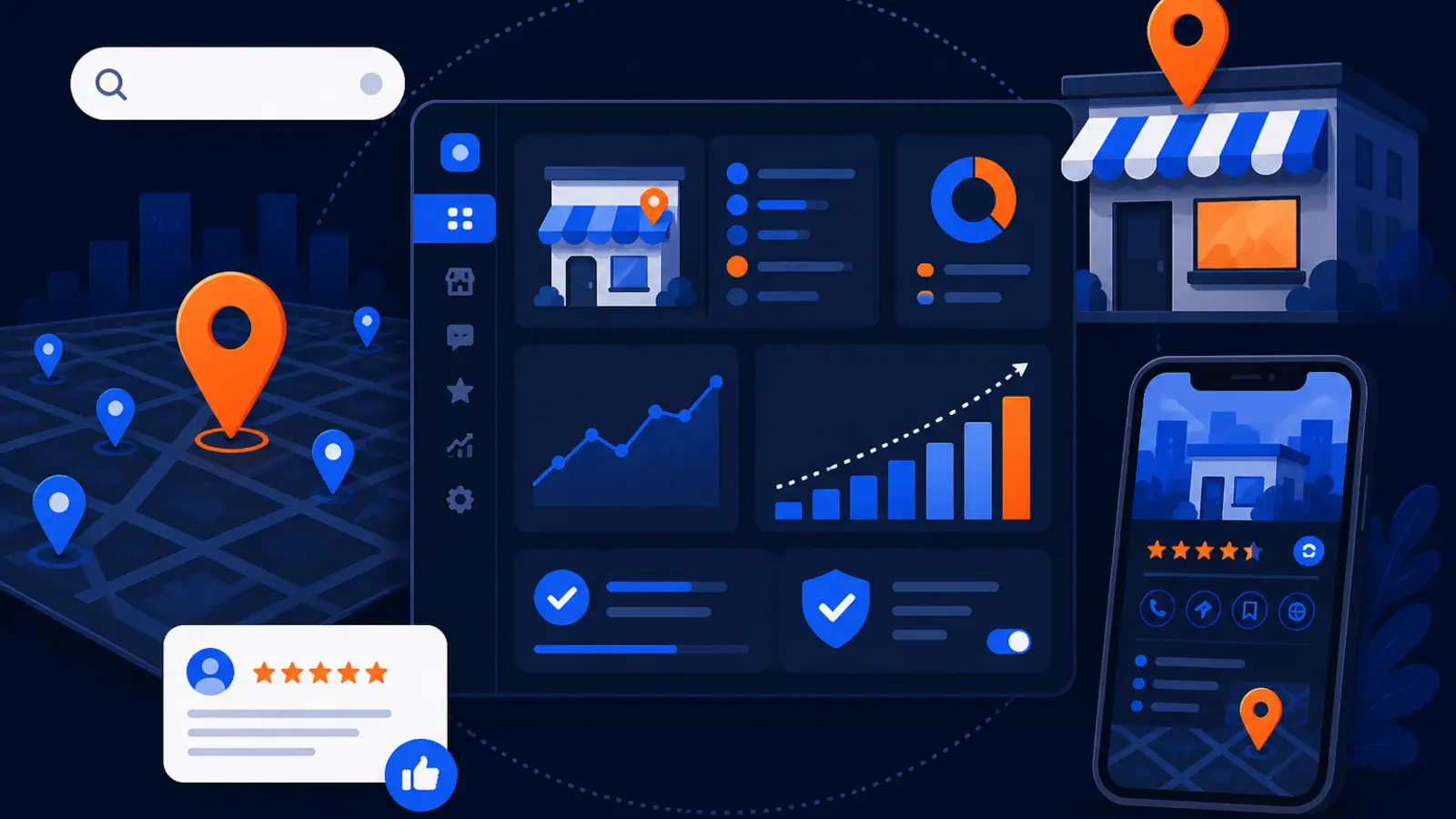
On October 22, Search Engine Roundtable documented access to Google Business Home, a beta hub that brings Google Business Profile, Merchant Center, YouTube and Ads accounts into one place. Google’s own Business Home Help documentation says the product is a closed beta for select business categories in the United States and United Kingdom.
For local business owners, this matters because the place where you edit hours, services, photos, reviews, messages and location details is not just an admin screen. It affects what customers see on Google Search and Google Maps when they are deciding who to call, visit or trust.
If you own one service business, this may look like a simpler dashboard. If you manage a few locations, Google says Business Home can connect up to 10 locations. Either way, the practical question is not whether the new hub is interesting. The question is what you should verify before letting Google’s AI-assisted recommendations guide profile changes.
What Business Home appears to combine
According to Search Engine Roundtable and Google’s Business Home Help page, the beta connects several Google tools that many owners already use separately. That includes Google Business Profile, Merchant Center, YouTube and Ads.
For a local service business, the most important part is still the Business Profile. That is where your public-facing name, address, phone number, hours, services, photos, reviews and messages live. Business Home may make those items easier to reach, but it does not make inaccurate information safer.
Before you treat the hub as your new command center, check which pieces are actually connected and which are only visible as prompts or incomplete integrations:
- ▸Confirm the correct Google Business Profile is connected.
- ▸Check whether all intended locations appear in the hub.
- ▸Review the status of Merchant Center, YouTube and Ads if you use them.
- ▸Look for warning messages about disconnected or limited tools.
- ▸Make sure the user logged in has the right permissions to edit the profile.
The dashboard is not the ranking system
A cleaner management hub can help you make fewer mistakes. It does not change the basics of local visibility. Google has long described local ranking around relevance, distance and prominence. Business Home is an interface for managing signals that can affect those areas, not a guarantee that you will rank better.
Think of it like a better steering wheel. If the tires are flat, the map is wrong and the driver is not paying attention, the steering wheel will not fix the trip. In GBP terms, that means a new hub will not solve inconsistent categories, thin service descriptions, weak photos, unanswered reviews or old hours by itself.
This week, separate the tool from the work. The tool may help you see tasks. The work is making sure your profile accurately matches what your business does, where you serve customers and why Google should trust the listing.
What Google says about connected tools
Google’s Status of connected tools help page explains that Business Home can show the connection status of different Google tools. That is useful because many owners assume their Google accounts are connected simply because they use the same email address. That is not always enough.
If Business Home shows a tool as not connected, limited or needing attention, do not ignore it. A disconnected tool may not hurt rankings directly, but it can cause confusion when you are trying to update information, track activity or understand what customers are seeing.
Use the connected tools screen as an account cleanup checklist:
- ▸Confirm the Business Profile connection first.
- ▸Remove access for former employees or vendors who should no longer edit anything.
- ▸Make sure the owner account is controlled by the business, not only by an outside provider.
- ▸Check whether Ads, YouTube or Merchant Center are connected to the correct business entity.
- ▸Write down anything marked disconnected, limited or needing setup.
Five things to check on your profile this week
If you get access to Business Home, do not start by clicking every recommendation. Start by checking the core public information that customers use to contact you. These are the items most likely to create lost calls, wrong expectations or weak local relevance.
Work through these five checks before you approve suggested edits or change how your GBP is managed:
- ▸Primary category: Make sure the main category describes your main money service, not a broad or secondary offering.
- ▸Hours: Confirm regular hours, holiday hours and emergency availability match what your team actually answers.
- ▸Services: Remove services you no longer offer and add important services that are missing from the profile.
- ▸Photos: Upload current, real photos of your team, vehicles, storefront, job sites or work process.
- ▸Reviews and messages: Reply to recent reviews and make sure messages go to someone who will answer quickly.
When to trust AI suggestions and when to pause
AI recommendations can be helpful when they point out obvious gaps, such as missing photos, incomplete hours or a service that should be described more clearly. They are riskier when they suggest changing categories, rewriting services, altering business descriptions or connecting accounts you do not understand.
The problem is simple. AI can make a profile look more complete without understanding which services actually drive profit, which locations you really serve or which wording customers use when they search. For a local contractor, clinic, law office, home service company or repair shop, those details matter.
Treat AI suggestions as drafts, not instructions, especially in these situations:
- ▸The recommendation changes your primary category.
- ▸The recommendation adds a service you do not actually provide.
- ▸The wording sounds generic or unlike your business.
- ▸The suggestion conflicts with your website or real-world service area.
- ▸The change affects multiple locations at once.
- ▸You cannot tell whether the suggestion came from your profile, ads, website or another connected tool.
Do not confuse access with ownership
One quiet risk with any new Google dashboard is account ownership. Many business owners do not know whether they truly own their Google Business Profile, their Ads account, their YouTube channel or their Merchant Center account. They only know that someone can log in and make changes.
Before you make Business Home your main hub, confirm that the business has primary control. Use a company-owned email when possible. Keep a record of who has owner, manager or admin access. If an employee or vendor leaves, remove access promptly.
This is not just housekeeping. If the wrong person controls the wrong account, simple updates can become stressful. You may lose time during a busy season, a rebrand, a move or an ownership change because no one can approve edits quickly.
What to do about it
If you receive an invitation to Google Business Home, take a measured approach. You do not need to reject it, and you do not need to rebuild your marketing process around it on day one. Use it to audit your setup first.
Set aside a short block of time this week with whoever manages your GBP, whether that is you, an employee or an outside provider. Open Business Home, compare it against what customers see on Google Search and Maps, then document anything that does not match.
Your owner-level action plan is simple:
- ▸Accept the beta only from inside your verified Google account, not from a random email link.
- ▸Screenshot the connected tools status before making changes.
- ▸Compare your name, address, phone, hours and website link against your website.
- ▸Check your primary category and top services before approving AI edits.
- ▸Review the last few customer reviews and respond where needed.
- ▸Upload current photos if the profile looks stale.
- ▸Ask your provider what they will still manage now that the interface is changing.
- ▸Track what changes were made, who made them and when.
Should this replace a Google Business Profile SEO provider
For most serious local businesses, no. Business Home may reduce friction, but it does not replace strategy, judgment or ongoing local SEO work. A dashboard can show you fields. It cannot decide your best category strategy, service page alignment, review response standards, photo cadence, spam monitoring or local competitor approach by itself.
The fair question is whether your provider is doing work that still matters. If your provider only logs in occasionally to change hours, the new hub may expose how little is being done. If your provider is actively improving profile completeness, checking search visibility across the market, aligning services with website pages and watching competitors, the hub is just another tool.
Ask your GBP SEO provider direct questions before changing the relationship:
- ▸Which profile fields do you monitor every month?
- ▸How do you decide which categories and services belong on the profile?
- ▸How do you measure visibility beyond one search from one location?
- ▸Who responds to reviews and messages?
- ▸How do you handle suggested edits, suspensions or verification issues?
- ▸What changes, if any, should Business Home make to our workflow?
What multi-location owners should watch
Google’s Business Home Help page says the beta supports up to 10 connected locations. That may be useful for a small local chain or a service business with multiple offices. It can also make mistakes spread faster if one person applies the wrong change across locations.
Each location still needs its own accurate information. Do not assume one description, one photo set or one service area fits every branch. Customers in different areas may need different hours, phone routing, photos, services or directions.
If you manage multiple locations, check these items before making bulk decisions:
- ▸Each location has the correct address or service area.
- ▸Phone numbers route to the right team.
- ▸Photos belong to the correct branch or market.
- ▸Hours match each location, not just the main office.
- ▸Reviews are answered from the right location context.
- ▸Website links point to the best local page, not only the homepage.
What this means for local SEO work
The news is a reminder that Google wants owners to manage more business data inside Google’s own tools. That can be convenient, but it also means the quality of your source information matters more. If your profile, website and connected tools disagree, a new hub can surface confusion instead of solving it.
Your priority should be a clean foundation. Verify the right profile. Tighten categories and services. Keep hours current. Add real photos. Respond to reviews. Make sure your website supports what your GBP says. Those basics help Google understand relevance and prominence, while distance remains tied to where the searcher is and where your business can serve them.
Business Home may make these tasks easier to find. It does not remove the need to do them consistently.
The owner’s decision now
If Google invites you into Business Home, use it as an audit tool before you use it as an automation tool. Check access, connected tools, core profile information and AI recommendations before changing your GBP workflow or reducing outside help.
Digital Domination is a Las Vegas local SEO agency serving local service businesses nationally. If you want a plain-English view of what ongoing Google Business Profile SEO should include, visit digitaldomination.ai/google-business-profile-seo/. That page explains profile optimization, review work, local visibility tracking and the kind of ongoing management that a dashboard alone does not handle.
Before you decide whether Business Home changes what you need, see how visible your business is across your actual market with a free GeoGrid scan. Digital Domination’s GeoGrid scan checks 169 points across a market so you can see where you show up and where you do not: digitaldomination.ai/scan/
Keep reading
Related guides
Put it into action
Frequently Asked Questions
What is Google Business Home beta?
Google Business Home beta is a new hub for managing selected Google business tools in one place. Search Engine Roundtable documented access to it on October 22, and Google’s own help documentation says it is a closed beta for select business categories in the US and UK.
Is Google Business Home replacing Google Business Profile?
No. Based on Google’s Business Home Help documentation, it is a management hub that can include Google Business Profile, not a replacement for the profile itself. Your public Business Profile still needs accurate hours, services, photos, reviews and location information.
Who can use Google Business Home right now?
Google says Business Home is currently a closed beta for select business categories in the United States and United Kingdom. If you do not see access in your Google account, that does not mean anything is wrong with your profile.
Should I follow Google Business Home AI recommendations?
Treat the recommendations as suggestions, not automatic instructions. Review anything that affects categories, services, descriptions, locations or connected accounts before approving it, especially if you rely on local search for leads.
Can Business Home manage more than one location?
Google’s Business Home Help documentation says the beta can manage up to 10 connected locations. Multi-location owners should still check each location separately because hours, photos, services, phone numbers and website links may differ.
Will Business Home improve my Google Maps ranking?
Business Home by itself does not guarantee better rankings. Google’s local ranking factors are relevance, distance and prominence, and the hub is only a tool for managing some of the information that can support those factors.
Do I still need a GBP SEO provider if I get Business Home?
Maybe. If your provider only updates basic fields, Business Home may make you question that value. If your provider handles strategy, profile optimization, review processes, local visibility tracking and competitor monitoring, the new hub does not replace that work.
What should I check first after getting Business Home access?
Start with account ownership, connected tool status and the core public details on your Business Profile. Confirm the business name, address, phone number, hours, website link, primary category, services, photos, reviews and messages before approving recommendations.
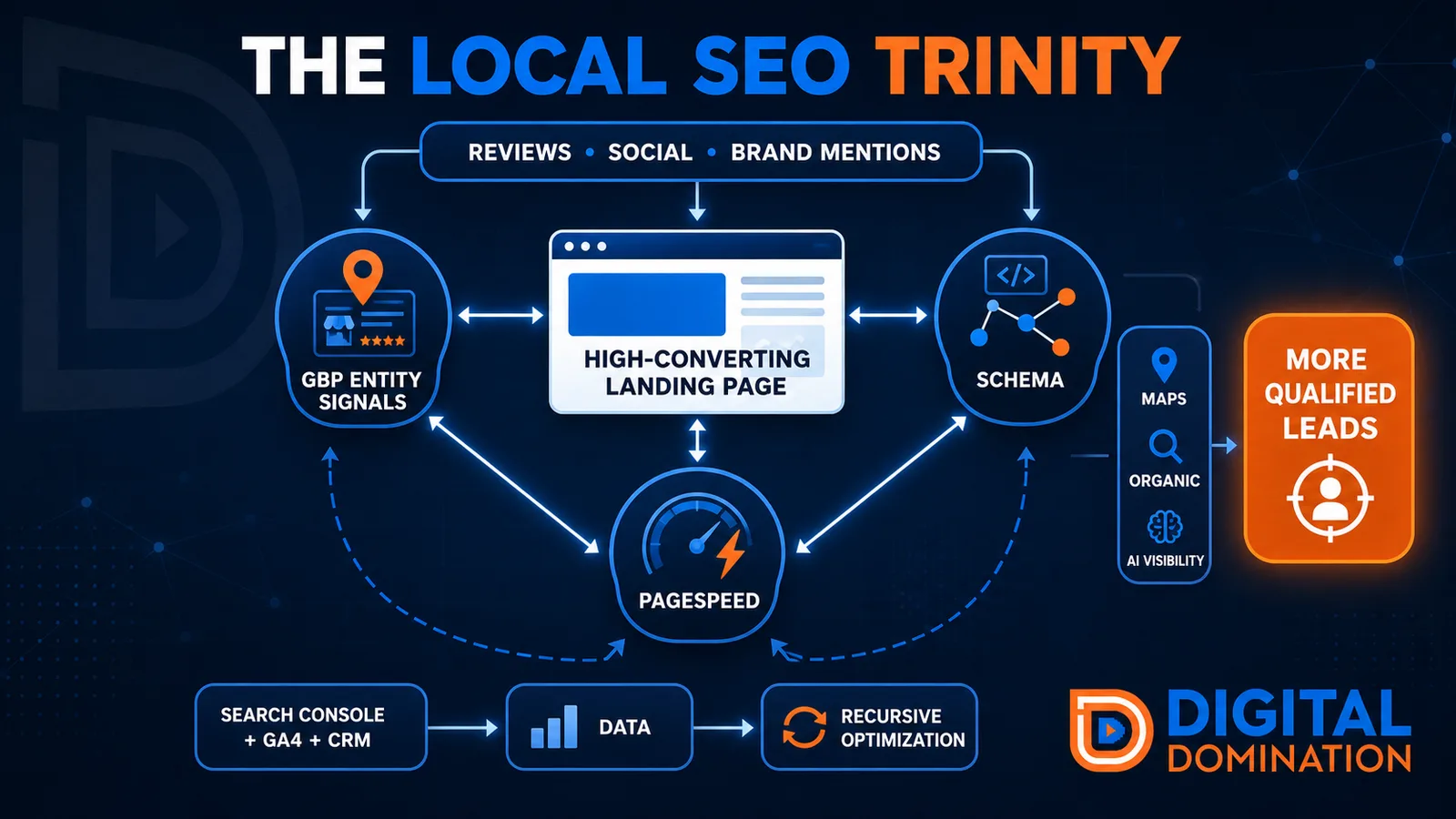
The Local SEO Trinity
Think of a three-legged stool. Your Google profile, your website, and your reviews all have to hold you up. If one leg is short, the whole thing wobbles.
GBP entity signals
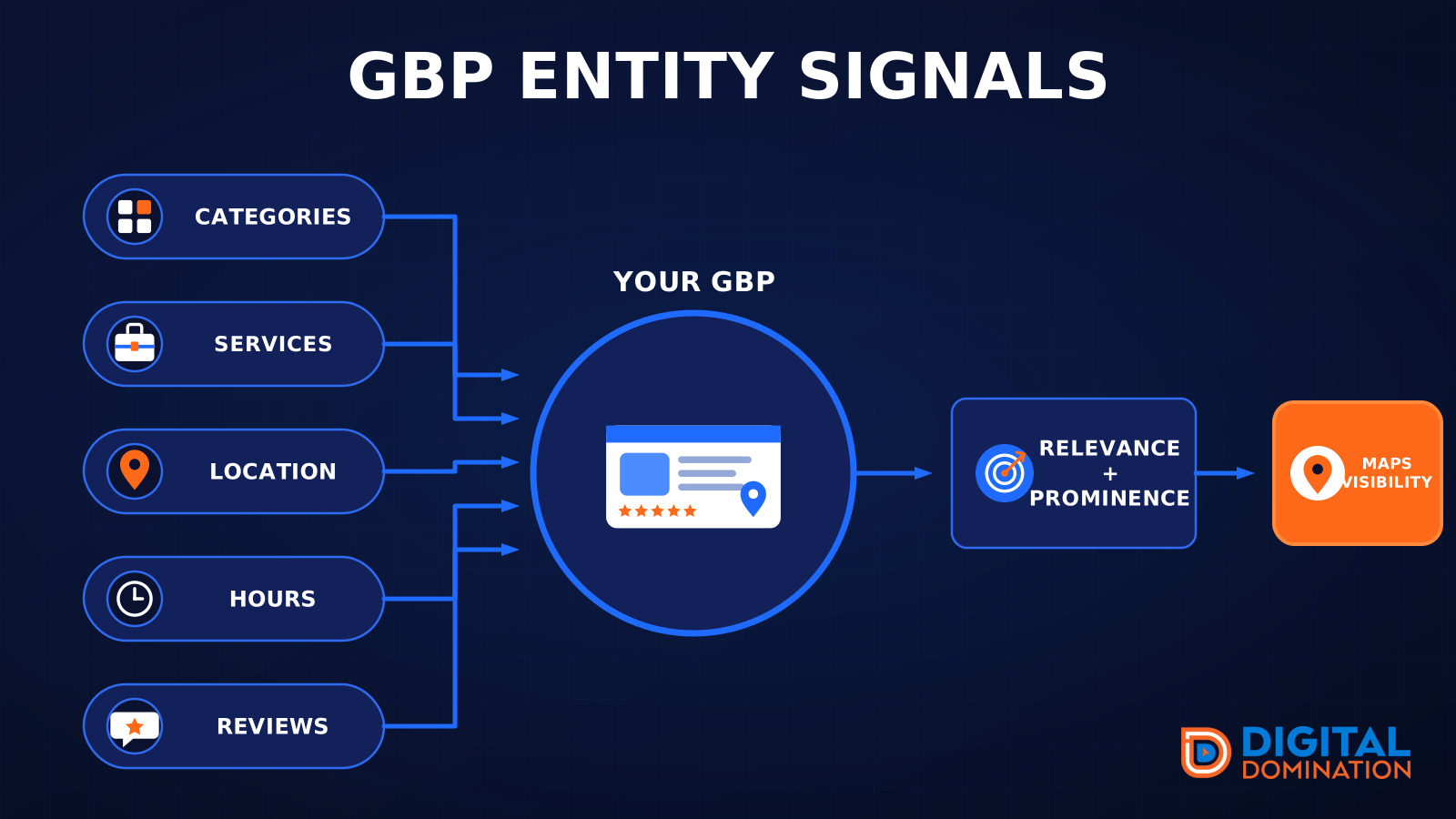
This leg is your Google Business Profile. GBP means Google Business Profile. It covers your categories, your services, your location, your hours, and your reviews. Google uses those facts to decide who to show.
Your Google profile is your storefront sign. If the sign is missing, or it names the wrong shop, people drive past.
PageSpeed to conversion
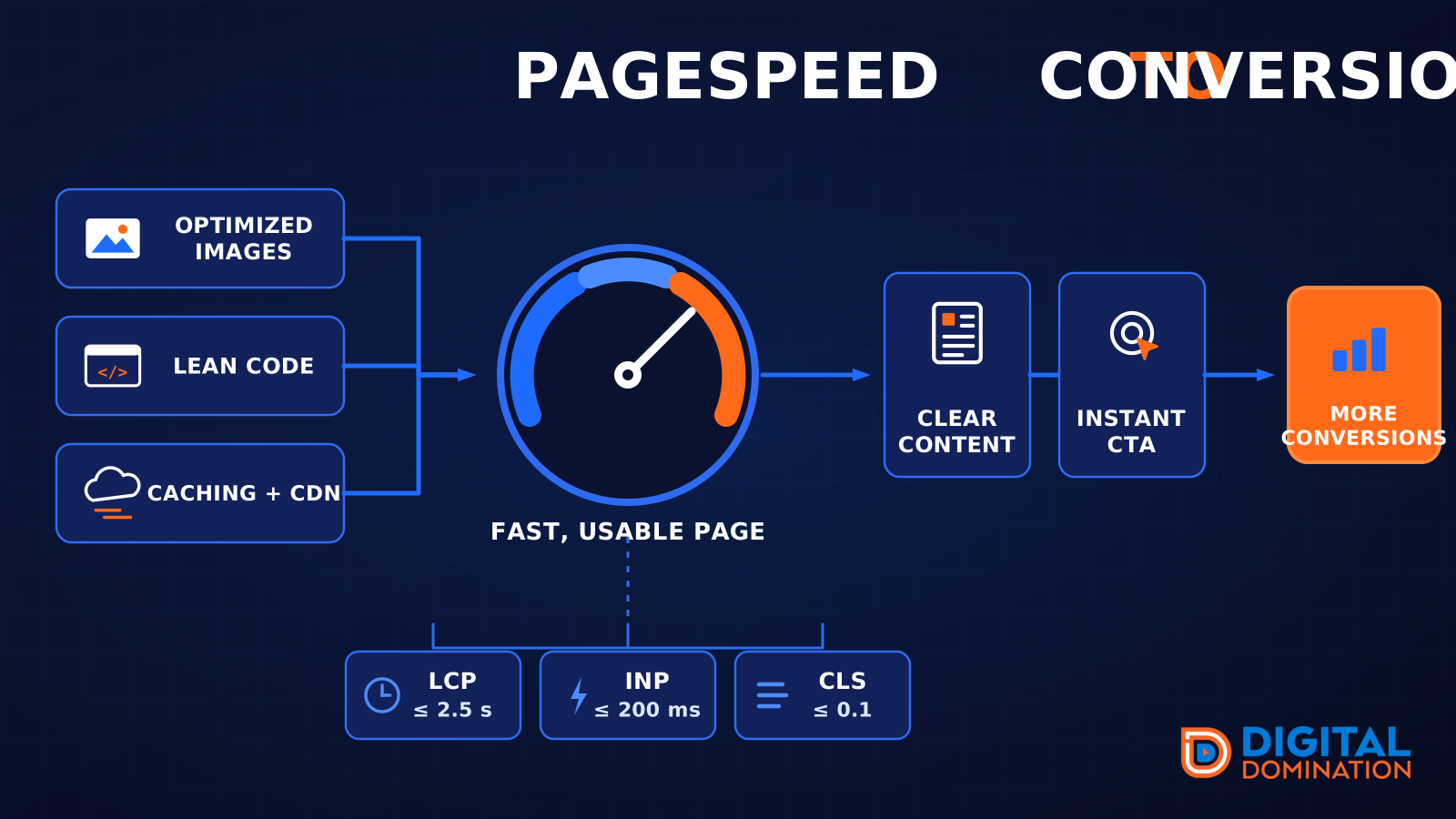
This leg is your website, above all on a phone. Small images, lean code, and caching make a page fast. A fast, clear page is what turns a visit into a call. Phone speed is one of the 12 Trinity checks because a slow page loses the call before anyone sees your offer.
Your website is the showroom. If the door sticks, people leave before they look around.
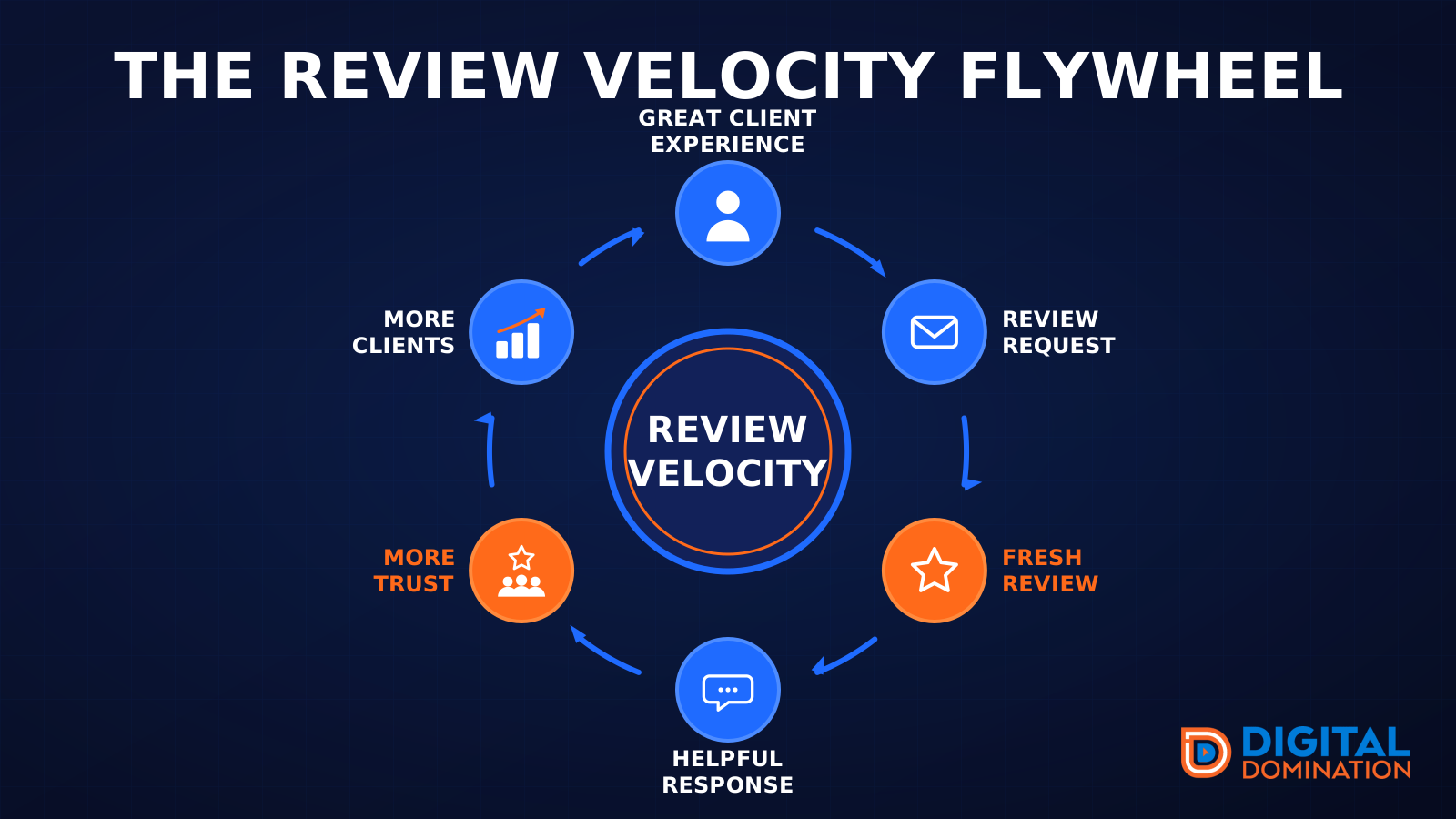
The review velocity flywheel
This leg is reviews and reputation. A good visit leads to a review request, then a fresh review, then a helpful reply, then more trust, then more customers. When the scan can find your Google listing, it shows your rating, your recent reviews, and how many you answered.
Reviews are word of mouth. One kind word helps. A steady stream of real reviews, and a reply from you, helps more.
How this turns into revenue
Being found in more searches leads to more calls. More calls lead to more booked jobs. More booked jobs lead to more revenue.
Example numbers, not a real business: 40 calls from search in a month, a 25 percent close rate, and a $400 average job. That is 10 booked jobs. That is $4,000. The math is the lesson. It is not a promise.
The full page has a box where you can type your own average job value and close rate.
One real story, from our car dealership case study: Medina Auto Group went from invisible on Google Maps to dominating every high-intent search across their market. The turnaround spanned all four of their rooftops at once. The same page says the team eliminated 89 unfair one-star reviews that had been dragging the dealership's reputation down and keeping it out of the Map Pack. It also says: “Results described here are exceptional and non-typical. Outcomes vary based on market conditions, competition, and implementation. No guarantees are made regarding earnings, rankings, or conversions.”
Free strategy call
More booked jobs start with a clear plan
Book a free strategy call. We look at your Google profile, your website, and your reviews, and we tell you what to fix first.
Free. You pick the time. A real person shows up.