
Google Business Profile AI messaging is becoming a local lead handler
Google is expanding AI-enabled messaging on eligible Business Profiles. Before a local business turns it on, the listing, website and staff handoff process need a cleanup.
What changed and who it hits
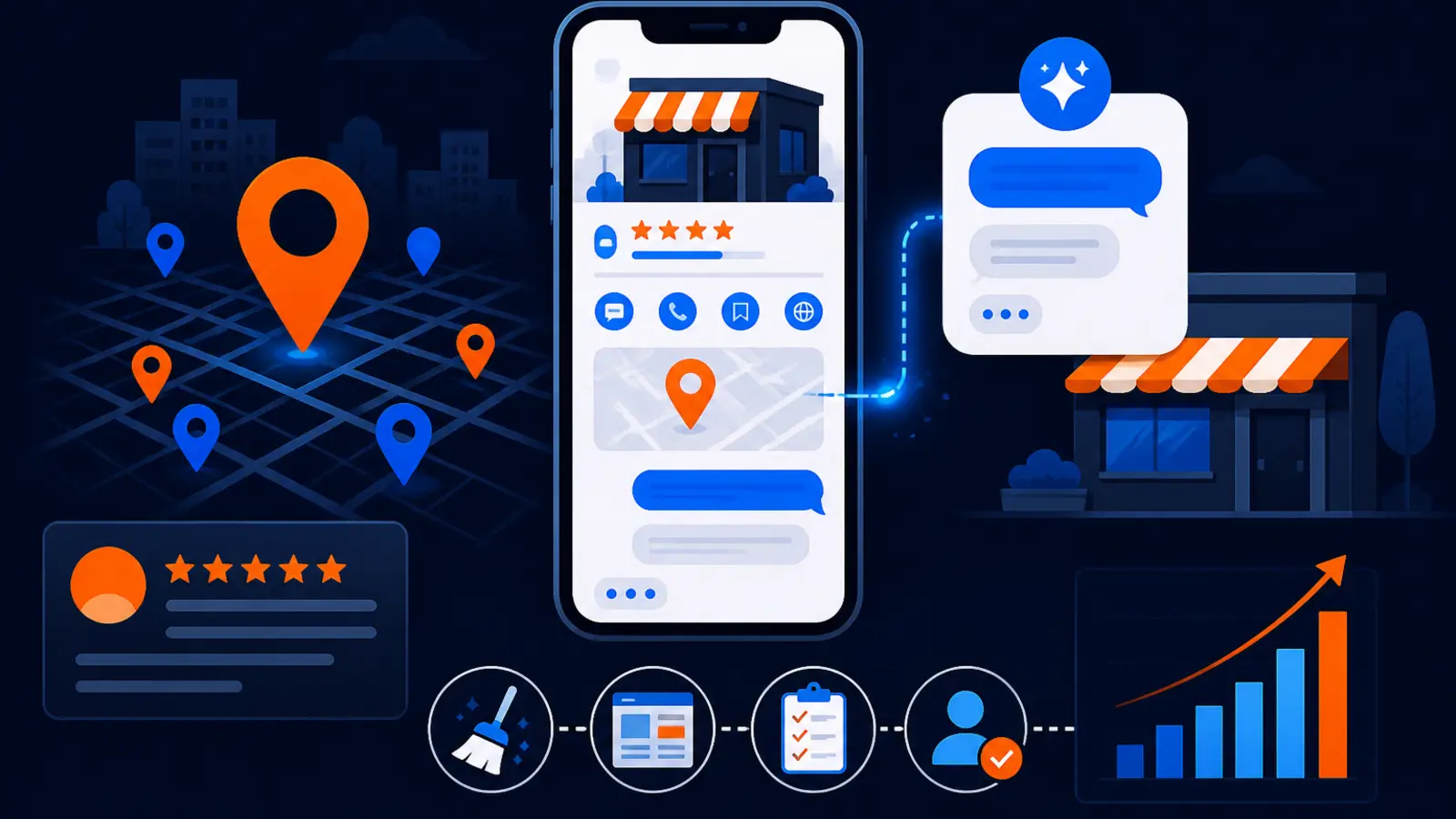
Google is expanding AI-enabled messaging for eligible Google Business Profiles. In plain English, a customer may be able to start a chat from Google Search or Maps, get answers from an AI agent, and move toward a booking before your staff ever sees the conversation.
This hits local service businesses first because those customers often ask simple, buying-intent questions: Are you open today, do you serve my area, can I book, how much does this service usually cost, and can someone come out soon. Restaurants, home services, medical offices, beauty businesses, repair shops and appointment-based businesses should pay attention.
Search Engine Roundtable reported on October 29, 2026 that access appears to be expanding, including early-access emails and sightings from local SEO practitioners. Google Business Home Help published documentation for getting started with AI-enabled messaging on your Business Profile, dated October 30, 2026. 99 Calls also covered the test on October 29, 2026, describing it as an AI messaging agent being tested inside Google Business Profile.
What Google says the feature does
Google's own documentation says AI-enabled messaging lets customers chat with a business from Search or Maps. The AI agent can answer common questions, help with bookings, and hand off more complex conversations to the business.
The important part for owners is where the answers come from. Google says the agent uses Business Profile details and verified website URLs. That means your profile and website become the script your AI front desk is reading from.
Before you think about turning it on, look at the information the agent may depend on:
- ▸Business hours and holiday hours
- ▸Services, products, menus or appointment types
- ▸Booking links and reservation options
- ▸Business description and attributes
- ▸Service areas and location details
- ▸Website pages connected to the profile
Why this matters for local lead flow
A Google Business Profile used to be treated like a signpost: name, address, phone, hours, reviews and directions. This change moves it closer to a first-response sales channel.
That can help if the information is accurate and the handoff is watched. It can hurt if the agent gives an outdated answer, sends a buyer to the wrong booking page, says you do not offer a service you actually offer, or fails to route a complicated question to a person quickly.
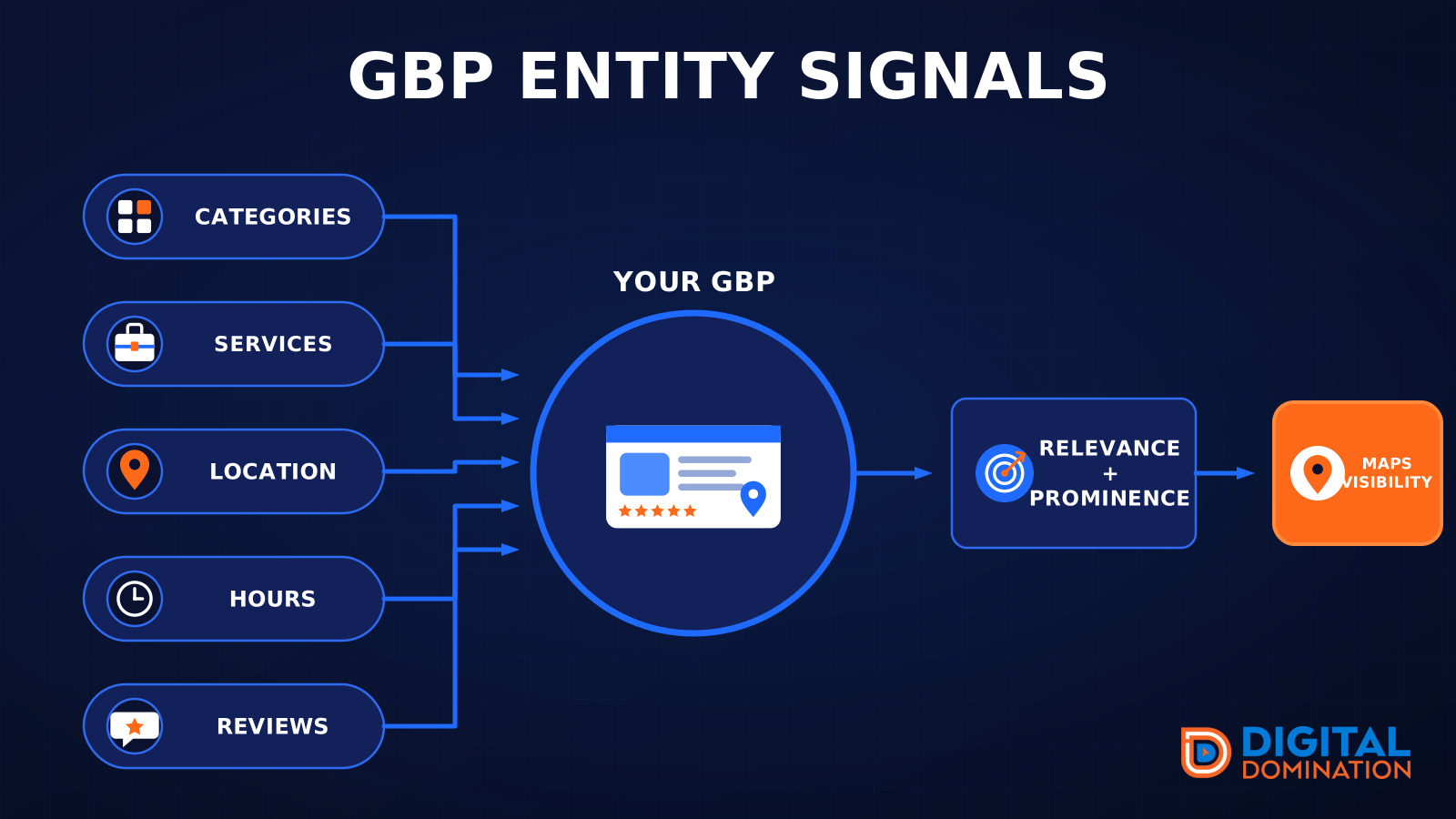
Local SEO is no longer only about whether you rank in the Map Pack. Google's local ranking factors are relevance, distance and prominence, but once a customer lands on your profile, the conversion layer matters too. Messaging can become part of that conversion layer.
The owner-level risk is simple: a customer may make a decision before calling you or visiting your website. If your Google profile is stale, the AI may make that stale information more visible.
Should you enable the pilot
The short answer is: maybe, but not blindly. A business with clean profile data, a current website, clear booking rules and staff who can monitor chats may be a good candidate. A business with outdated services, messy hours, missing booking details or a slow response process should fix those first.
Think of the pilot like hiring a new front desk person who has only read your Google profile and your approved website pages. If those materials are accurate, the person can answer basic questions. If they are wrong, the person can confidently say the wrong thing.
You should be more cautious if your business has high-stakes conversations, frequent exceptions, custom pricing, emergency work, medical or legal nuance, or strict intake requirements. The more judgment a conversation needs, the more important the human handoff becomes.
Five things to check on your profile this week
Do this before enabling AI messaging, and do it even if you do not have access yet. If Google expands eligibility to your account later, you do not want your first audit to happen after the agent is already answering customers.
Open your Business Profile, compare it against your actual operations, and check these items:
- ▸Hours: Confirm regular hours, holiday hours and any temporary changes.
- ▸Services: Remove old services and add current services customers actually search for.
- ▸Booking: Test every appointment, reservation, quote and contact link from a phone.
- ▸Service area: Make sure cities, neighborhoods and location settings match where you really work.
- ▸Website pages: Review the pages linked from your profile for outdated prices, old staff, old offers and broken forms.
What your SEO provider should fix first
If you work with an SEO provider, do not let the conversation stop at whether the feature is available. The useful question is whether your profile and website are clean enough to be used as training material for a customer-facing assistant.
Your provider should start with the parts that affect answers and bookings, not vanity edits. Photos and posts still matter, but AI messaging depends more heavily on structured business facts, service clarity and usable links.
Ask your SEO provider to handle these first:
- ▸Reconcile your Google Business Profile categories, services and business description with what you actually sell.
- ▸Audit website pages that Google can verify and that customers may reach from the profile.
- ▸Clean up inconsistent hours, appointment links, menu links, service-area language and contact options.
- ▸Create clear service pages for important work you want the agent to recognize.
- ▸Check that forms, call buttons, booking tools and chat handoffs work on mobile.
- ▸Document questions the AI should hand to staff instead of trying to resolve alone.
The website cleanup matters more than owners think
Many owners think of Google Business Profile as separate from the website. For this feature, that separation gets blurry because Google says the AI can use Business Profile details and verified website URLs.
That makes your website a source of answers, not just a brochure. If your plumbing page says you offer water heater replacement but your profile service list does not, the agent may have a weaker signal. If your restaurant menu page is old but your in-store menu changed, the chat experience may disappoint someone before they arrive.
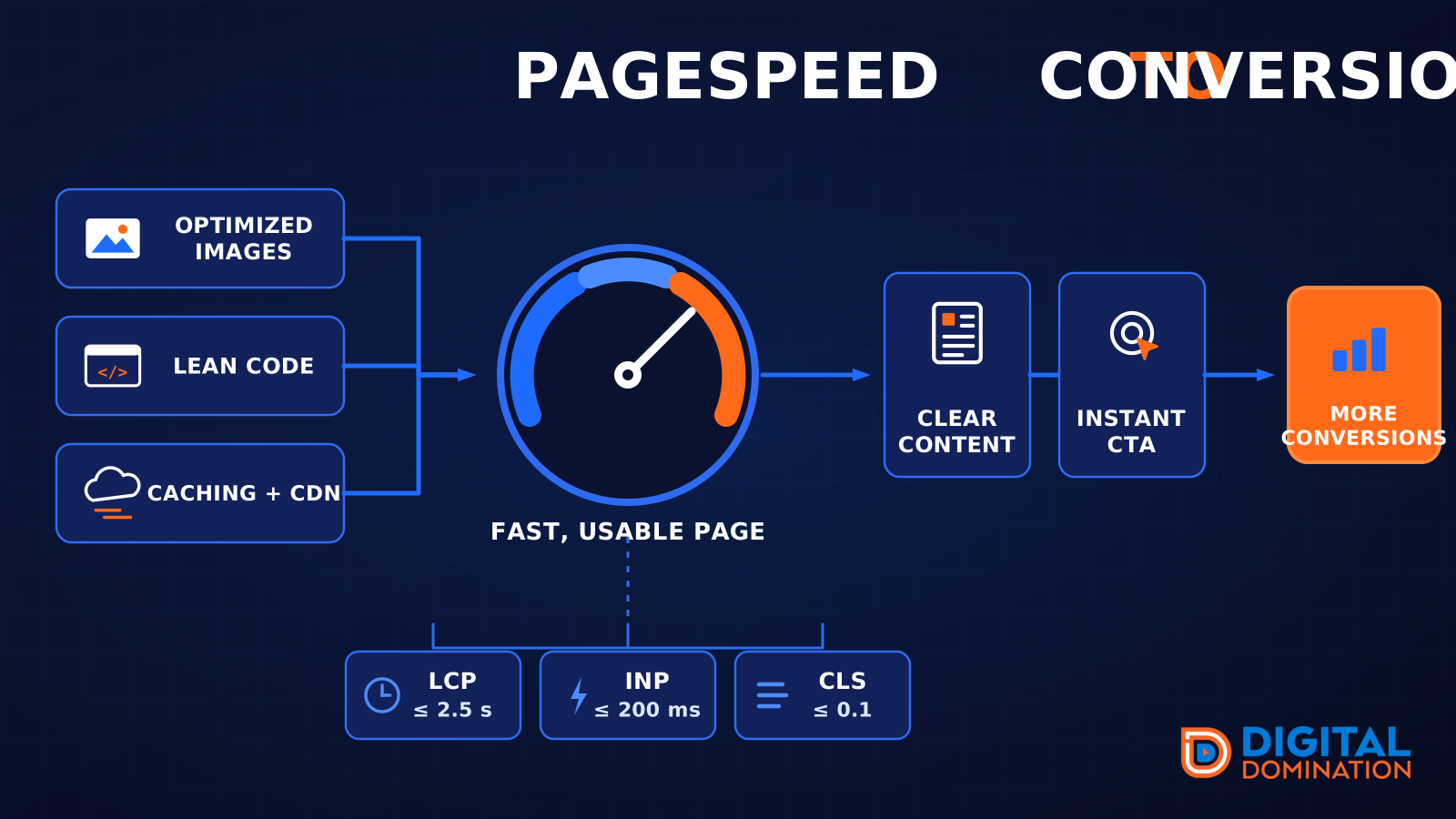
This is also a good time to check basic page experience. You do not need to become technical, but you should know whether important booking and service pages load quickly and work on a phone. Google's Core Web Vitals good thresholds are LCP 2.5 s, INP 200 ms and CLS 0.1 at the 75th percentile of field data.
This week, focus on the pages a customer would use right before contacting you:
- ▸Homepage
- ▸Main service pages
- ▸Booking or reservation page
- ▸Contact page
- ▸Menu or pricing page, if applicable
- ▸Service-area page
Set staff rules before the pilot goes live
The biggest operational mistake is treating AI messaging as fully automatic. Even if the agent handles common questions, someone still needs to own the inbox, monitor handoffs and spot bad patterns.
Decide who checks messages, when they check them, and what counts as urgent. If a customer asks about price, availability, warranties, insurance, refunds, medical concerns or custom work, your team needs a clear rule for when to step in.
Write these rules in simple language your staff can follow:
- ▸Who monitors chats during business hours
- ▸Who checks after-hours messages the next morning
- ▸Which questions require a human answer
- ▸What to do when the AI gives an incomplete answer
- ▸How to save examples of bad or risky answers
- ▸How to update the profile or website after finding a recurring issue
What to do about it this week
You do not need to wait for perfect clarity before acting. The safe move is to clean the information Google may use, then decide whether the pilot fits your business.
Start with a simple owner audit. Search for your business on Google, open the profile from a phone, and pretend you are a new customer who knows nothing about you. Try to book, call, message, read services, check hours and confirm whether you serve the customer's area.
Use this sequence this week:
- ▸Take screenshots of your current profile before making changes.
- ▸Update hours, services, service areas and booking links.
- ▸Fix the website pages linked from your profile.
- ▸Test all forms, phone buttons and appointment tools on mobile.
- ▸List your top customer questions and write approved answers internally.
- ▸Decide which questions must be handed to staff.
- ▸If you enable the pilot, review messages daily at first.
How to tell if it is helping or leaking leads
If you turn on AI messaging, judge it by customer behavior, not by novelty. The goal is not to have an AI feature. The goal is to help the right customer take the next step without confusion.
Look for missed calls, booked appointments, form submissions, message quality and staff complaints. If people keep asking the same follow-up question, your profile or website may not be clear enough. If staff keeps correcting the agent, the source information probably needs work.
Also watch for lead leakage. A lead leak can be a broken booking link, a service that is missing from the profile, an answer that discourages a good customer, or a handoff that happens too late. The fix is usually not dramatic. It is often a profile edit, a clearer service page, or a better staff rule.
This is a decision, not just a feature
Google's AI-enabled messaging may turn eligible Business Profiles into something closer to a lead handler. That can be useful for a well-maintained local listing, but risky for a profile that has not been audited in months.
Digital Domination is a Las Vegas local SEO agency that works with local service businesses nationally. Our Google Business Profile SEO page at digitaldomination.ai/google-business-profile-seo/ explains how we clean up profiles, improve local relevance, check Map Pack visibility, and build the profile and website signals that support better local discovery.
Before you let an AI agent answer buyers from Search or Maps, find out where your profile is actually visible across your market. Our GeoGrid scan checks 169 points across a market so you can see how your Google Business Profile performs by location. Start with the free GeoGrid scan at digitaldomination.ai/scan/
Keep reading
Related guides
- ▸Local SEO services vs doing local SEO yourself
- ▸Local Service Ads Vs Search Ads
- ▸Most local business websites still lack LocalBusiness schema
Put it into action
Frequently Asked Questions
What is Google Business Profile AI messaging?
It is an AI-enabled chat feature for eligible Google Business Profiles. Customers can start a conversation from Google Search or Maps, and the AI agent can answer common questions, help with bookings and hand off more complex chats to the business.
Is Google AI messaging available for every local business?
Not every business appears to have access right now. Search Engine Roundtable reported that access appears to be expanding through early-access emails and sightings from local SEO practitioners.
Should I turn on AI messaging for my Google Business Profile?
Turn it on only after your profile, website, booking links and staff handoff process are accurate. If your hours, services, prices, menus or booking details are stale, fix those first because the AI may rely on that information.
Where does the AI get answers about my business?
Google's documentation says the agent uses Business Profile details and verified website URLs. That means your Google profile and connected website pages should be treated as customer-facing source material.
Can Google AI messaging book appointments for my business?
Google says the AI agent can help with bookings, depending on the setup and business eligibility. You should test booking links from a phone and confirm that staff can monitor conversations that need a human answer.
What should my SEO company do before I enable it?
Your SEO provider should audit categories, services, hours, service areas, booking links and the website pages tied to your profile. They should also help identify questions that should be handed to staff instead of handled by AI.
Can AI messaging hurt my local leads?
Yes, if it gives outdated answers, sends customers to broken links, misses key services or delays a human handoff. The risk is lower when your profile and website are current and someone reviews messages regularly.
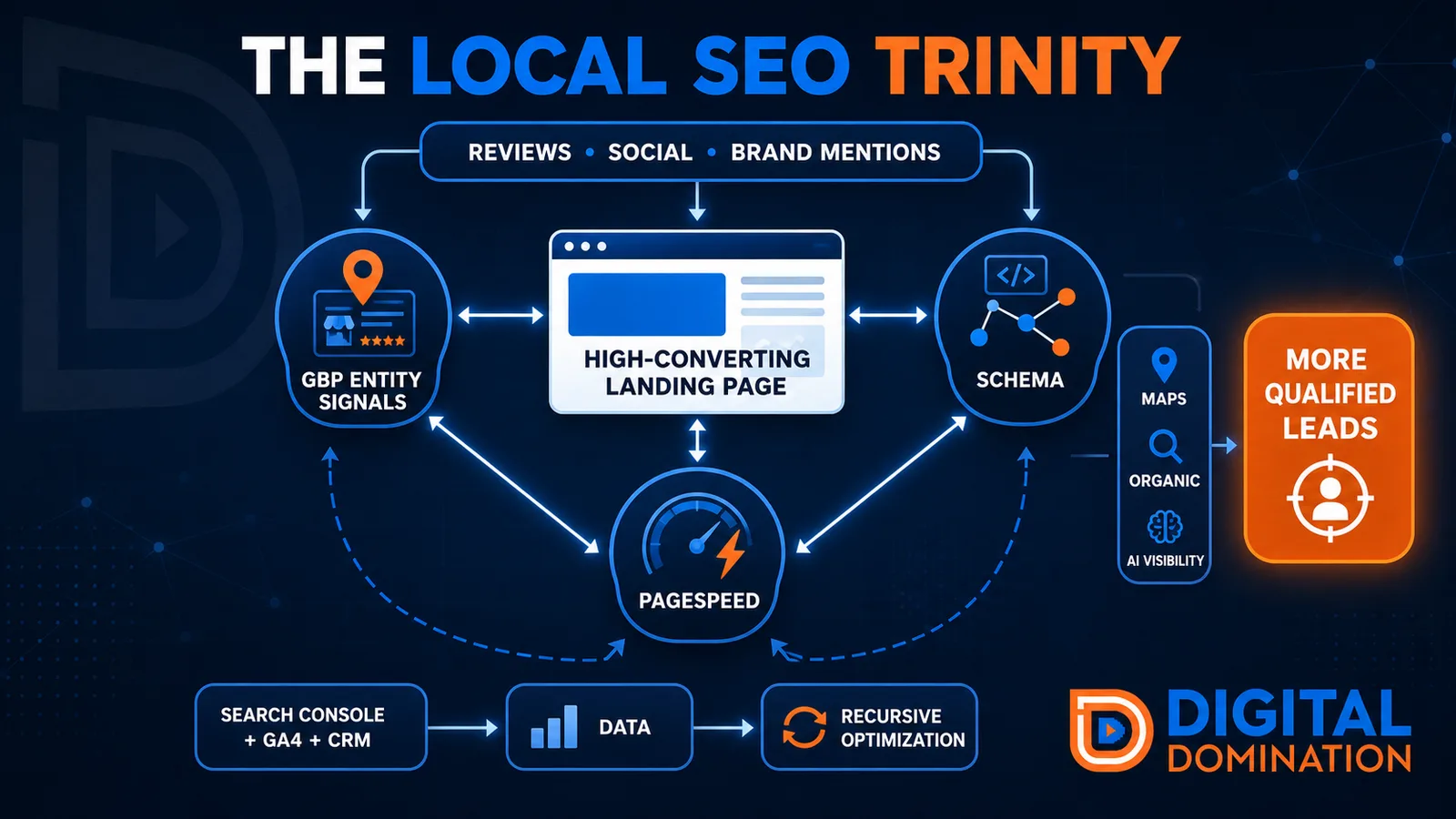
The Local SEO Trinity
Think of a three-legged stool. Your Google profile, your website, and your reviews all have to hold you up. If one leg is short, the whole thing wobbles.
GBP entity signals
This leg is your Google Business Profile. GBP means Google Business Profile. It covers your categories, your services, your location, your hours, and your reviews. Google uses those facts to decide who to show.
Your Google profile is your storefront sign. If the sign is missing, or it names the wrong shop, people drive past.
PageSpeed to conversion
This leg is your website, above all on a phone. Small images, lean code, and caching make a page fast. A fast, clear page is what turns a visit into a call. Phone speed is one of the 12 Trinity checks because a slow page loses the call before anyone sees your offer.
Your website is the showroom. If the door sticks, people leave before they look around.
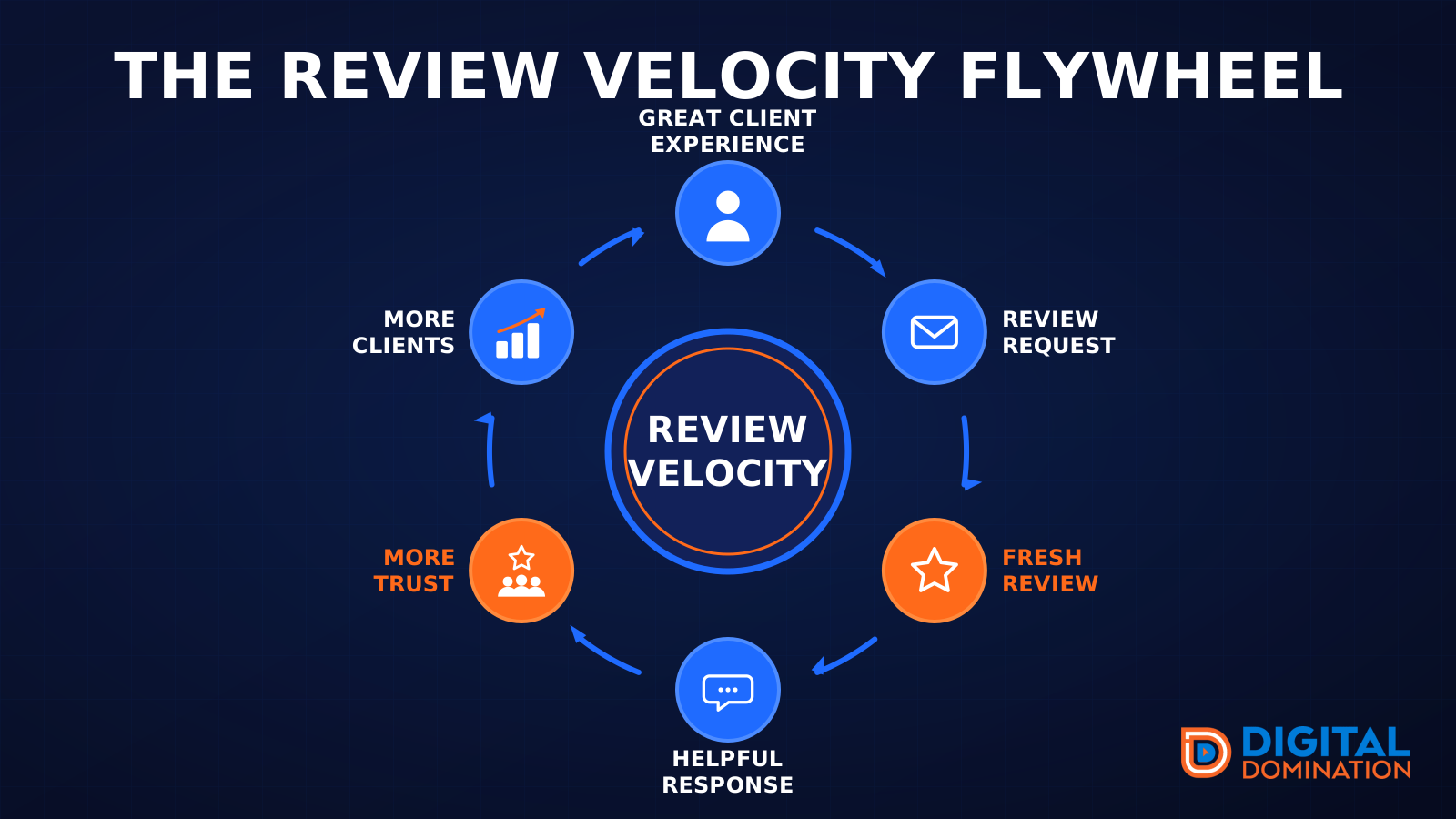
The review velocity flywheel
This leg is reviews and reputation. A good visit leads to a review request, then a fresh review, then a helpful reply, then more trust, then more customers. When the scan can find your Google listing, it shows your rating, your recent reviews, and how many you answered.
Reviews are word of mouth. One kind word helps. A steady stream of real reviews, and a reply from you, helps more.
How this turns into revenue
Being found in more searches leads to more calls. More calls lead to more booked jobs. More booked jobs lead to more revenue.
Example numbers, not a real business: 40 calls from search in a month, a 25 percent close rate, and a $400 average job. That is 10 booked jobs. That is $4,000. The math is the lesson. It is not a promise.
The full page has a box where you can type your own average job value and close rate.
One real story, from our car dealership case study: Medina Auto Group went from invisible on Google Maps to dominating every high-intent search across their market. The turnaround spanned all four of their rooftops at once. The same page says the team eliminated 89 unfair one-star reviews that had been dragging the dealership's reputation down and keeping it out of the Map Pack. It also says: “Results described here are exceptional and non-typical. Outcomes vary based on market conditions, competition, and implementation. No guarantees are made regarding earnings, rankings, or conversions.”
Free strategy call
More booked jobs start with a clear plan
Book a free strategy call. We look at your Google profile, your website, and your reviews, and we tell you what to fix first.
Free. You pick the time. A real person shows up.