
Google Business Profile optimization in Phoenix
Practical Google Business Profile management for Phoenix businesses that need cleaner information, stronger local visibility, better review discipline, and proof of where they rank across the city.
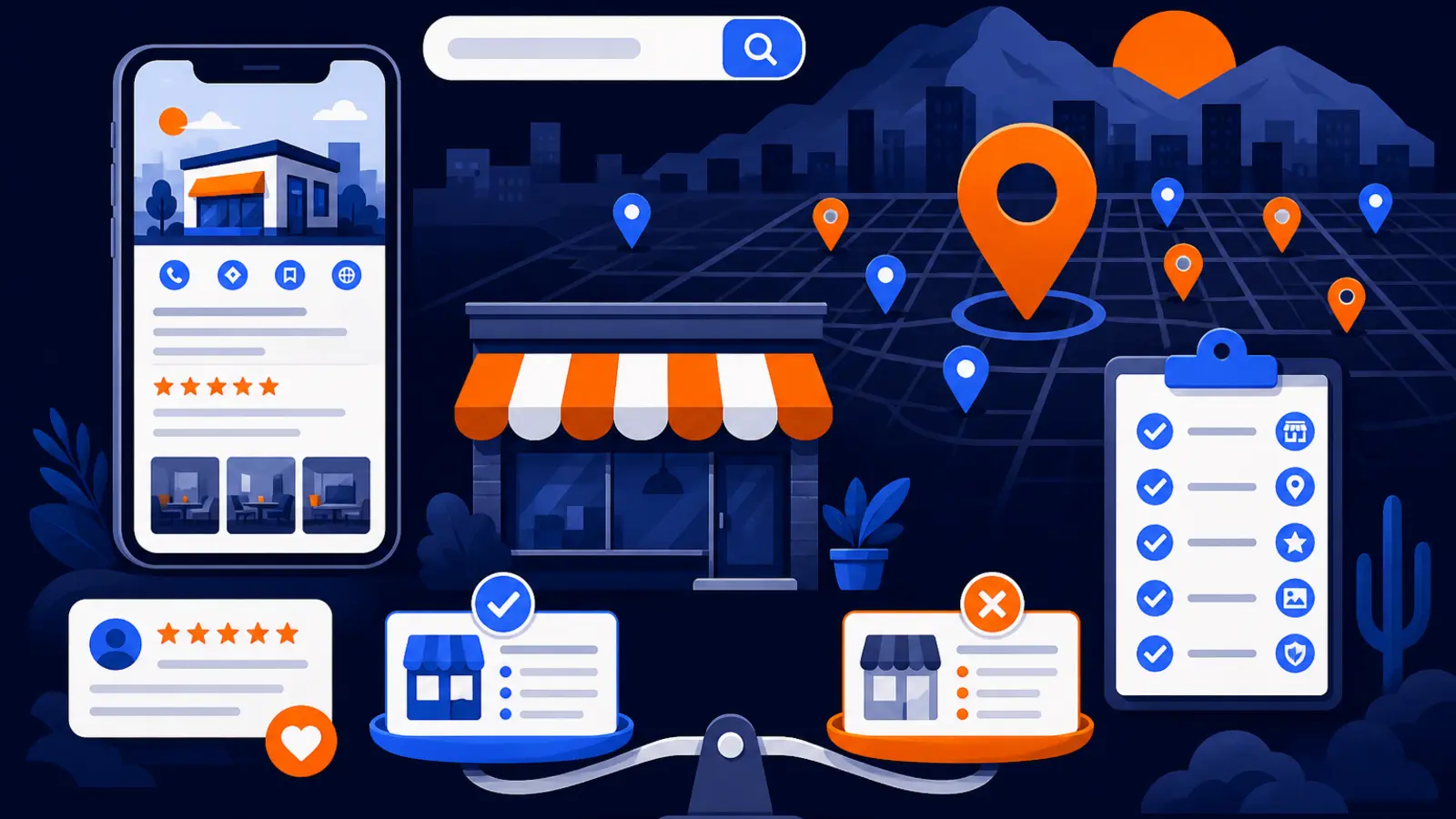
What a Phoenix Google Business Profile service should handle
A Phoenix Google Business Profile optimization service should handle the parts of your profile that affect trust, eligibility, and local visibility without trying to cheat Google. That means accurate business information, proper verification support, category selection, service area setup, review response habits, service listings, photos, posts, and ongoing tracking of where you appear in Google Maps.
Google Business Profile Help says a Business Profile can be used to improve a business's local ranking on Google Maps and Search. It also says there is no way to request or pay for a better local ranking on Google. A legitimate provider should not promise a secret button, fake address trick, keyword-stuffed name, or paid shortcut inside Google.
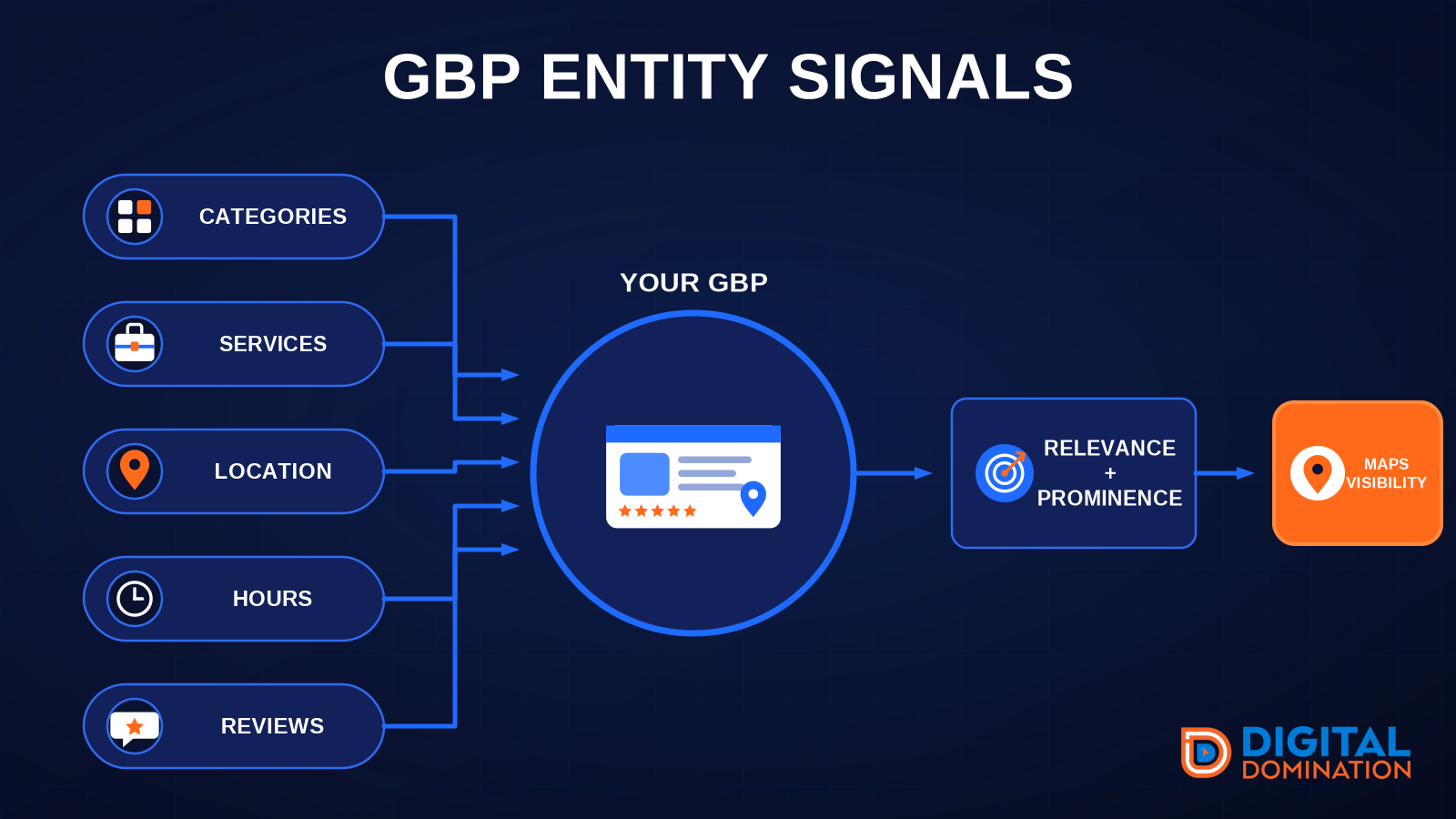
Google says local results are based mainly on relevance, distance, and prominence. For a Phoenix owner, that means the work is not just filling out a form. Your profile must clearly match what you do, where you serve customers, and why Google and customers can trust the business.
Why this matters in Phoenix local searches
Phoenix customers often compare local businesses quickly from Google Search and Google Maps before they call. BrightLocal's 2026 Small Business Marketing Report says 61% of customers start an online local-business search with Google or Maps and 71% use Google at some point during the search.
That makes your Business Profile one of the most important public records your business has. If the category is wrong, hours are stale, services are thin, or reviews sit unanswered, a customer may never reach your website.
A strong optimization service should make the profile easier for Google to understand and easier for a customer to trust. The first job is accuracy. The second job is consistency. The third job is measuring whether the work is helping your real visibility in the areas where you want calls.
The rules a provider should respect
Google Business Profile optimization has to work within Google's guidelines. A provider should be able to explain what is allowed, what is risky, and what can get a profile suspended.
Google Business Profile Help says complete and accurate business information makes businesses more likely to show up in local search results. It also says a profile should include information such as the full address, business hours, business category, and attributes such as parking or Wi-Fi availability.
Before anyone touches your profile, they should confirm these basics:
- ▸The real-world business name matches signs, licenses, website branding, and customer-facing materials.
- ▸The address is handled correctly for your business type.
- ▸Business hours match when staff can actually help customers.
- ▸The primary category is specific and matches the main service.
- ▸Secondary categories are relevant, not padded.
- ▸Services match what customers can buy.
- ▸Photos and posts support the business instead of making claims Google cannot verify.
Verification support is part of the job
Google says businesses need to verify their Business Profile to edit business information and interact with customers. If your profile is unverified, recently moved, newly claimed, or at risk of reverification, optimization starts with getting the profile into a stable, verified state.
Google Business Profile Help says verification methods are automatically determined and may require more than one method depending on business type, public information, region, or business hours. Google also says verification reviews take up to 5 business days after the business completes the verification steps.
A real service should prepare you for the documents, signage, access, and timing Google may ask for. If video verification is required, Google says the recording must be unedited, unique, complete, at least 30 seconds long, and recorded and uploaded from a mobile device through the Business Profile.
For Phoenix owners, a provider should help you get ready for verification by checking these items:
- ▸Permanent signage if customers visit your location.
- ▸Access to the business location during listed hours.
- ▸Business documents that support the name and address.
- ▸A mobile device ready to record through the profile.
- ▸A clean walkthrough plan if Google requests video verification.
- ▸Patience for Google's review period after the steps are completed.
Categories, services, and service areas need careful setup
Categories are not decoration. Google Business Profile Help says the categories selected for a Business Profile affect local ranking and that the primary category should be a specific category from Google's list.
For a Phoenix business, the primary category should describe the main thing you want calls for. A personal injury law firm, HVAC contractor, med spa, dentist, plumber, electrician, roofer, or auto repair shop should not choose a vague category just because it feels broader. Broad often means less clear.
Google also says businesses in certain categories, including service businesses, may showcase offerings directly on the Business Profile and that a service may be highlighted when local customers search Google for that offering. That makes your services section worth maintaining.
A provider should review these category and service choices with you:
- ▸Best primary category for your main revenue service.
- ▸Relevant secondary categories that truly fit.
- ▸Service names written in customer language.
- ▸Service descriptions that are clear and factual.
- ▸Removal of services you no longer offer.
- ▸Alignment between profile services and website service pages.
- ▸Periodic checks when Google changes available category or service options.
Service-area businesses have special risks
Many Phoenix businesses travel to customers instead of receiving customers at a storefront. That can work inside Google's rules, but the setup must be handled carefully.
Google Business Profile Help says a service-area business without a storefront with clear signage is allowed one service-area Business Profile if it travels to customers at their physical locations. Google also says a service-area business should hide its address from customers and that its overall service-area boundary should not extend farther than about 2 hours of driving time from where the business is based.
That matters for trades, mobile services, home services, and other appointment-based businesses. A provider should not tell you to show a home address, rent a fake office, or create extra profiles just to cover more map area.
For a service-area business, the profile should be checked for these issues:
- ▸Address hidden when customers are not served at that location.
- ▸Service areas that reflect a realistic driving range.
- ▸One profile for the eligible service-area business unless Google's rules allow otherwise.
- ▸No fake satellite offices.
- ▸No keyword stuffing in the business name.
- ▸No city stuffing in service areas just for appearance.
- ▸A clear match between the profile, website, and how customers are actually served.
Reviews, replies, and customer trust
Review management is not just asking for stars. It is about making it easy for real customers to share honest feedback, replying professionally, and avoiding anything that could create a policy problem.
Google Business Profile Help says review replies require a verified business and usually take up to 10 minutes to review, but sometimes review can take up to 30 days. That means a provider should not panic if a reply does not appear instantly, and they should not promise full control over what Google publishes.
Digital Domination offers a 5-Star Review System for businesses that need a simpler review process. It is $297/month, has no setup fee, can be canceled anytime, and is billed monthly through Stripe.
A review process should include these habits:
- ▸Ask real customers at the right time.
- ▸Never buy reviews.
- ▸Never ask staff to pose as customers.
- ▸Reply to positive reviews with thanks and specifics.
- ▸Reply to negative reviews calmly and briefly.
- ▸Avoid sharing private customer details in public replies.
- ▸Track review themes that point to service, staffing, or communication problems.
Seven questions to ask before you sign
The DIY path can work for an owner with a verified profile, time to follow Google's documentation, and enough staff discipline to keep categories, service areas, photos, posts, services, and review replies current without outside management. If that is not realistic, ask better questions before hiring help.
A good provider should answer in plain language, not jargon. They should be able to tell you what they will change, what they will not touch, what needs your approval, and how they will report progress.
Ask these questions before you sign:
- ▸Will you follow Google's Business Profile guidelines, even if a competitor appears to be breaking them?
- ▸How will you choose my primary and secondary categories?
- ▸Will you review my verification status before making changes?
- ▸How will you handle a service-area business with no customer-facing storefront?
- ▸What parts of the profile will you update every month?
- ▸How will you help us get and reply to reviews without policy risk?
- ▸Will reporting show rankings by area, not just one search from one computer?
- ▸What happens if Google requests reverification?
- ▸Who owns the profile access if we stop working together?
What to expect from Digital Domination in Phoenix
Digital Domination's Phoenix work starts with visibility evidence, not guesswork. The free 169-point GeoGrid scan checks 169 real Google results across the service area, so you can see where the business is visible and where it is not.
For qualified businesses, Digital Domination's Maps Domination Program is priced per market on a qualification call and tied to the ranking outcome. The guarantee is: top 3 in the Google Map Pack in 12 weeks or you do not pay.
Digital Domination works with one client per trade per service area, which means territory exclusivity matters. The team also provides weekly GeoGrid tracking reports with visual proof of rankings and call volume.
Owners should expect the service to focus on practical map visibility work, including:
- ▸Profile accuracy and cleanup.
- ▸Category and service review.
- ▸Service-area review for eligible businesses.
- ▸Review process support.
- ▸Content and photo guidance for the profile.
- ▸GeoGrid tracking across the actual service area.
- ▸Clear reporting that a non-technical owner can read.
What a completed profile should look like
A completed profile is not perfect forever. It is accurate now, useful to customers now, and managed often enough that it does not drift out of date.
Google Business Profile Help says complete and accurate business information helps a business become more likely to show up in local search results. That does not mean every box should be filled with filler. It means the important information should be true, current, and matched to how the business actually operates.
When you review your own profile, you should be able to verify these checkpoints:
- ▸The business name is clean and not stuffed with extra keywords.
- ▸The primary category is the best fit for the main service.
- ▸Hours are correct, including special hours when needed.
- ▸The address or hidden address setting matches how customers are served.
- ▸Service areas are realistic.
- ▸Services describe what customers can buy.
- ▸Attributes are accurate where available.
- ▸Photos look current and real.
- ▸Posts, if used, do not make misleading claims.
- ▸Review replies sound professional and consistent.
When DIY is the better choice
Not every Phoenix business needs outside management. If your profile is verified, your service area is simple, your staff can keep information current, and you are comfortable reading Google's help documents, DIY may be the right move.
The risk with DIY is usually not one big mistake. It is slow drift. Hours change, a service is discontinued, a category becomes outdated, reviews go unanswered, photos get old, and no one checks whether rankings changed across different parts of the service area.
DIY is a better fit when these conditions are true:
- ▸You have owner-level access to the Business Profile.
- ▸The profile is already verified and stable.
- ▸You know which category is the correct primary category.
- ▸Your service area follows Google's guidance.
- ▸Someone checks the profile every month.
- ▸Someone replies to reviews consistently.
- ▸You are tracking map visibility beyond a single search from your phone.
Next step for Phoenix businesses
If you want help with Google Business Profile optimization in Phoenix, visit Digital Domination's Phoenix page. It explains the local Maps Domination Program, how qualification works, and what kind of visibility tracking you can expect.
If you want to see where you stand before talking to anyone, start with the free GeoGrid scan page. The scan checks 169 real Google results across your service area, then shows where your business appears in the map results and where competitors are winning.
That gives you a practical starting point: fix the profile, follow Google's rules, and measure rankings where customers actually search.
Keep reading
Related guides
- ▸Online reputation management near me
- ▸Online Reputation Management Vs Doing Local SEO Yourself Diy With Free
- ▸Online reputation management vs hiring an in-house marketer
Put it into action
Frequently Asked Questions
How do I optimize my Google Business Profile in Phoenix?
Start with accurate basics: business name, address or hidden address setting, hours, category, services, and attributes. Google Business Profile Help says complete and accurate information makes businesses more likely to show up in local search results. Then keep reviews, photos, services, and posts current instead of treating the profile as a one-time setup.
Can I pay Google for a better Maps ranking?
No. Google Business Profile Help says there is no way to request or pay for a better local ranking on Google. Local results are based mainly on relevance, distance, and prominence, so the work should focus on accurate information, trust, and local visibility signals.
What is the best category for my Google Business Profile?
The best primary category is the most specific category from Google's list that matches your main business. Google says categories affect local ranking, so this choice matters. A provider should explain the recommendation and avoid choosing categories just because they sound broad.
Should a Phoenix service-area business show its address on Google?
If you do not serve customers at a storefront with clear signage, Google says a service-area business should hide its address. Google also says the overall service-area boundary should not extend farther than about 2 hours of driving time from where the business is based. This setup is important for contractors, mobile services, and home service companies.
Why did Google ask me to verify my Business Profile again?
Google automatically determines verification methods, and some businesses may need more than one method depending on business type, public information, region, or business hours. Verification reviews can take up to 5 business days after you complete the steps. A good provider should help you prepare instead of guessing.
Do review replies help my Google Business Profile?
Review replies show customers that the business is active and paying attention. Google says replying to reviews requires a verified business, and replies usually take up to 10 minutes to review, though sometimes review can take up to 30 days. Replies should be calm, professional, and free of private customer details.
How do I know if my Google Business Profile work is improving?
Do not rely on one search from your phone. A GeoGrid report checks map visibility across many points in the service area, so you can see where you rank and where you do not. Digital Domination's free scan checks 169 real Google results across the service area.
Is Google Business Profile optimization worth outsourcing?
It is worth outsourcing if you do not have time to maintain categories, services, service areas, photos, posts, and review replies. DIY can work when the profile is verified, stable, and managed consistently. The right choice depends on whether your team can keep the profile accurate and measure local visibility over time.
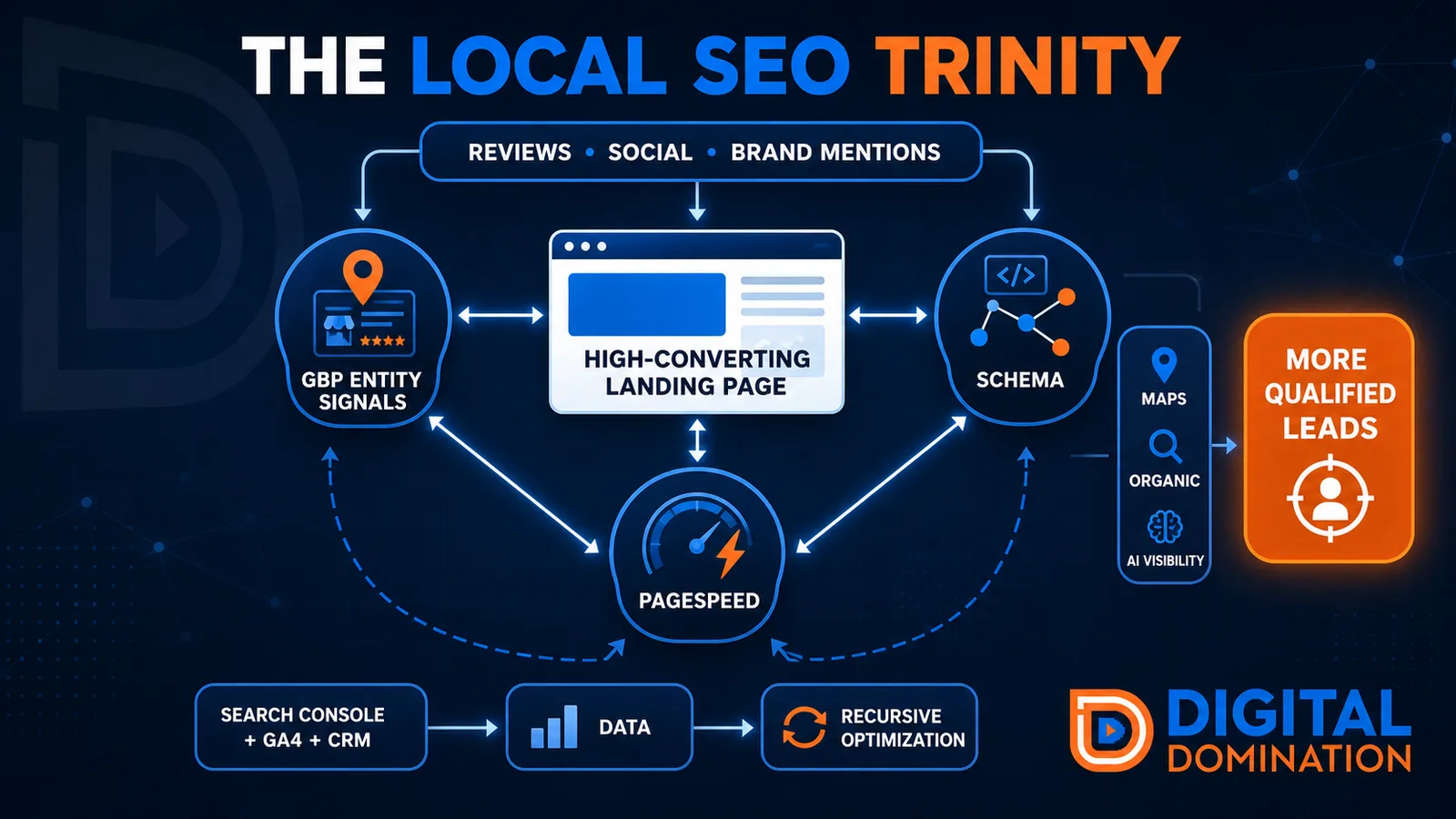
The Local SEO Trinity
Think of a three-legged stool. Your Google profile, your website, and your reviews all have to hold you up. If one leg is short, the whole thing wobbles.
GBP entity signals
This leg is your Google Business Profile. GBP means Google Business Profile. It covers your categories, your services, your location, your hours, and your reviews. Google uses those facts to decide who to show.
Your Google profile is your storefront sign. If the sign is missing, or it names the wrong shop, people drive past.
PageSpeed to conversion
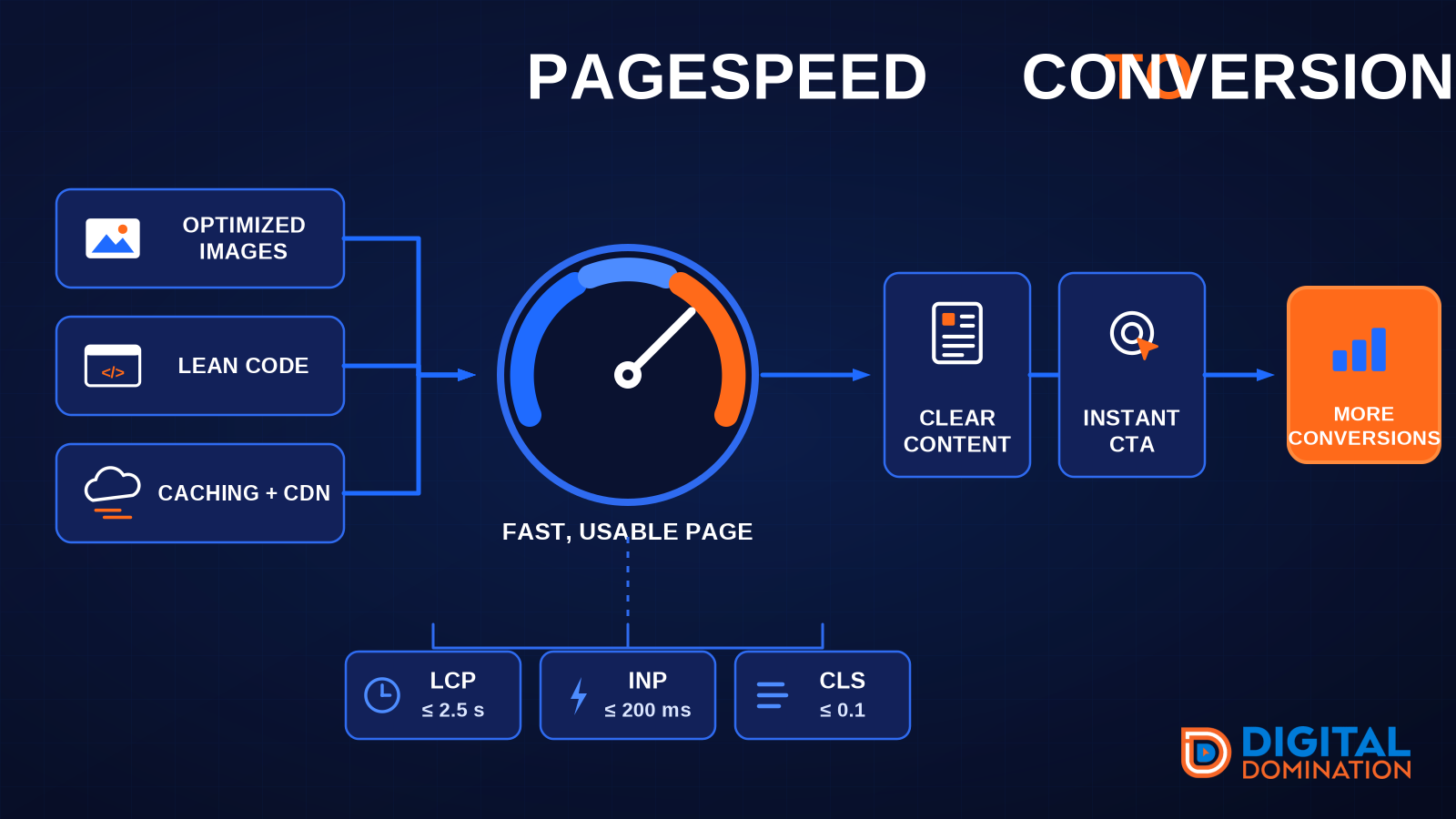
This leg is your website, above all on a phone. Small images, lean code, and caching make a page fast. A fast, clear page is what turns a visit into a call. Phone speed is one of the 12 Trinity checks because a slow page loses the call before anyone sees your offer.
Your website is the showroom. If the door sticks, people leave before they look around.
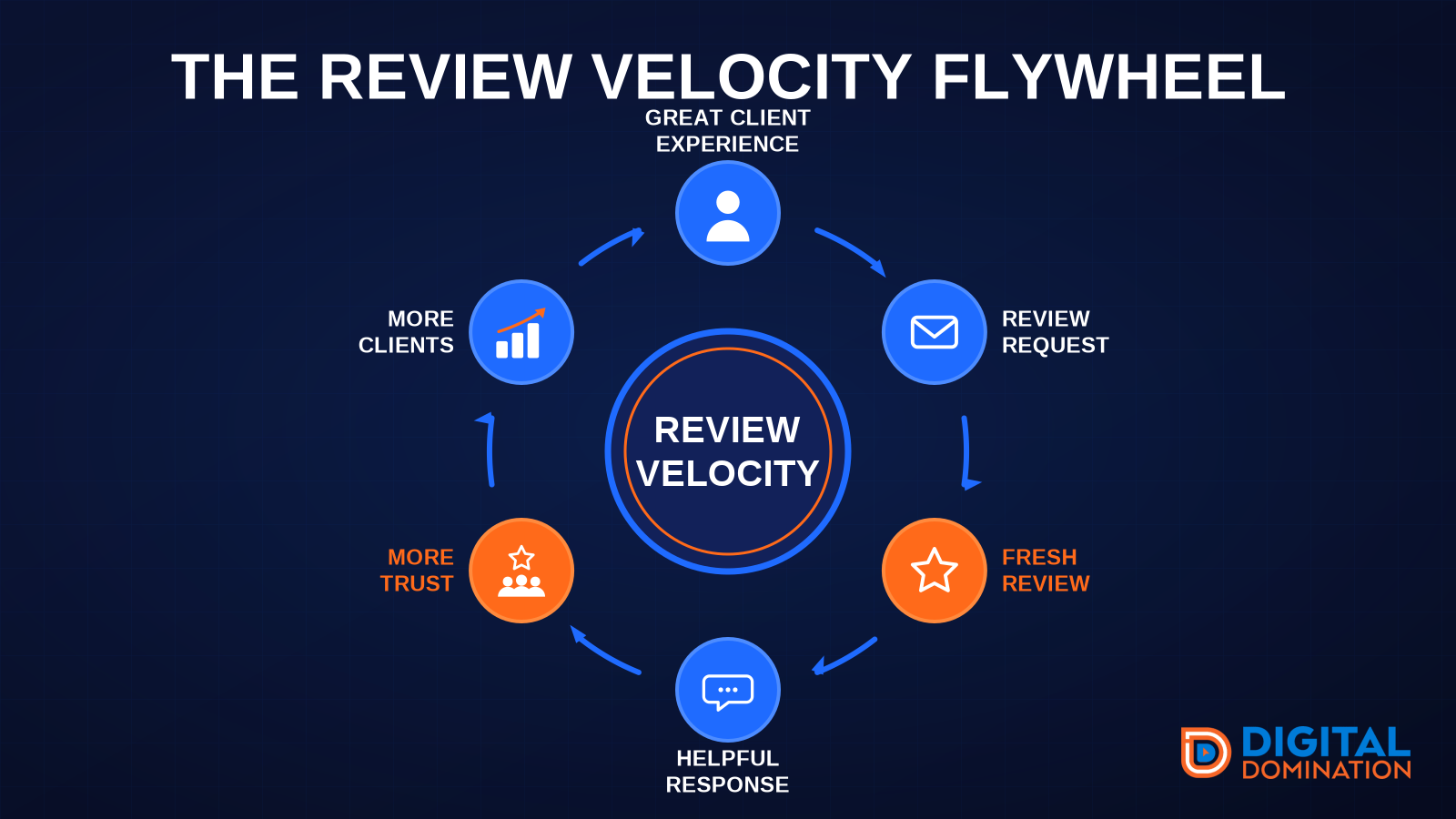
The review velocity flywheel
This leg is reviews and reputation. A good visit leads to a review request, then a fresh review, then a helpful reply, then more trust, then more customers. When the scan can find your Google listing, it shows your rating, your recent reviews, and how many you answered.
Reviews are word of mouth. One kind word helps. A steady stream of real reviews, and a reply from you, helps more.
How this turns into revenue
Being found in more searches leads to more calls. More calls lead to more booked jobs. More booked jobs lead to more revenue.
Example numbers, not a real business: 40 calls from search in a month, a 25 percent close rate, and a $400 average job. That is 10 booked jobs. That is $4,000. The math is the lesson. It is not a promise.
The full page has a box where you can type your own average job value and close rate.
One real story, from our car dealership case study: Medina Auto Group went from invisible on Google Maps to dominating every high-intent search across their market. The turnaround spanned all four of their rooftops at once. The same page says the team eliminated 89 unfair one-star reviews that had been dragging the dealership's reputation down and keeping it out of the Map Pack. It also says: “Results described here are exceptional and non-typical. Outcomes vary based on market conditions, competition, and implementation. No guarantees are made regarding earnings, rankings, or conversions.”
Free strategy call
More booked jobs start with a clear plan
Book a free strategy call. We look at your Google profile, your website, and your reviews, and we tell you what to fix first.
Free. You pick the time. A real person shows up.