
When to choose a free Trinity website audit instead of DIY local SEO tools
A plain-English buyer guide for local business owners deciding whether to diagnose visibility problems themselves or get a free audit first.
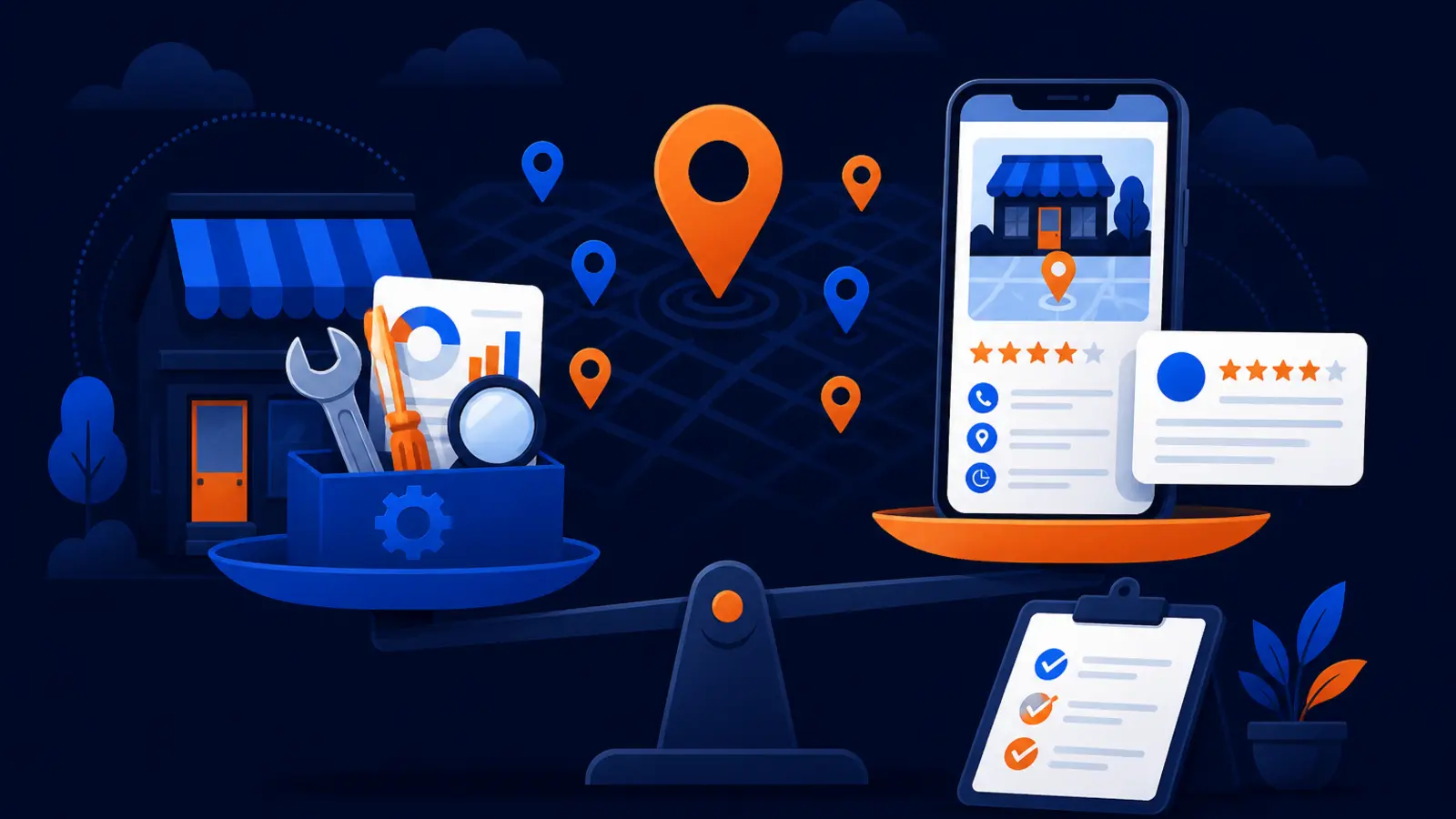
The short answer
Yes, use a free Trinity website audit before spending your own time in Google tools and a rank tracker if you do not already know why your local website is not being found. DIY tools are useful when you are monitoring known issues. They are harder when the problem could be a mix of website indexing, Google Business Profile quality, local relevance, distance, prominence, content gaps, technical blockers and AI-assisted search visibility.
The DIY path can be a smart choice for a hands-on owner with time to learn Google’s documentation, comfort reading Search Console and Business Profile data, and a clear issue to monitor. For example, if you already know a page was recently updated and you only want to watch whether it gets impressions over time, Search Console and a rank tracker may be enough.
Choose the free Trinity website audit when the question is bigger: why are we invisible, inconsistent or losing visibility across Google and AI-assisted search? The audit is built to show how Google and AI tools filter a website, so you can avoid guessing before you spend nights and weekends learning several tools.
What DIY Google tools can tell you
Google’s free tools are not weak. They are often the right starting point. Google Search Console Help says the Search results Performance report can show clicks, impressions, click-through rate, queries and position data for Google Search results, with the default view covering the past three months.
Google Search Console Help also says the URL Inspection tool reports whether Google could find and index a page, including indexing status, sitemaps, referring page, whether indexing is allowed, the user-declared canonical and the Google-selected canonical. For a local owner, that can answer basic questions such as whether an important service page is indexed or whether Google picked a different version of the page than expected.
Google Business Profile Help says local results are mainly based on relevance, distance and prominence, and that there is no way to request or pay for a better local ranking on Google. It also says businesses with complete and accurate Business Profile information are more likely to show in local search results, while inaccurate information may prevent a profile from showing for relevant area searches.
Used well, the free tools can help you check a few important basics:
- ▸Whether important pages are indexed in Google
- ▸Which search queries are bringing impressions and clicks
- ▸Whether a page has obvious indexing or canonical problems
- ▸Whether your Business Profile information is complete and accurate
- ▸Whether your website has performance, accessibility or SEO suggestions from PageSpeed Insights
Where DIY starts to break down
The challenge is not that Search Console is bad. The challenge is that Search Console is not a full diagnosis by itself. Google Search Console Help says Search Console omits anonymized queries and shows only the most important data rows because of internal limitations, with bulk data exports providing the most complete query list.
That matters when you are trying to understand local demand. A service business may care about many small, city-specific searches. If some queries are omitted or grouped away from the view you are using, you may think there is no demand or no visibility problem when the tool is only showing part of the picture.
Google Search Help also says Search results can differ by time, location, language, device type, recent searches and personalization. That is one reason a single rank tracker or a search from your office can give you a false sense of certainty. Local rankings can look different across a service area, especially for searches with local intent.
DIY diagnosis gets harder when several of these are true at once:
- ▸Your rankings look different from home, the office and the job site
- ▸Your website gets impressions but few calls
- ▸Your Google Business Profile appears for some searches but not others
- ▸Your service pages are indexed but still do not show up locally
- ▸Your rank tracker says one thing while phone activity says another
- ▸You are not sure whether the problem is website content, profile quality, competition or technical access
What the free Trinity website audit is for
The free Trinity audit is for owners who want a clearer starting point before they spend time or money making changes. Digital Domination describes it as a free audit of how Google and AI tools filter a website. That is different from a simple scorecard that only says a site is slow or missing a tag.
A useful audit should help you separate symptoms from causes. For example, low traffic could come from pages that are not indexed, pages that target the wrong searches, a weak local footprint, poor Business Profile accuracy, thin service-area signals, or blocked access for AI search tools. Those are different problems with different fixes.
The audit is especially useful when you are deciding whether to handle local SEO yourself, assign it to an employee, hire help, or pause until the website is cleaned up. The point is not to replace your ownership of the data. The point is to avoid making large changes based on one partial metric.
When the DIY route genuinely makes sense
DIY local SEO is not a bad path for every owner. Google Search Central says a small local business can probably do much of its SEO work itself and recommends starting with the SEO Starter Guide. If you like learning this material and have time to keep notes, the free tools can be enough for basic maintenance.
DIY is strongest when the business has a simple market, a small website, accurate Business Profile information and known issues to watch. It is also a better fit when there is no urgent revenue pressure tied to local visibility, because learning takes time.
The DIY path is a reasonable first choice if these statements sound like you:
- ▸You can spend time reading Google’s own documentation before changing pages
- ▸You understand the difference between clicks, impressions, click-through rate and average position
- ▸You can compare Search Console data with Business Profile activity without panicking over daily movement
- ▸You only need to monitor a known issue, not diagnose a broad visibility drop
- ▸You are comfortable checking audit advice against official Google guidance before editing the site
- ▸You can wait for patterns instead of reacting to one ranking snapshot
What to expect from a useful audit
A free audit should not bury you in jargon. It should give you a practical view of what is visible, what is blocked, what is incomplete and what should be checked next. If the audit cannot explain the issue in plain language, it will not help you make a buying decision.
Google Search Central says website owners should check third-party audit recommendations against official Google Search guidance before making significant site changes. That is a good rule for any audit, including a free one. Recommendations should be clear enough that you can compare them with Google’s guidance before approving major work.
Before you act on any audit, look for these concrete checkpoints:
- ▸Does it explain whether key service pages can be found and indexed
- ▸Does it separate website issues from Google Business Profile issues
- ▸Does it account for local differences by location, not just one search from one device
- ▸Does it explain what Google can and cannot confirm from Search Console
- ▸Does it flag any possible access issue for AI-assisted search tools
- ▸Does it identify what should be fixed first and what can wait
- ▸Does it avoid promising a paid shortcut to better local rankings on Google
Seven questions to ask before you spend a weekend in tools
If you are leaning toward DIY, ask yourself whether you are trying to monitor or diagnose. Monitoring is checking known signals over time. Diagnosis is figuring out which system is filtering you out and why.
These questions will tell you whether the free Trinity audit should come first:
- ▸Do I know which pages should rank for which services and cities
- ▸Do I know whether Google has indexed the right version of each important page
- ▸Do I understand why Search Console may not show every query I care about
- ▸Can I explain why rankings differ across nearby neighborhoods
- ▸Can I tell whether the issue is relevance, distance, prominence or profile accuracy
- ▸Have I checked whether AI search tools can access and use my site
- ▸Will I know which recommendation to ignore if a tool gives me a generic score
The AI-assisted search angle
AI-assisted search does not remove the need for normal SEO basics. Google Search Central says SEO best practices remain relevant for AI Overviews and AI Mode, with no additional requirements or special optimizations necessary to appear in those AI features. It also says Google’s generative AI Search features can bring in relevant images and video, and that Google can process JavaScript content when it is not blocked.
That is helpful, but it does not mean every site is ready. If your service pages are unclear, your business information is inconsistent, or important content is hard for systems to access, AI-assisted search may have less useful material to work with.
OpenAI Developers says OAI-SearchBot is used to surface websites in ChatGPT search features, and sites opted out of OAI-SearchBot will not be shown in ChatGPT search answers, though they can still appear as navigational links. For a local owner, that makes access and clarity part of the audit conversation, not a separate mystery.
At minimum, an AI-aware visibility review should check:
- ▸Whether your website clearly states services, location and service area
- ▸Whether important content is accessible instead of hidden or blocked
- ▸Whether pages use plain language that answers real customer questions
- ▸Whether images and video support the page instead of replacing necessary text
- ▸Whether crawler access settings create avoidable visibility limits
Be careful with tool scores and one-click fixes
Tool scores are helpful clues, not final answers. Google for Developers says the PageSpeed Insights API measures webpage performance and provides improvement suggestions for performance, accessibility and SEO. That can be valuable, but a performance suggestion does not automatically explain why a local service page is not earning calls.
Google Search Essentials are organized into technical requirements, spam policies and key best practices for appearing and performing in Google Search, according to Google Search Central. Google Search Central also says spam policy violations can cause a page or an entire site to rank lower or be completely omitted from Google Search. That means a real audit should consider basics, quality and risk, not just speed scores.
A one-click mindset is risky for a local business. If you change titles, delete pages, rewrite service content or swap website platforms without understanding the cause, you may create new problems. The better approach is to confirm what each tool can prove, what it cannot prove and what needs human judgment.
When to get help before changing the site
Google Search Central says a good time to hire SEO help is when you are considering a site redesign or planning to launch a new site. That advice applies to local businesses because redesigns can change page addresses, internal links, content, indexability, tracking and conversion paths.
You do not need to hire an agency for every small edit. But if you are about to make structural changes because a rank tracker looks bad, get an audit first. A free audit can help you decide whether the website needs technical cleanup, content clarification, profile work or a better measurement plan.
Get outside help before major changes if any of these are true:
- ▸You are rebuilding the website
- ▸You are changing domains or page structure
- ▸You are deleting old service pages
- ▸You are expanding into new service areas
- ▸You are trying to recover after a visibility drop
- ▸You are not sure whether the issue is Google Search, Maps or AI-assisted search
A simple choice guide
The decision is not free tools versus paid help. The real decision is whether you already know what you are looking for. If you do, DIY monitoring can be efficient. If you do not, a free audit can save you from spending time on the wrong problem.
Use this quick guide:
- ▸Choose DIY if you have time to learn Google’s documentation and only need to monitor known issues
- ▸Choose DIY if your Business Profile is accurate and your website changes are minor
- ▸Choose the free Trinity audit if visibility is inconsistent across searches or locations
- ▸Choose the free Trinity audit if Search Console, your rank tracker and call activity do not seem to agree
- ▸Choose the free Trinity audit before a redesign, new site launch or major content cleanup
- ▸Choose the free Trinity audit if you want to understand how Google and AI tools filter your website before deciding what to fix
Where to go next
If you want the website and AI-assisted search side reviewed first, visit the Trinity Scan page. It explains the free Trinity audit and what it checks so you can decide whether to diagnose the issue before spending your own time in Google tools and a rank tracker.
If your main concern is Google Maps visibility across your service area, visit the Free GeoGrid scan page. Digital Domination’s free GeoGrid scan checks 169 real Google results across the service area, which gives a local owner a clearer view than one search from one device.
If you already know the issue and have time to learn, the DIY path can be reasonable. If you are unsure why your business is not being found, start with the free audit and use the tools afterward with a clearer target.
Keep reading
Related guides
- ▸Online Reputation Management Vs Doing Local SEO Yourself Diy With Free
- ▸Optometrist local SEO
- ▸Personal injury lawyer local SEO
Put it into action
Frequently Asked Questions
Is a free Trinity website audit better than using Google Search Console myself?
It depends on what you need. Search Console is useful for checking clicks, impressions, queries and indexing clues, but it does not answer every local visibility question by itself. A free Trinity audit is better when you need help diagnosing why Google or AI-assisted search may be filtering your website.
Can I do local SEO myself with free Google tools?
Yes, many small local businesses can handle basic SEO work themselves if they have time to learn. Google Search Central says a small local business can probably do much of its SEO work itself and recommends starting with the SEO Starter Guide. DIY works best when you are monitoring known issues, not trying to solve a complex visibility problem.
Why does my rank tracker show different results than what I see on Google?
Google Search Help says results can differ by time, location, language, device type, recent searches and personalization. That means one rank tracker setting or one search from your office may not represent what customers see across your whole service area. Local visibility needs context, especially for map results.
Does the URL Inspection tool prove my page is ranking?
No. Google Search Console Help says the status "URL is on Google" does not guarantee the page is appearing in Search results. It confirms important indexing information, but you still need to evaluate relevance, competition, local signals and how the page performs for real searches.
Should I get an audit before redesigning my local business website?
Yes, that is a smart time to get help. Google Search Central says a good time to hire SEO help is when considering a site redesign or planning to launch a new site. An audit can help prevent avoidable problems with pages, indexing, content and tracking.
Does AI search require special SEO work?
Google Search Central says SEO best practices remain relevant for AI Overviews and AI Mode, with no additional requirements or special optimizations necessary for those AI features. The practical issue is whether your content is clear, accessible and useful. A Trinity audit can help check how Google and AI tools filter your website.
What is the difference between the Trinity audit and the Free GeoGrid scan?
The Trinity audit focuses on how Google and AI tools filter your website. The Free GeoGrid scan focuses on Google Maps visibility across the service area by checking 169 real Google results. If your concern is website and AI-assisted search visibility, start with Trinity. If your concern is Map Pack coverage, start with the GeoGrid scan.
Ready to dominate your map?
Top 3 in the Google Map Pack in 12 weeks, or you don't pay.