
How Do I Know If My Website Is Blocking ChatGPT From Seeing My Business?
A robots.txt rule or a firewall setting can keep ChatGPT from reading your site. Here is the five-minute check, what to allow, and what is safe to block.
By Digital Domination Team
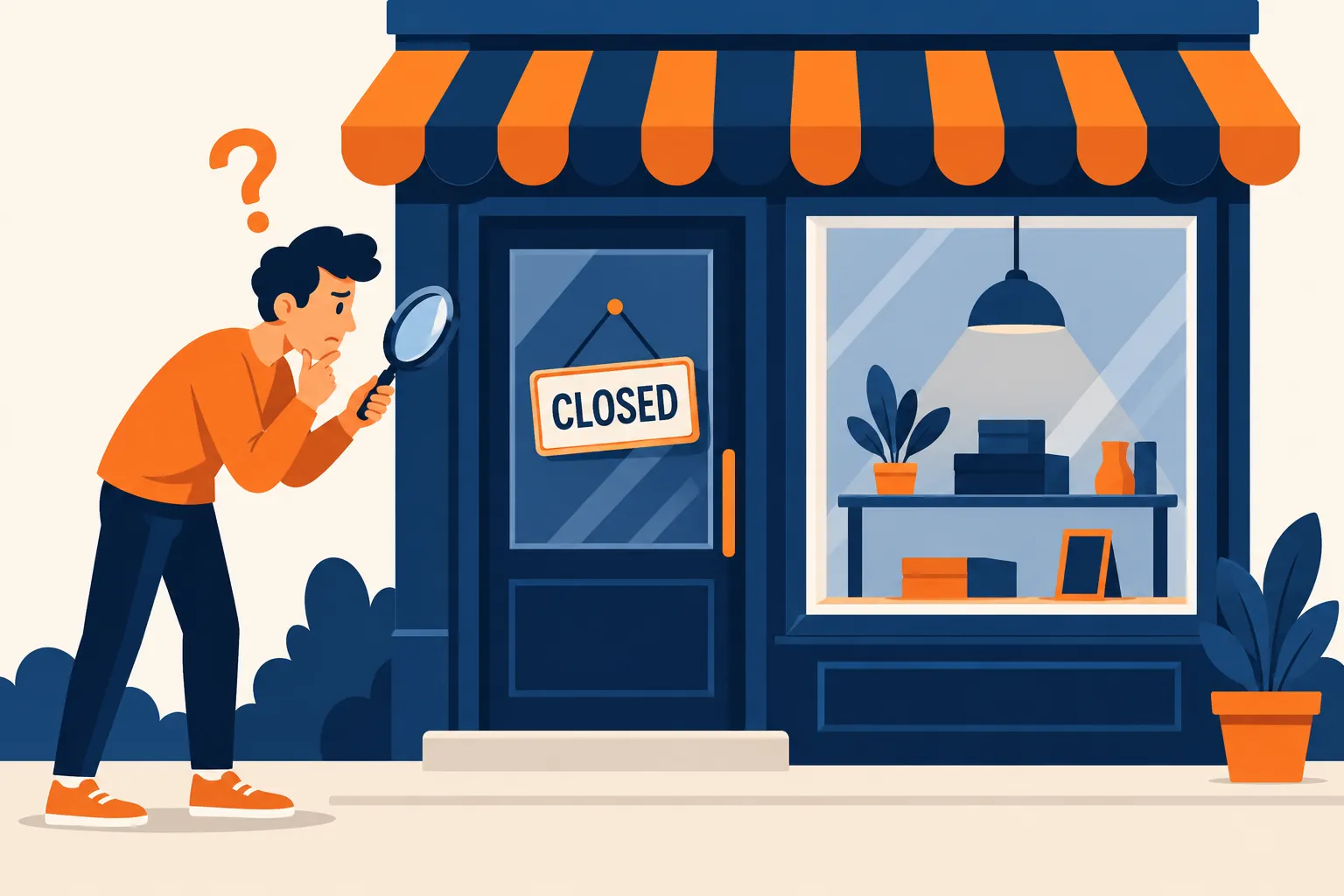
Open yoursite.com/robots.txt in a browser and look for a rule that names OAI-SearchBot, or a User-agent: * line followed by Disallow: /. Either one tells ChatGPT's search crawler to stay out, and OpenAI says sites that opt out of OAI-SearchBot will not be shown in ChatGPT search answers, apart from plain navigational links. If robots.txt looks fine, check your hosting or security settings next, because a firewall can block crawlers before robots.txt is ever read. The fix is usually a small edit.
If you'd rather not dig through code, our free AI Overview and LLM SEO scan checks AI crawler access for you and shows what a real AI assistant says when someone asks for the best business in your area.
Crawler access is step one in our complete guide to getting your business recommended by ChatGPT.
Why is everyone talking about robots.txt right now?
Because Google just published fresh guidance on it. On October 21, 2026, Google's Gary Illyes and Cherry Prommawin released a video on what you can and can't put in a robots.txt file, and Search Engine Roundtable summarized the takeaways. Two points matter for local business owners:
- ▸Use the right crawler name. A rule only works if it names the crawler's recognized user-agent token. A rule that looks right to a person can still be ignored by a crawler.
- ▸Crawling and training are separate questions. Blocking a crawler from reading your pages is not the same as telling a company what it may do with content it already has.
That second point is where many small business sites go wrong. Someone reads a scary headline about AI training, adds a broad block, and the business quietly disappears from the assistants customers are starting to ask for recommendations.
What is robots.txt, and how do I check mine?
Robots.txt is a plain text file at the root of your website that tells automated crawlers which pages they may visit, and you can read yours by adding /robots.txt to your domain. Google's own guide is clear that it is a request, not a lock: well-behaved crawlers follow it, and it is not a security tool. Google's documentation on AI features and your website lists ensuring that crawling is allowed in robots.txt, and by any CDN or hosting infrastructure, as one of the basics for appearing in AI Overviews and AI Mode.
Here's the five-minute check:
- Open it. Type your domain followed by /robots.txt, for example https://yourbusiness.com/robots.txt.
- Look for a blanket block. If you see User-agent: * and then Disallow: / on the next line, every compliant crawler is being told to skip your whole site. This is common on sites that were built in "staging" mode and never switched back.
- Search the page for OAI-SearchBot. If it appears with Disallow: /, ChatGPT search is blocked.
- Search for Googlebot. A Disallow: / under Googlebot is a serious problem for both regular and AI search.
- Ask whoever runs your hosting or CDN whether any "block AI" or crawler protection setting is turned on.
Want a faster read? The AI Overview and LLM SEO scan puts AI crawler access first in its score for a reason: if the assistants can't read you, nothing else on the page matters. When the scan finds your robots.txt blocking AI search crawlers, it caps your score at 40 and tells you so.
Should I block GPTBot, or will that take me out of ChatGPT?
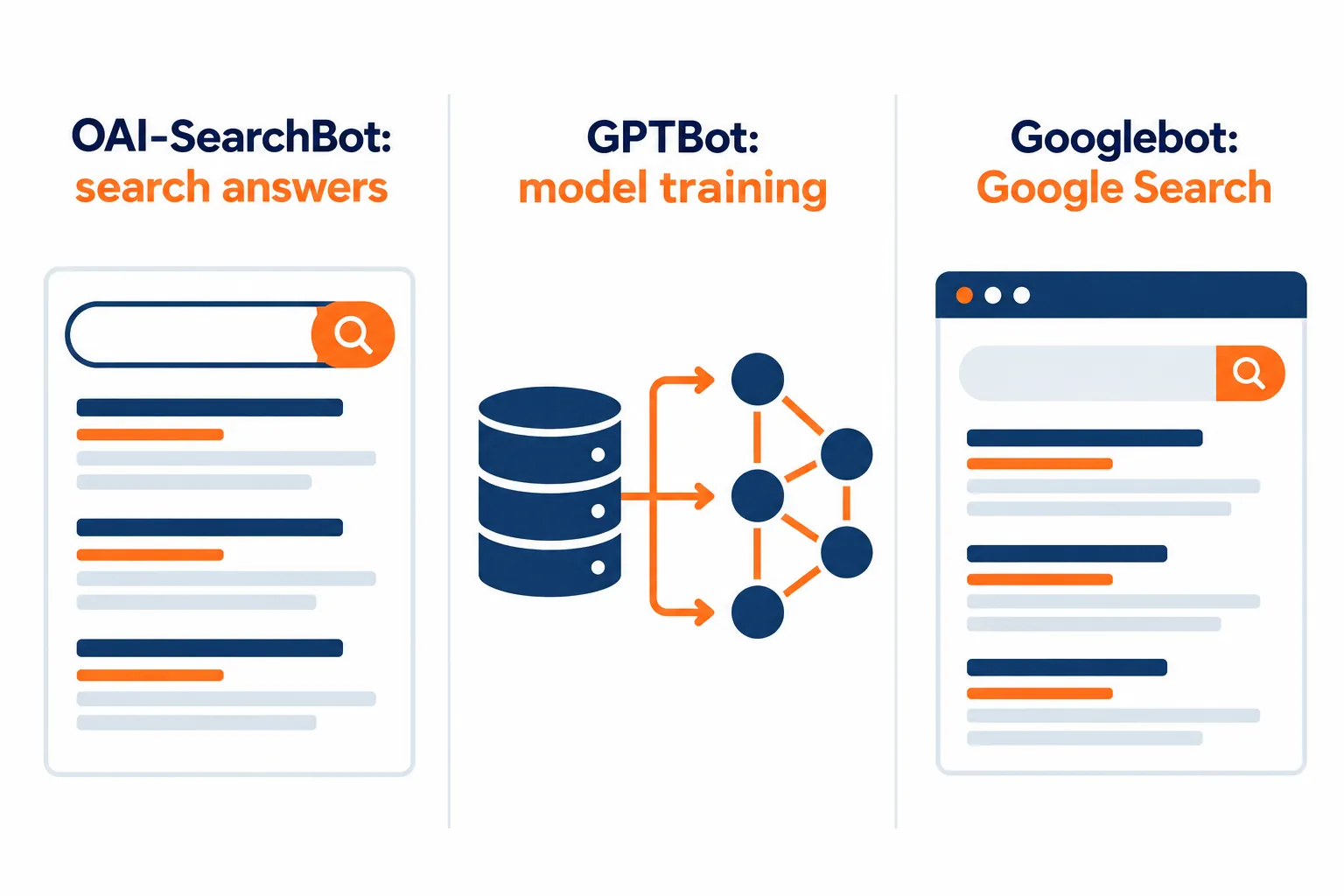
Blocking GPTBot does not take you out of ChatGPT search, because OpenAI uses a different crawler, OAI-SearchBot, for search, and says the two settings are independent. OpenAI's crawler documentation lists three you will see:
- ▸OAI-SearchBot: used to surface websites in ChatGPT's search features. Allow this one if you want ChatGPT to show your site in answers.
- ▸GPTBot: used to crawl content that may be used to train OpenAI's models. You can block it without affecting ChatGPT search.
- ▸ChatGPT-User: used when a person asks ChatGPT to visit a page. OpenAI notes robots.txt rules may not apply here because a user started the request.
A simple, readable robots.txt that keeps search crawlers welcome while declining model training looks like this:
User-agent: *
Allow: /

User-agent: OAI-SearchBot
Allow: /

User-agent: GPTBot
Disallow: /

Sitemap: https://yourbusiness.com/sitemap.xml
Whether to block GPTBot is a business choice. Allowing it is also reasonable. Pick one on purpose. Keep any existing rules that protect admin pages, carts or private folders. Test changes. Google's guide on creating a robots.txt file explains the syntax and how to test it.
Perplexity, Anthropic (Claude) and Microsoft publish their own crawler names too. If your robots.txt has a long list of AI crawlers copied from a forum post, check each line against the company's current documentation.
Can Cloudflare or a security plugin block ChatGPT even if my robots.txt looks fine?
Yes. A firewall, CDN or security plugin can turn crawlers away before they ever read robots.txt, so a clean robots.txt is not proof you're visible. Cloudflare's own documentation for its AI Crawl Control feature lets site owners allow or block each AI crawler, and its guide to how that works with firewall rules warns that crawlers you set to Allow can still be blocked by other security rules that run first.
Common ways local sites block AI by accident:
- ▸A builder or theme default. Some site builders add a site-wide block while a site is being built. If no one turns it off at launch, it stays.
- ▸A "block AI crawlers" toggle. These settings are now common in CDNs and plugins. Some block search crawlers along with training crawlers.
- ▸A copied list. Long lists of AI crawler names get passed around online. Some include search crawlers you actually want.
- ▸A redesign. A new site can ship with a new robots.txt or new security rules nobody reviewed.
If you use Cloudflare or a security plugin, ask whoever manages it to confirm that OAI-SearchBot and the other search crawlers you want are allowed.
If I block Googlebot, does that keep me out of AI Overviews?
It keeps you out of Google Search entirely, not just the AI parts, because AI Overviews and AI Mode are part of Google Search and use Googlebot. Google's guidance says robots.txt rules for Googlebot are the control for how your site is crawled for Search. If you want to limit what Google shows from your pages, Google points to preview controls such as nosnippet and max-snippet instead.
Google also lists a separate token, Google-Extended, in its common crawlers documentation. It covers training and grounding in some of Google's other AI systems. It does not remove you from regular Search.
For the full plan on Google's side, see how to get your local business into Google's AI Overviews.
Do I need an llms.txt file for ChatGPT or Google?
For Google, no. Google's AI features guidance says you don't need new machine-readable files, AI text files or special schema to appear in AI Overviews or AI Mode. The basics still apply: crawlable pages, important information written as text, and structured data that matches what's on the page.
For ChatGPT, the controls OpenAI documents are the robots.txt rules for its crawlers above. Getting those right matters far more than adding a new file.
What should I do after my site is unblocked?
Unblocking lets assistants read your site, but it doesn't guarantee they'll recommend you, so check the other signals next. In the AI Overview and LLM SEO scan, crawler access is one part of the score. The others are your review footing compared with the businesses that show up for your main search, whether your address, phone, hours and services are readable as text, and whether your page is laid out so facts can be pulled out cleanly.
For the bigger picture of how assistants choose, read Why Isn't My Business Showing Up in ChatGPT Answers? and AI SEO for Local Business. If an assistant names you but gets your details wrong, start with ChatGPT Has the Wrong Information About My Business, How Do I Fix It?. For Google's side, see how to get your local business into Google's AI Overviews.
Sources
- ▸OpenAI, Overview of OpenAI Crawlers
- ▸Search Engine Roundtable, Google On robots.txt Rules For AI Crawlers, Emojis, International URLs and More, October 21, 2026
- ▸Google Search Central, AI features and your website
- ▸Google Search Central, Introduction to robots.txt
- ▸Google Search Central, Google's common crawlers
- ▸Google Search Central, Create and submit a robots.txt file
- ▸Cloudflare Docs, Manage AI crawlers and AI Crawl Control with Cloudflare WAF
Keep reading
Related guides
Put it into action
Frequently Asked Questions
Will blocking GPTBot remove my business from ChatGPT?
No. According to OpenAI's documentation, GPTBot is for model training and OAI-SearchBot is for search, and the settings are independent. You can block one and allow the other.
Can I block Google's AI Overviews without hurting my Google rankings?
Not by blocking Googlebot. AI Overviews and AI Mode are part of Google Search, so blocking Googlebot blocks Search too. Google points to snippet controls such as nosnippet and max-snippet for limiting what is shown.
How long does it take ChatGPT to notice a robots.txt change?
OpenAI says its systems can take about 24 hours to adjust after a robots.txt update. Google recrawls on its own schedule, which can take days or longer.
My robots.txt allows everything. Why can't ChatGPT see my site?
A CDN, firewall or security plugin may be blocking crawlers before they reach robots.txt. Cloudflare's documentation notes that other security rules can block crawlers you have set to allow. Ask whoever manages your hosting to check.
Do I need an llms.txt file so ChatGPT or Google can find me?
For Google, no. Google's AI features guidance says you don't need new machine-readable files, AI text files or special schema to appear in AI Overviews or AI Mode. For ChatGPT, the controls OpenAI documents are robots.txt rules for its crawlers.
Is robots.txt enough to keep my content private?
No. Google describes robots.txt as a request that compliant crawlers follow, not a security measure. Anything truly private belongs behind a login.
How do I know if AI assistants can read my site right now?
Run the free AI Overview and LLM SEO scan at https://digitaldomination.ai/ai-llm-seo-scan/. Paste your website, and it checks AI crawler access, asks a real AI assistant who is best in your area, and shows you exactly who it named.
Ready to dominate your map?
Run a free GeoGrid scan, or book a call to walk through the map.