
My Website Traffic Dropped This Month, What Should I Check First?
Check whether your tracking still works, and whether the date of the drop matches one of Google's published update dates, before you change the site.
By Digital Domination Team

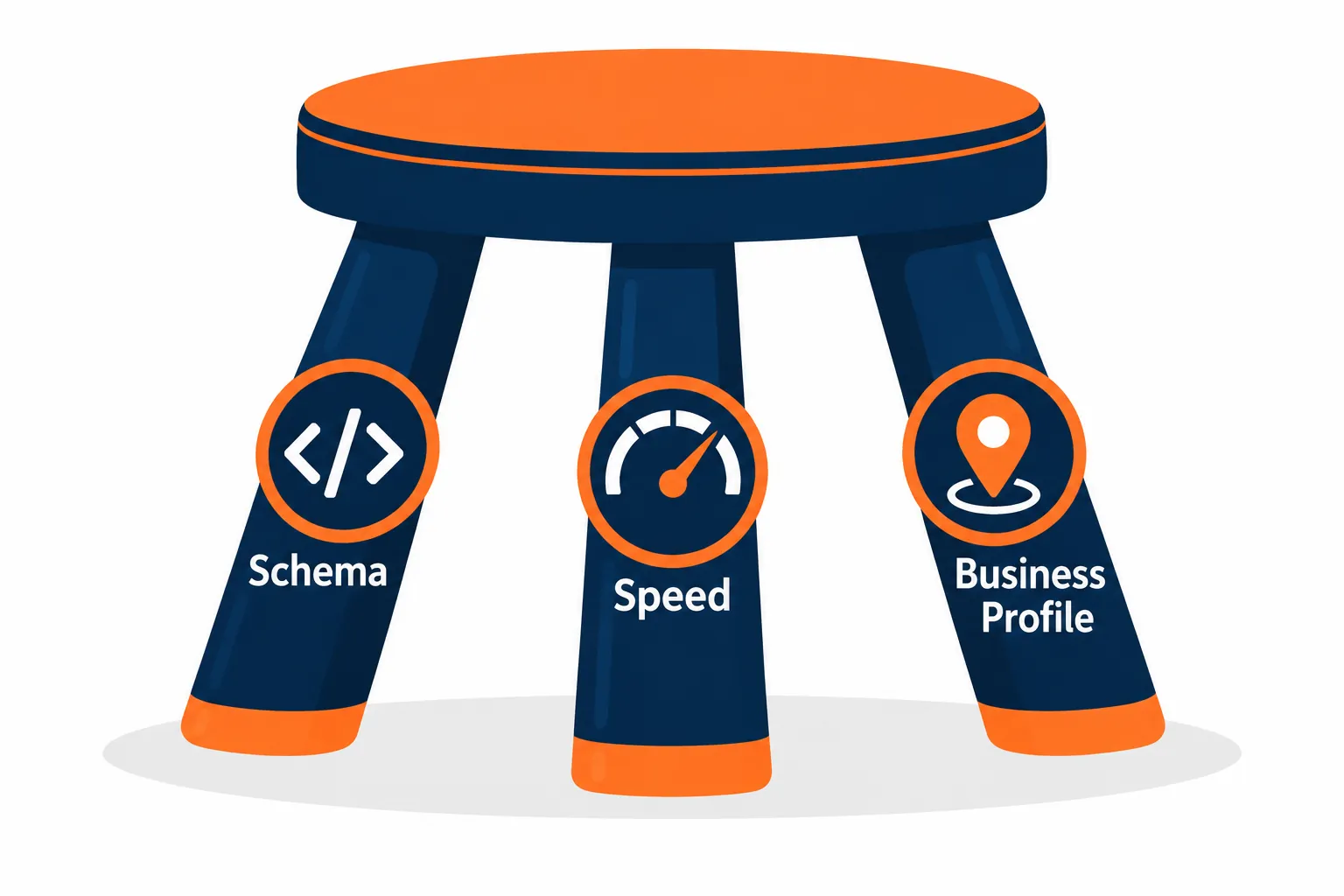
Check two things first: whether your tracking still works, and whether the date of the drop matches one of Google's published update dates. Most sudden drops come from one of five places: a Google update, AI answers taking clicks on the search page, a tracking or website change on your end, a technical problem like a blocked page or a slow site, or a seasonal dip. For local businesses, the website is the piece you can fix fastest, and our free Trinity scan checks your schema, your phone speed and the signals that tie your site to your Google Business Profile.
How do I know the drop is real and not a tracking problem?
Compare the same weeks last year, confirm your analytics code still loads, and look at calls and form fills alongside visits. Before changing anything, make sure you're looking at a real loss of visitors and not a reporting problem.
- ▸Compare the same weeks last year. Many local businesses are seasonal. HVAC, landscaping and tax services all swing with the calendar.
- ▸Check that your tracking still works. A new website, theme, cookie banner or plugin can break your analytics code. If traffic fell to near zero overnight, suspect tracking first.
- ▸Look at leads, not just visits. If calls and form fills are steady and visits are down, the change may matter less than it looks.
Was there a Google update in October 2026?
Google's September 2026 spam update finished around October 8, and trackers reported unconfirmed volatility after that, but Google has not confirmed a core update in October as of this writing. If your numbers looked strange in late September or October 2026, you weren't alone.
The September 2026 spam update. Google's Search Status Dashboard lists a September 2026 spam update that began September 24 and ran for about 13 days and 16 hours, ending around October 8.
Unconfirmed volatility since. Search Engine Roundtable reported unusual ranking volatility and industry chatter on October 20 and 21, following another spike around October 16. Google has not confirmed an update for those dates.
No core update yet. The dashboard shows the most recent core update as the May 2026 core update, which began May 21.
A spam update affects sites that break Google's spam policies, such as large amounts of thin or copied pages. A core update is broader. If your drop lines up with neither, the cause is more likely closer to home.
To match your dates, open Google Search Console, go to the Performance report and look at clicks and impressions for the last three to six months. Note the exact date the drop started.
- ▸Drop started between September 24 and October 8? Review your site against Google's spam policies. Thin location pages built from the same template are a common local risk. Our post Thin local pages can weaken your whole site's trust explains why.
- ▸Drop on October 16 or October 20 to 21? That lines up with unconfirmed volatility. Watch for a few weeks before making big changes, and keep an eye on the dashboard in case Google confirms an update.
- ▸Drop on a date with no news? Look at your own changes on or near that date.
For a local-specific audit of the spam update, see Google spam update is done: how local businesses should audit ranking drops.
Are AI Overviews taking my clicks even though my rankings didn't change?
They can be. When an AI Overview answers a question right on the results page, some people never click, so rankings can hold while clicks fall. One pattern site owners describe: impressions and average position look fine or even better, while clicks drop sharply.
Google's guidance on AI features and your website says AI Overviews and AI Mode traffic is counted inside the Performance report under the Web search type. Our post Google Search Console now shows AI Overview and AI Mode visibility shows where to look.
For the full plan, see how to get your local business into Google's AI Overviews.
What to do about it:
- ▸Answer common customer questions clearly near the top of your service pages, so your page is a good source to cite.
- ▸Make sure your address, phone, hours and services are written as text, not only in images.
- ▸Check whether AI assistants are naming you at all with our free AI Overview and LLM SEO scan.
Could something on my own website have caused the drop?
Yes, and it's the most common cause local businesses can fix themselves: a redesign, a crawler block, a slow phone experience, broken schema or details that no longer match your Google Business Profile. This is the part fully in your control.
- ▸Did anything change on the site? A redesign, new hosting, a new theme or a new plugin can quietly change page titles, remove pages, break redirects or block crawlers. Check whether your old page addresses still load or redirect properly.
- ▸Is your site blocking search crawlers? Open yoursite.com/robots.txt. A line that says Disallow: / under User-agent: * tells crawlers to skip your entire site. Our guide How Do I Know If My Website Is Blocking ChatGPT? covers how to read it.
- ▸Is your site slow on a phone? Most local searches happen on phones, and slow pages lose callers before they see your offer. Google's Core Web Vitals guide explains the speed and stability measures Google looks at. You can test any page with PageSpeed Insights. The Trinity scan counts phone speed as a pass at a Google speed score of 90 or higher.
- ▸Is your schema missing or broken? Schema is code that tells Google and AI tools who you are, what you do and where. A redesign often wipes it out. Our guide What Is Schema Markup, and Does My Local Business Website Actually Need It? explains what it should include.
- ▸Does your website still match your Google Business Profile? If your site lists a different phone number, an old address or missing hours compared with your profile, you're sending mixed signals.
Checking all of that by hand takes time. The free Trinity scan looks at your schema, your website and mobile speed, and the website signals that let Google match your site to your Business Profile (map, hours, services, name and phone). Every finding shows the evidence, why it matters and what to do next. It only reads your public homepage, so nothing on your site changes.
Could the drop be coming from my Google Business Profile or Maps?
It could, because for many local businesses Google Maps sends more calls than the website does. If website visits from Maps fell, look at your profile:
- ▸Was your profile edited, suspended or moved?
- ▸Did your category or hours change?
- ▸Did a competitor open nearby?
Our guides Why Did My Google Maps Ranking Drop, and How Do I Get It Back? and Why Is My Business Not Showing Up on Google Maps? walk through each one.
My traffic is down but calls are steady, should I worry or rebuild my site?
Don't rebuild as a first step. If calls and form fills are holding, find the cause of the traffic drop before changing anything big. A rebuild can introduce new problems, such as lost redirects or missing schema, if it isn't planned carefully. Fix the specific issue you find, then watch your leads for a few weeks.
If you've checked tracking, matched dates and reviewed your site, and you still can't find the cause, it may be time for a second set of eyes. Before you hire anyone, read How do you know if your SEO company is actually working? so you know what good reporting looks like.
Sources
- ▸Google, Search Status Dashboard: ranking incident history
- ▸Search Engine Roundtable, Google Search Ranking Volatility and Chatter Heats Up October 20 and 21, October 21, 2026
- ▸Google Search Central, Spam policies for Google web search
- ▸Google Search Central, AI features and your website
- ▸Google Search Central, Understanding Core Web Vitals
Keep reading
Related guides
- ▸White label local SEO in Las Vegas
- ▸White label local SEO near me
- ▸White label local SEO vs doing local SEO yourself
Put it into action
Frequently Asked Questions
Was there a Google update in October 2026?
Google's Search Status Dashboard lists the September 2026 spam update, which ran from September 24 to around October 8. Industry trackers reported unconfirmed volatility around October 16 and October 20 to 21. As of this writing, Google has not confirmed a core update in October.
Why did my website traffic drop all of a sudden?
The usual causes are a Google update, AI answers taking clicks, a tracking or website change, a technical problem such as a crawler block or slow pages, or a seasonal dip. Match the date of the drop to Google's update dates, then check your own site.
How long does it take to recover from a traffic drop?
It depends on the cause. A tracking or robots.txt mistake can recover within days of fixing it. Recovery from an update usually takes longer and often needs real improvements to your pages.
Can AI Overviews lower my traffic even if my rankings didn't change?
Yes, it's possible. When an AI Overview answers a question on the results page, some people don't click through. Google counts AI feature traffic within Search Console's Performance report, so compare clicks, impressions and position together.
Should I rebuild my website after a traffic drop?
Not as a first step. Find the cause first. A rebuild can introduce new problems, such as lost redirects or missing schema, if it isn't planned carefully.
What's the fastest thing I can check today?
Run the free Trinity scan at https://digitaldomination.ai/trinity-scan/. No email, phone number or call is required to see your results, and it shows which of the three legs (schema, speed and Business Profile signals) to fix first.
Does the Trinity scan guarantee my traffic will come back?
No. It reports on specific signals on your website. Better signals help, but no one can promise rankings or traffic.
Ready to dominate your map?
Run a free GeoGrid scan, or book a call to walk through the map.